
VPN Use in the UAE: Rules and Practical Considerations
A cautious look at using a VPN when you travel to or live in the UAE: why regulation varies, what penalties people report, which official sources to read and how to use a VPN only lawfully.
10 min readUpdated Oct 15, 2026By XPASS Editorial Team

Few travel questions generate as much confusion as "can I use a VPN in the UAE?" Online answers range from a flat yes to a flat no, and many of them are written by sites that want to sell you something. The honest answer is more careful: the rules around VPNs are not the same everywhere, in some places the law looks at why and how you use one rather than at the software itself, and penalties for crossing a line can be serious. A short trip is a poor time to learn that the hard way.
This article does not tell you how to get around anything. It explains what is publicly known in general terms, which questions to ask, which official sources to read and how to think about a VPN for traveling to the UAE as a lawful security tool, not as a way to avoid local rules. If you are new to the idea, what a VPN is is a good place to start, and our general piece on whether VPNs are legal covers the wider picture before we focus on one country.
Why this question needs more care than most
Most countries treat a VPN as ordinary software. Banks, universities, hospitals and governments themselves use VPNs every day to protect staff who work away from the office. That is true in the UAE as well: international companies, free zones and hotels operate there and rely on secure connections as part of normal business.
The difficulty is that regulation of online activity differs from one country to another. In a number of countries, rules are written around outcomes such as fraud, harassment, or misuse of a network, and a VPN becomes relevant when it is used to commit or hide an offence. Publicly available summaries of UAE cybercrime and telecommunications rules describe exactly this kind of approach, with fines and other penalties for misuse. Details, wording and enforcement change over time and are decided by the UAE authorities, not by blogs or VPN companies, including this one.
Three consequences follow for you as a traveller.
- Do not assume. What a friend did last year, or what a forum post says, may be outdated or simply wrong.
- Read official sources. The UAE government's own information pages, and the travel advisory published by your own foreign ministry, are the starting points.
- Keep your use plain. If your reason for a VPN is to protect your connection on shared Wi-Fi, to reach your employer's systems or to protect private banking sessions, that is a straightforward security reason. If your reason is to do something that would be a problem without a VPN, a VPN does not fix it, and it may add to your problem.

What is generally known, and what is not
It helps to separate three kinds of statements.
Widely accepted facts about VPNs. A VPN encrypts traffic between your device and a VPN server. The local network, such as a hotel, cannot read the contents of that traffic. The sites you visit see the VPN server's address rather than the hotel's. The Cloudflare explainer on VPNs describes this at a basic level.
Things that are reported but that you should check yourself. Travel advisories and news coverage often say that using a VPN to commit a crime, or to hide your identity while doing something unlawful, can bring heavy penalties in the UAE, and that rules on certain online services and content exist. Because we cannot give you current text or legal interpretation, treat this as a prompt to read the official wording, not as a summary you can rely on.
Things nobody can promise. No article can promise that a particular app will work on a particular network on a particular day, that a particular use will be treated a particular way, or that your situation is covered by an exception. Authorities, operators and employers can change policies without warning.
If a website claims a VPN is "completely legal everywhere" or "completely banned", be wary. Both claims oversimplify.
Lawful reasons a traveller might still want a VPN
None of this means a traveller must avoid security tools. People use VPNs lawfully in the UAE and elsewhere for many ordinary reasons. The test to apply is simple: would the reason still look ordinary if you explained it to your employer or an official? The list below shows reasons that are typically considered routine.
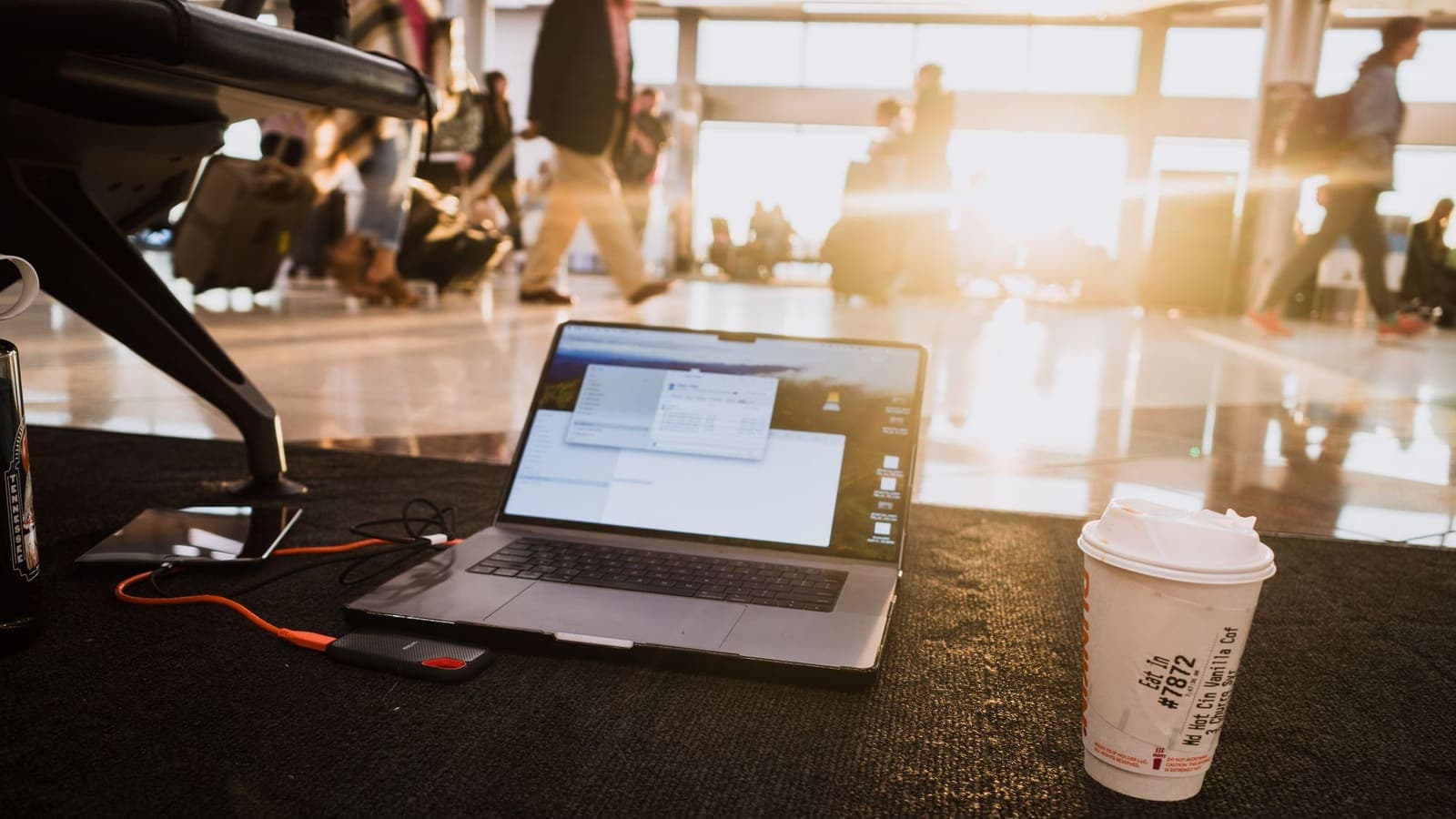
- Shared Wi-Fi at hotels, malls, airports and cafes. A VPN reduces what other users of the same network can see. The US Federal Trade Commission explains why open networks deserve care in its guidance on public Wi-Fi.
- Reaching company systems. If your employer provides a work VPN, you may need it to open internal tools. That is a managed business connection, not a personal choice.
- Protecting sensitive sessions. Checking a bank balance or paying a bill on a network you do not control is a classic case for extra protection, together with two-factor authentication.
- Keeping the local network operator from reading your destinations. A VPN limits what the Wi-Fi owner can see, though it cannot hide that you are using a VPN.
Our article on using a VPN on hotel Wi-Fi walks through the practical habits that go with these reasons.
A quick comparison of uses and risk
The table is a thinking aid, not legal classification. Rules vary, interpretations change, and only a qualified professional or official source can tell you where the lines sit for your case.
| Use | How it is usually viewed | What to do |
|---|---|---|
| Encrypting traffic on hotel or airport Wi-Fi | Ordinary security practice | Use a trusted app, test it first, keep other good habits |
| Connecting to your employer's VPN | Normal business tool | Tell your IT team you are travelling and follow their guidance |
| Protecting a banking session | Ordinary security practice | Expect banking apps to behave differently; see below |
| Using a VPN while doing something that is unlawful | Not excused by a VPN, may be treated more seriously | Do not do it |
| Hiding identity to harass, defraud or deceive anyone | Serious misuse in almost every legal system | Do not do it |
| Trying to reach services that are restricted locally | Sensitive; rules and risks differ | We give no instructions; read official sources and respect local rules |
The last row matters. This site does not explain how to avoid restrictions set by any government or operator, and no VPN guarantees access to anything.
How to prepare before you travel
A calm checklist beats a panic on arrival. Go through these steps two or three weeks before departure, so that you can still change plans if something looks unclear.
- Read your government's travel advisory for the UAE, including any section on digital devices, online content or communications.
- Read the UAE government's official information for visitors and residents. Look for pages about telecommunications, cybercrime and online conduct, and note the date of the page.
- Ask your employer if you are travelling on business. A company that sends staff abroad often has a policy for devices, VPN use and data handling.
- Ask your accommodation if you are unsure about their Wi-Fi rules, especially for long stays in serviced apartments.
- Check your devices. Update the operating system and apps, enable a screen lock, and confirm that two-factor authentication is on for email and banking.
- Install and test any VPN app at home, on a network you trust. Confirm that you can sign in and that the connection works before you rely on it.
- Plan an alternative. Know how to use mobile data, a local SIM or an eSIM for sensitive tasks, and keep offline copies of tickets, booking confirmations and maps.
- Decide what you will not do. Writing down a short list of boundaries, such as not using a VPN for anything you would not do without one, makes quick decisions easier.
Scenarios: how different travellers might think about it
A tourist on a one-week holiday. Priya books a hotel and plans to use the Wi-Fi at the airport, hotel and a few cafes. Before leaving, she reads her government's travel advisory and a UAE government visitor page. She decides that her use is limited to ordinary security: she wants her email and banking logins to be protected on shared Wi-Fi. She installs the app and tests it at home. In the UAE she checks that the hotel network name is exactly the one at the front desk. If an app or site behaves differently or refuses to work, she turns to mobile data or waits, rather than trying to force it.
A consultant on a short business trip. Carlos travels to Dubai for three days of meetings. His employer provides a managed VPN for internal systems. He emails IT before leaving to confirm that he can use it from the UAE, and asks whether there are restrictions on company laptops or data. He does not install extra tools on his own without asking. His main habits are a locked screen, a privacy screen filter for planes, and avoiding sensitive documents on public networks. For more on the difference between the two kinds of VPN, see business VPN vs personal VPN.
A student starting a semester. Amira is moving for a university programme. She will be there for months, not days, so she reads the university's IT policy as well as official public guidance. She keeps her personal and university accounts separate, uses unique passwords with a password manager and does not share accounts. If she wants a VPN for her personal laptop, she thinks about whether she needs it all the time or only on shared networks. Because she stays for months, she looks at how a pass or plan ends instead of an arrangement she may forget.
A passenger in transit. Jonas has a six-hour layover. The airport Wi-Fi is convenient but shared. He uses his own mobile data for anything involving money, and keeps his devices updated. He has no need for anything more complicated, and he does not try to use his phone for anything that he would hesitate to explain.
The common thread is simple. Each person read the rules, kept the reason for using a VPN ordinary, and had a plan for when the technology did not work.
Practical security points that do not depend on a VPN
Because rules can change and apps can fail on a given network, the habits below protect you with or without a VPN.
- Use HTTPS. Look for the lock icon and a correct address. HTTPS already encrypts the content of most web traffic; see how HTTPS compares with a VPN.
- Turn off automatic Wi-Fi joining. Your phone should not connect to open networks by itself.
- Prefer mobile data for sensitive tasks. A local SIM or eSIM avoids sharing a radio network with strangers.
- Beware of fake networks and fake login pages. Network names that look almost right, and sign-in pages that ask for more than they need, are common tricks.
- Use unique passwords and two-factor authentication. If a password leaks, a second step protects the account.
- Lock your devices and enable remote wipe. A stolen phone is a bigger risk than most network threats.
- Keep records of your reasons. If your employer asked you to use a VPN, keep the email. A clear, ordinary purpose is easy to explain.

Banking, payments and apps that react to VPNs
Banking and payment apps, government portals and some streaming or shopping apps run security checks that look for unusual connections. A VPN can look unusual to them. In practice that can mean extra verification, a temporary block, or an app that will not open. This happens everywhere, not only in the UAE.
If it happens to you, the sensible response is not to fight the check. Disconnect the VPN on a trusted network, finish the task and reconnect. If you are locked out, use the service's official support channel. Repeated failed logins can lock an account. Our article on using banking apps with a VPN describes common blocks and safe ways to handle them.
Also remember that travel can trigger bank fraud alerts for reasons unrelated to any VPN. Tell your bank your travel dates, keep a second payment method, and carry contact numbers that work offline.
Limits: what a VPN cannot do for you in the UAE
A VPN is a single layer. It cannot do any of the following.
- Give you legal protection. Anything that is illegal without a VPN remains illegal with one, and some uses may be viewed more seriously when a VPN is involved.
- Guarantee access. Networks, operators and services can block or limit VPN connections, and a VPN cannot promise that any site or app will load.
- Hide that you are using one. A network operator can often see that you are using encrypted tunnelling, even if it cannot read the contents.
- Make you anonymous. Accounts, payment details, cookies and device identifiers still identify you. Read can a VPN make you anonymous for the full explanation.
- Stop scams. Phishing messages, fake delivery notices and cloned websites are not network problems.
- Replace official advice. Your embassy, your employer and a local lawyer know more about your specific case than any article.
If you decide to use a VPN app
If after reading official sources you decide that a plain security VPN suits your trip, choose it the same way you would for any other travel. The principles in choosing a VPN for travel apply: clear terms, apps for your devices, a payment model that matches your trip length, and support you can reach.
With XPASS, you buy a prepaid pass for a fixed number of days with a one-time card payment and no automatic renewal. You then sign in to the free VPNclient app with the username and password shown on your My Pass page. The pass starts when the VPN account is created, not at first connection, so buy it close to the date you need it but early enough to test at home. The download page lists the official app links. None of that changes the legal position: it only describes how the product works, and you remain responsible for how you use it.
Summary
VPN regulation is not uniform, and the UAE is a place where you should read official sources before you travel rather than rely on blog posts. A VPN is a normal security tool for shared Wi-Fi and for connecting to employer systems, but it does not change what is lawful, it cannot promise access to any service, and some uses may carry serious penalties. Check your government's advisory and the UAE government's own information, ask your employer if you travel for work, test everything at home and keep your use plain and lawful.
If a simple prepaid option fits a short trip, you can look at the pricing page when you are ready.
Frequently asked questions
Is it legal to use a VPN in the UAE?
There is no single yes or no answer that fits every situation. Reports describe rules that treat the purpose of the use very seriously, and penalties can apply when a VPN is tied to an offence. Laws change and are interpreted by local authorities, so read current official UAE government sources and your own country's travel advisory before you go. This is general information, not legal advice.
Can a tourist get into trouble for having a VPN app on a phone?
Having security software installed is not the same as committing an offence, and companies and hotels use VPN technology every day. The risk people talk about is in what you do while connected. If you are unsure, ask your employer, your embassy or a qualified local lawyer rather than guessing.
Should I buy a VPN before or after I arrive?
Decide before you travel. Install and test any app at home on a trusted network, and read the official guidance for your destination while you still have time to change your plans. Do not rely on being able to download or fix things after you arrive.
Will a VPN make hotel and airport Wi-Fi safe to use in the UAE?
A VPN encrypts traffic between your device and the VPN server, which helps on shared Wi-Fi anywhere. It does not stop phishing, fake login pages or weak passwords, and it never makes you exempt from local law.
Does my company VPN count differently from a personal one?
Employer VPNs that connect you to company systems are a normal business tool, but you should still tell your IT team where you are travelling and ask whether they have guidance for that destination.
References
About the author

Bob Kanokphon Thongdee
- Founder of XPASS VPN
- Co-founder of eSIMonline.asia
- More than 7 years in online marketing
- Founder of Cojourney Visa and Cojourney Travel
Need a VPN for a short trip or a busy month?
XPASS sells prepaid passes for a set number of days. You pay once and nothing renews automatically.
See passesKeep reading
VPN Basics
Are VPNs Legal? What to Know Before You Connect
In many places using a VPN is lawful, but the rules differ from country to country, and a VPN never makes an illegal act legal. Here is how to think about it.
9 min read

Buying Guides
Best VPN for Travel: How to Choose One Before Your Trip
A good travel VPN is mostly about planning: the right pass length, apps installed before you leave, and realistic expectations. This guide walks through what to check before a trip.
9 min read

VPN Security
How to Use a VPN on Hotel Wi-Fi Safely
Hotel and travel Wi-Fi is shared with strangers and often hides behind a login page. This guide explains how to connect, when the VPN goes on and what to do when it will not connect.
9 min read
Privacy Guides
VPN Restrictions Around the World: A Traveler's Guide
Some countries welcome VPNs, some license them and some restrict them. Here is how to think about VPN country restrictions before you travel, and where to check.
9 min read

VPN Basics
Business VPN vs Personal VPN: What's the Difference?
A personal VPN protects one person's connection. A business VPN connects people and sites to company systems and controls who can reach what. Here is how to tell them apart.
9 min read