
Best VPN for Travel: How to Choose One Before Your Trip
A good travel VPN is mostly about planning: the right pass length, apps installed before you leave, and realistic expectations. This guide walks through what to check before a trip.
9 min readUpdated Oct 15, 2026By XPASS Editorial Team

Travel changes your network habits more than almost anything else. In a single week you might use airport Wi-Fi, a train network, a hotel connection, a cafe hotspot and a local eSIM, all on the same phone. Each of those networks is run by someone you do not know, and each one can see more than you might expect about the traffic that passes through it.
A VPN is one tool for that situation, and choosing one well is mostly planning rather than comparing feature lists. This guide covers what to check before you leave: how long a pass you need, which devices to prepare, how a VPN relates to eSIMs and roaming, what to expect in places such as Japan or Europe, and which mistakes people make at the airport gate when it is too late to fix them.
Why travel changes what you need from a VPN
At home you control the router, you know who else is on the network and you usually connect from one place. On the road almost all of that reverses.
- You use many networks. Free Wi-Fi at stations, shopping centres, hotels, cafes and airports is convenient, but it is shared with strangers. Consumer guidance such as the FTC's page on public Wi-Fi describes why open networks deserve extra care.
- You do sensitive things on the go. Booking a room, checking a bank balance after a card is declined, sending a passport photo to a hotel, or signing into work email all happen in the middle of a trip.
- You connect in a hurry. People accept a Wi-Fi name that looks right, tap through prompts and skip updates because the boarding call has started.
- Your habits and accounts attract attention. Logging in from a new country can trigger security checks, so you also need a plan for two-factor codes.
A VPN helps with the first three. It encrypts traffic between your device and the VPN server, so the hotspot operator or another guest on the same network cannot read what passes through the tunnel. For the full picture of what that does and does not cover, read how to stay safer on public Wi-Fi and the dedicated page on VPN for travel.
Before you leave: a pre-trip checklist
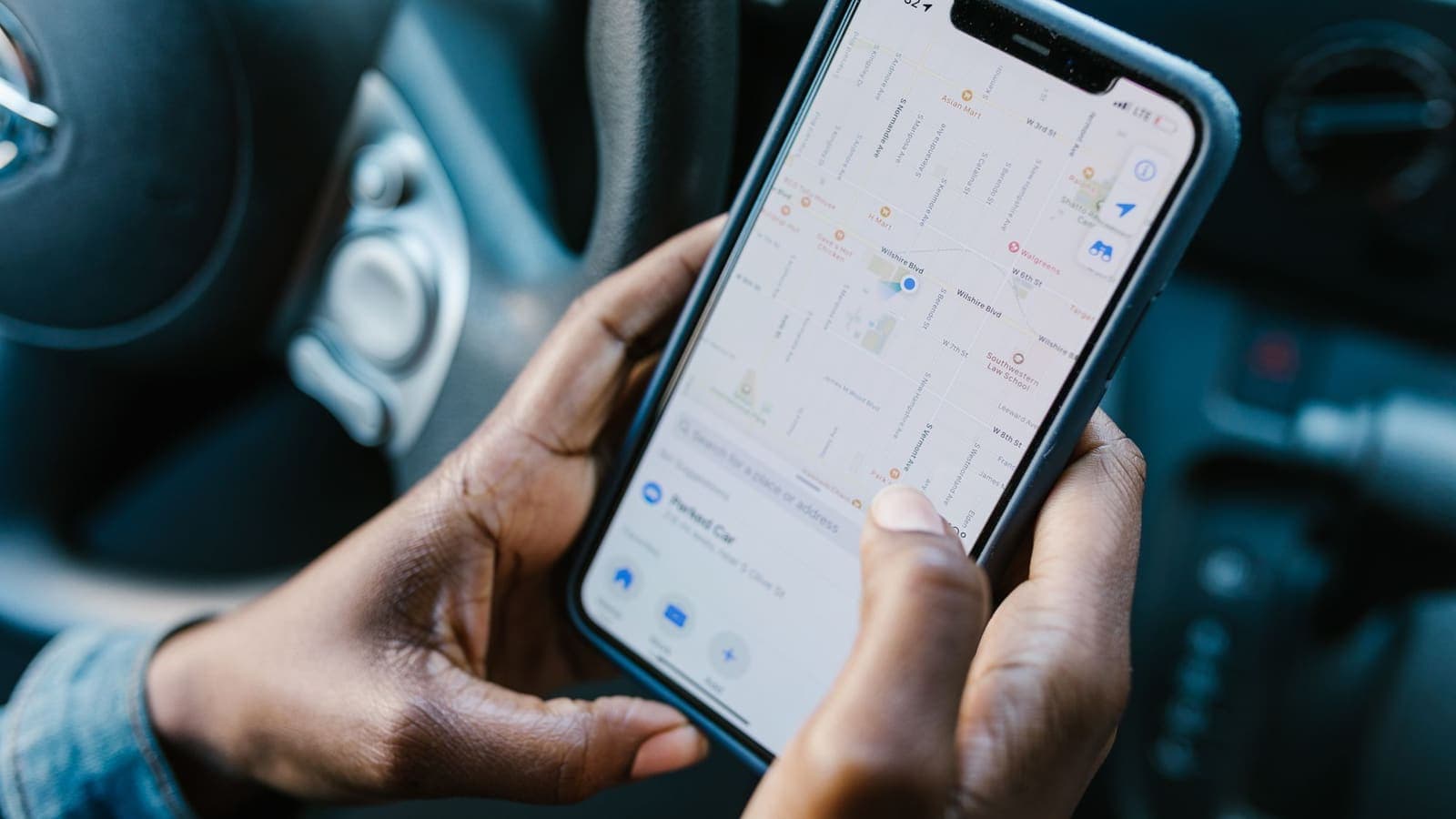
Most travel VPN problems are decided at home, not abroad. Work through this list a few days before departure.
- Install the app on every device you will carry. XPASS customers connect with the free VPNclient app, which is available for iOS, Android, Windows and macOS. Install it while you still have fast home Wi-Fi.
- Test the sign-in at home. Connect once, open a website and disconnect. A first connection attempt from an airport lounge with weak signal is a poor time to learn that you mistyped a password.
- Know where your login details are. With XPASS the VPN username and password are shown on your My Pass page after payment and are never sent by email. Make sure you can reach that page, and keep your account sign-in method working on your phone.
- Sort out two-factor authentication. If your codes arrive by SMS to a number that will not work abroad, switch the important accounts to an authenticator app first. The guidance from CISA on multifactor authentication explains why this matters. Our own article on two-factor authentication covers the options.
- Update everything. Operating system, browser and apps. Updates fix known vulnerabilities, and that matters more than any VPN setting.
- Back up and protect the device. Screen lock, remote-wipe options and a recent backup are worth more on a trip than any other single precaution.
- Note what your VPN is for. Safer Wi-Fi, working from cafes and keeping your browsing away from the local network are realistic goals. Guaranteed access to every website is not.
Choosing the pass length
For travel, the length of the pass matters as much as the app. Subscription-style VPNs bill you automatically until you cancel, which is awkward for a trip with a start and an end. A prepaid pass fits better because it covers a fixed number of days, you pay once by card and nothing renews on its own. The article on why a VPN without auto-renewal is worth considering explains the idea, and the page on prepaid VPN passes shows how it works in practice.
One detail catches travellers out: with XPASS the pass validity starts when the VPN account is created after payment, not at your first connection. That means buying six weeks before a ten-day trip would burn most of the days at home. Buy a few days before departure, test the sign-in, and keep the rest of the pass for the trip.
| Your trip | What to think about | Pass approach |
|---|---|---|
| Weekend city break | Short window, hotel and airport Wi-Fi | A short pass that covers the trip days plus a small buffer |
| Two-week holiday | Several networks, possible delays | A pass that covers the whole trip with a few spare days |
| Month-long stay or workation | Daily use, work accounts, cafe Wi-Fi | A longer pass so you are not renewing mid-trip |
| Frequent short trips | Several departures a year | A longer pass bought once may be simpler than many short ones |
| Open-ended travel | Plans change | Start with what you need now; renewing adds days on top of any remaining ones |
If you are unsure, the comparison in seven-day vs thirty-day VPN helps you think about how many days you will actually use. Prices are shown on the pricing page and change over time, so we do not quote them here. Add a buffer of a day or two for delayed flights; renewing early never wastes days, because the new days are added on top of whatever remains.
VPN, eSIM and roaming data
Two secondary questions come up often: how a VPN relates to an eSIM, and whether it affects roaming.
A VPN does not replace an eSIM or roaming plan. An eSIM, or a roaming package from your home provider, gives your phone a mobile data connection. A VPN needs an internet connection to start with and then protects the traffic travelling over it. The two are complementary: you buy data one way and protect it another.
A VPN does not reduce data charges. The tunnel adds a small overhead to each packet, so the same activity can use slightly more data than without a VPN. If your travel eSIM has a small allowance, keep that in mind. Streaming and large downloads are better left for hotel Wi-Fi anyway.
Mobile data is not automatically safe, and not automatically unsafe. Traffic on a mobile network is not as exposed to other guests as on open Wi-Fi, but your carrier or local provider can still see which services you contact. If you want that kept away from the local network, a VPN moves that visibility to the VPN provider. That is a shift of trust, not a removal of it. See what a VPN cannot protect you from.
Practical eSIM tips:
- Install the eSIM profile and the VPN app while you are still on home Wi-Fi.
- Keep the VPN app allowed to run in the background, otherwise the connection may drop when the phone sleeps.
- If your phone offers an option such as "always-on VPN" or auto-reconnect, enable it so you are not unprotected after switching from Wi-Fi to mobile data.
- When changing between Wi-Fi and mobile data, check that the VPN reconnected before you enter anything sensitive.
What to expect in popular destinations
A VPN does not behave differently in different countries because of the app, but local conditions vary, and it helps to know what you may meet.
Traveling to Japan. Free Wi-Fi is common in stations, convenience stores, airports and hotels, and some hotspots ask you to register with an email address or accept terms on a login page before the connection works. Connect to the Wi-Fi first, complete the sign-in page, and then switch the VPN on. Many visitors also carry an eSIM or pocket Wi-Fi, which adds a network of your own to the mix. Whichever you use, apply the same habits: updates installed, the VPN on for shared networks, and two-factor codes that do not rely on a number from home.
Traveling to Europe. A single trip can take you through several countries by train, each with its own networks, mobile providers and rules. Roaming arrangements depend on your home plan, so check it rather than assuming. Train and station Wi-Fi networks often use portal pages, which have the same quirk as in Japan: pass the portal first, then connect the VPN. Because you cross borders often, a pass that covers the whole itinerary is simpler than one you have to extend in a different country.
Anywhere. Countries differ in how they treat VPN use. Many permit it for personal use. Some restrict or regulate it, and some services limit access from certain places. Read official travel advice for every stop on your route, follow local law, and do not assume your VPN will override restrictions. A VPN is a privacy tool, not a way to ignore rules, and the terms of the services you use still apply.
Three travel scenarios
Mia, ten days in Japan. Mia books flights four weeks ahead but waits to buy her VPN pass until the week before she leaves. She installs the VPNclient app on her phone and laptop, signs in once at home, and installs a travel eSIM. In Tokyo she uses hotel Wi-Fi in the evenings with the VPN on and relies on the eSIM for maps during the day. Before booking a restaurant she makes sure the VPN reconnected after her phone switched networks. She has two spare days on the pass, which turns out to be useful when her flight home is delayed.
Arjun, three weeks across Europe by train. Arjun crosses four countries and uses station, train and hostel Wi-Fi. He moves his email and banking codes from SMS to an authenticator app before he leaves, because he will swap SIM cards. At each new hostel he connects to the Wi-Fi, passes the portal page, then switches the VPN on and checks that his connection works by opening a normal website. He picks a pass that covers the full three weeks plus a buffer, so he is not hunting for a payment screen on a bad connection halfway through.
Chen, a month working from cafes. Chen works remotely and moves between cafes and a coworking space for a month. He needs the VPN on during every work session, so he turns on auto-reconnect and keeps the device updated. He reads the notes on remote work and VPN use, checks with his employer which tools are allowed, and treats the personal VPN as a layer on top of company policy rather than a replacement for it. He buys a pass long enough for the whole month so it does not run out in the middle of a deadline.

Common mistakes
- Buying months in advance. Because validity starts at delivery, an early purchase uses up days you will not be travelling.
- Installing on arrival. App stores can be slow or restricted on weak hotel Wi-Fi, and you need working Wi-Fi to sign in the first time.
- Treating the VPN as a shield. It does not stop phishing, fake hotspots you willingly join, or malware you install. Our guide to recognizing phishing websites is a good companion read.
- Forgetting the captive portal. Many hotels and stations require a login page in your browser. If the VPN is already on, the page may not load. Pass the portal first.
- Keeping the phone on auto-join. Disable automatic joining of open Wi-Fi networks so your phone does not connect to a hotspot with a familiar name.
- Ignoring two-factor codes. Losing access to your main phone number abroad can lock you out of accounts at the worst moment.
- Expecting streaming or game access. A VPN is not guaranteed to unlock a service and using one may conflict with a service's terms.
- Skipping the buffer. Delays happen. A pass that ends the day you land back home is a gamble.
- Comparing only price. Look at the setup, devices, payment model and clarity of information as well. The checklist in what to check before paying for a VPN works for travel too.
Limits and what to watch for
- Trust moves, it does not disappear. The VPN provider can see connection details that the local network no longer sees. Pick a service that explains plainly who it is and how payment works.
- Speed varies. Routing through another server can add delay, and distance matters. If a video call feels slow, see why internet speed changes with a VPN.
- HTTPS still matters. Most sites already encrypt the connection to your browser. A VPN adds a layer on top and does not replace it; read HTTPS vs VPN.
- Some networks block VPN traffic. Hotels, offices and some countries limit what their networks allow. If the connection will not start, try another network or a different connection method from your My Pass page.
- Batteries and data. Running a VPN all day uses a little more battery and data. Carry a charger and a power bank.
- Privacy is bigger than one tool. Locked screens, careful sharing of documents and knowing what apps can access matter just as much. The EFF Surveillance Self-Defense guides cover travel safety in depth.
Summary
The best VPN for travel is the one you have prepared before you leave. Buy a pass shortly before departure, because validity starts at delivery. Make it long enough for the whole trip plus a buffer, install the app on every device, and test the sign-in at home. Remember that a VPN protects traffic on shared networks but does not cut roaming charges, replace an eSIM, stop phishing or override local rules.
If a prepaid pass sounds like the right fit for your next trip, you can look at the options on the pricing page.
Frequently asked questions
Do I need a VPN when I travel abroad?
You do not strictly need one, but it is useful when you rely on shared networks such as hotel, airport, station and cafe Wi-Fi. It adds an encrypted layer between your device and the network you are using. It is not a substitute for updates, strong passwords and two-factor authentication.
Does a VPN save money on roaming or an eSIM?
No. A VPN does not change what your mobile plan or eSIM charges for data. The tunnel adds a little overhead, so it can use slightly more data, and it does not avoid roaming fees. Check your plan before you leave.
When should I buy a travel VPN pass?
Shortly before you leave. With a prepaid pass the validity usually starts when the account is created, not when you first connect, so buying months early wastes days. Buy early enough to install the app and test the sign-in at home.
Is it legal to use a VPN in other countries?
Rules differ. Many countries allow personal VPN use, while some restrict or regulate it. Check official travel advice and local law for every country on your route before you rely on a VPN there.
Will a travel VPN let me watch my home streaming services abroad?
It cannot be promised. Streaming services set their own rules and often block VPN addresses, and their terms of service still apply. Choose a VPN for safer connections, not for guaranteed access to any particular service.
References
About the author

Bob Kanokphon Thongdee
- Founder of XPASS VPN
- Co-founder of eSIMonline.asia
- More than 7 years in online marketing
- Founder of Cojourney Visa and Cojourney Travel
Need a VPN for a short trip or a busy month?
XPASS sells prepaid passes for a set number of days. You pay once and nothing renews automatically.
See passesKeep reading

VPN Security
How to Stay Safer on Public Wi-Fi
Public Wi-Fi is not a disaster, but it is a network you do not control. Here are the real risks, the habits that matter most, and where a VPN fits in.
8 min read
Buying Guides
How to Choose Your First VPN
A step-by-step way to pick your first VPN: decide what you need it for, check device support and payment terms, read the policies, and test before relying on it.
8 min read

Buying Guides
Seven-Day VPN vs Thirty-Day VPN
A short pass and a longer one solve different problems. This guide helps you match pass length to a trip, a work project or a daily habit, with buffer tips for delays.
9 min read
Buying Guides
Why Choose a VPN Without Auto-Renewal?
Auto-renewal is convenient for the seller and sometimes for you, but it can also turn a one-off need into a bill you forget about. Here is how to decide which model fits your use.
9 min read

Buying Guides
What to Check Before Paying for a VPN
A short, practical checklist covering billing, refunds, device support, setup and claims, so you can judge a VPN before your card is charged rather than after.
8 min read