
Streaming While Traveling: What a VPN Can and Cannot Do
An honest look at streaming while traveling with a VPN: protecting logins on shared Wi-Fi, planning downloads, respecting each service's rules and handling blocks.
9 min readUpdated Oct 15, 2026By XPASS Editorial Team

You pack the charger, the headphones and a tablet full of good intentions. Then you land, open your favourite streaming app on the hotel Wi-Fi, and find that the catalogue looks different, or a show you were halfway through will not play. Many travellers reach for a VPN at that moment and hope it will fix things. This article explains honestly what a VPN does and does not do when you are streaming while traveling, so you can plan a trip that does not depend on a trick that may not work.
The short version: a VPN is a good tool for protecting your accounts and your traffic on shared networks. It is not a key that opens every region's library. Streaming services license content country by country, many of them actively detect and block VPN traffic, and using a VPN to get around those rules may break their terms of service. We will not describe ways to bypass regional restrictions here. We will cover what is genuinely useful: protecting your logins, downloading shows before you leave, reading each service's own travel rules, saving data, and handling a block calmly.
Why your streaming app behaves differently abroad
Most video catalogues are not global. A studio sells the right to show a series in one country to one company and the same series in another country to a different company. The streaming app has to follow those contracts, so it looks at where your connection appears to come from and shows the matching catalogue. When you travel, the same account may show different titles, different languages, or a notice that a programme is not available in your current location.
This is separate from anything your device or your network is doing wrong. A show that disappears in another country is not a bug, and nothing is wrong with your subscription. It is the licence working as designed.
What the service can see
A service does not know your physical position the way a map app does. It sees the network address of the connection, billing details, account region and sometimes device settings. When you move, the network address changes, and that is usually enough for the catalogue to change.
Why services dislike VPN traffic
A VPN connects you to the internet through a different address, and many people share that address. From the service's point of view, a large number of unrelated accounts suddenly appearing from one address looks like an attempt to ignore licence boundaries. Services therefore keep and update lists of addresses associated with VPN providers, and compare behaviour such as sudden location changes. The outcome varies: an error message, a reduced catalogue, a prompt to turn the VPN off, or in some cases a warning on the account.
The practical point is simple. Whether a given VPN works with a given service is decided by the service, it can change without notice, and no VPN provider can honestly promise it. If an article, an advert or a friend says otherwise, treat it with caution.

What a VPN genuinely does for you while traveling
The better question for a traveller is not whether a VPN changes the catalogue but what it protects. There are three real benefits.
- It protects traffic on shared Wi-Fi. Hotels, airports, trains and cafes run networks that dozens or hundreds of strangers share. A VPN encrypts the connection between your device and the VPN server, so other people on that same network cannot read the contents of what you send. Our guide on staying safer on public Wi-Fi explains the risks in detail.
- It helps protect your account logins. Signing in to a streaming account, an email account or a bank from the lobby is where passwords are most exposed. Most sites already use HTTPS, which is good, but a VPN adds a layer for the rest of your traffic and helps in situations where a fake hotspot or a poorly configured network is involved.
- It keeps your local network from seeing everything. The hotel or airport can still see that you are connected to a VPN, but it cannot easily see which sites you visit through it.
What it does not do
- It does not make a licence apply differently. Content restrictions are the service's decision.
- It does not stop phishing messages, fake sign-in pages or weak passwords. See what a VPN cannot protect you from.
- It does not guarantee a faster stream. Adding an encrypted hop is, if anything, slightly more work for your connection.
- It does not make you anonymous to the service you sign in to. You are still logged in with your own account.
If a trip includes a lot of shared networks, a short prepaid pass can cover those days without a long commitment. Our travel VPN guide walks through what to look for.
Protecting your streaming logins on hotel and airport Wi-Fi
This is where a VPN earns its place. A streaming account is not just entertainment. It often holds a saved card, a household profile and the same password you may have used elsewhere. Someone who takes over that account can change the email address, buy extras and lock you out in the middle of a trip.
A practical sign-in routine for shared networks
- Before you connect to a hotel network, check the exact network name at reception. Fake hotspots often copy the hotel's name with one extra word.
- Connect to the Wi-Fi, then start the VPN before you open any app. Many hotels show a login page first, called a captive portal; finish that page, then turn the VPN on.
- Open the streaming app and look for the lock symbol or the correct address if you use a browser.
- Use a unique password and turn on two-step verification where it is offered. The CISA guidance on multi-factor authentication explains why this matters more than almost any other step.
- When you finish, sign out of shared or borrowed screens, such as a hotel room television, and remove your profile if the device offers that option.
For hotel-specific steps, see using a VPN on hotel Wi-Fi. For the departure lounge, there is a separate guide on airport Wi-Fi.
Hotel television and shared devices
Many hotels offer casting or a room TV where you can sign in to your own account. These devices are shared by every guest who stays after you. Sign in only if the screen gives you a sign-out option and an easy way to clear your details, use the shortest session that works, and log out before checkout. If a code-based sign-in is offered on the television, using your phone to confirm the code is safer than typing your password on the TV.
Plan ahead: downloading shows before you travel
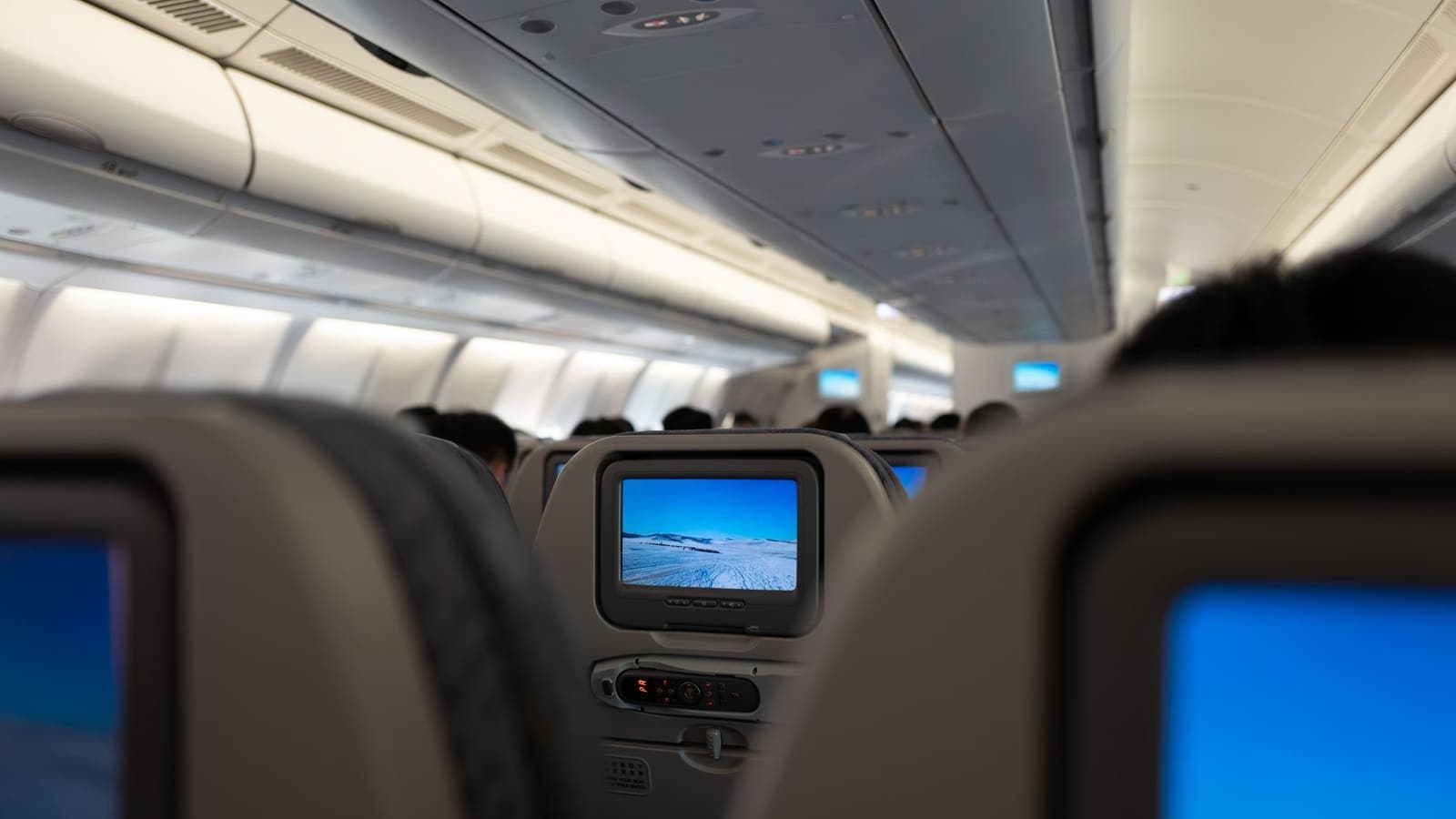
The most reliable way to enjoy your shows abroad has nothing to do with VPNs. Most major streaming apps include an offline download feature for at least part of the catalogue. You download on a trusted network at home, then watch on the plane, train or in a room with poor Wi-Fi.
A pre-trip download checklist
- Check what is downloadable. Not every title offers downloads, and licence rules can differ. Look for the download icon beside the title.
- Check the limits. Services often cap the number of downloads per account or device, and downloads may expire after a set number of days or after you start watching. Read the app's own help page.
- Download on a strong network. A season of video can use several gigabytes. Do it at home, not on a hotel connection.
- Open each download once. Play a few seconds of each item at home to confirm it works offline.
- Check storage. Make sure the device has free space, and select a lower video quality if you are short.
- Update the app before you leave. An old app version may refuse to play older downloads.
- Sign in, then stay signed in. Some apps require a periodic online check to keep downloads valid. If your trip is long, plan to connect briefly to a network you trust.
A worked example
A family of four is flying for eleven hours. They have two tablets. Before leaving, one parent downloads two episodes of a children's series and a film for each tablet at home, at standard quality to save space. Together that is about 8 to 10 gigabytes per tablet. They open each item for a few seconds, and they check that the tablets keep about 5 gigabytes free for photos. On the plane, nobody needs Wi-Fi at all, and no one has to ask whether a service will let them in.
Check each service's own travel and offline rules
Before you assume anything, read what the service itself says about travel. This takes five minutes and prevents most surprises.
Look in the help section of each streaming service for pages about:
- Using your account while traveling or abroad. Some services let you keep watching your own library in many countries for a limited period. Others limit what is available. The rules vary and change.
- Household and device limits. Some services check that devices belong to the same household and may ask you to confirm from time to time. Know where that setting is before you travel.
- Offline downloads and expiry. As above.
- Regional catalogues. The service will normally explain that titles differ by country.
- Payment region. Some services link your plan to the country of your payment method. If you moved, you may need to update it.
If the help pages are unclear, use the support chat. A short message such as "I am travelling for three weeks, can I keep using my account?" usually gets a clear answer.
Comparing your options
| Situation | A VPN helps? | Better first step |
|---|---|---|
| Signing in on hotel Wi-Fi | Yes, as a protection layer | Check the network name, turn on two-step verification |
| Watching on a long flight | No, offline use matters here | Download before you leave |
| A show missing in another country | No, it is a licence matter | Check the service's travel rules, or watch what is available |
| App refuses to play with VPN on | Not in this case | Turn the VPN off for that app |
| Slow stream on poor Wi-Fi | Rarely | Lower the quality, move closer to the router |
| Using a shared hotel TV | Not directly | Use a code from your phone, sign out afterwards |
Data and speed: getting a smooth stream on the road
Even without regional questions, travel networks are often slow. Hotel Wi-Fi is shared across many rooms, and airport and cafe networks are busy at peak times.
Video quality and data use
Video quality has a large effect on data. As a rough guide, standard definition video uses somewhere around 1 gigabyte per hour, high definition more, and ultra high definition several times more. Exact figures vary by service and title. If you are on a mobile data plan, a roaming package or a prepaid eSIM, turn the quality down in the app settings. Our guide on VPNs and travel eSIMs covers how a VPN fits with mobile data abroad.
Latency and buffering
Video buffering is mostly about bandwidth, but a connection with high delay, called latency, also feels sluggish when you skip or start a stream. Cloudflare's explanation of what latency is is a good short read. A VPN adds a small amount of latency, because your traffic makes an extra stop. On a good network that is hardly noticeable. On a weak network, the extra stop can make a poor connection feel worse.
A few things that really help
- Sit near the router or the access point, away from thick walls.
- Use the 5 GHz network if the hotel offers one, and the 2.4 GHz network if the signal is weak.
- Pause other downloads and cloud backups on your devices while you watch.
- Lower the video quality one step before you assume the network is broken.
- Try a wired connection if your laptop has an adapter and the room has a socket.
- If your phone has a good mobile connection, use it as a hotspot, and treat that hotspot as your own private network by setting a strong password.
What to do if a service blocks your VPN
Sometimes you turn on the VPN to protect a sign-in, and the streaming app suddenly refuses to play. That is the service enforcing its own rules. It does not mean your VPN is broken, and it does not mean your account is in trouble.
Step by step
- Read the message. Some apps say plainly that a VPN or proxy was detected. Others show a vague error.
- Disconnect the VPN for that moment. Turn the VPN off, close the app fully and reopen it. If your VPN app supports split tunneling, you can exclude only that app. Our explainer on what split tunneling is describes how the idea works.
- Make the sign-in safe first. If you are on a shared network, sign in to the account while the VPN is on, then turn it off before you start playback if the app requires it. This is better than signing in without protection.
- Check your own location and time settings. Wrong date or time on a device can also cause playback errors.
- Restart the device. It clears a surprising number of temporary faults.
- Contact the service. Their support team can explain what is available in your current country and whether your plan allows travel use. Be honest about what you were trying to do.
- Do not keep trying workarounds. Repeated attempts to evade detection can lead to account warnings or restrictions, and they may break the terms you agreed to when you signed up.
Common mistakes
- Assuming the VPN is faulty. A block is usually the service's decision.
- Leaving the VPN on for banking and off for everything else. Think about which activities are most sensitive, and keep protection on for those.
- Running several VPN apps at once. This causes conflicts. Use one.
- Ignoring the app update. Old versions sometimes fail on newer networks.
- Using the hotel TV like a private screen. It is not.
A sensible travel setup, scenario by scenario
Here are three typical travellers and a plan for each.
The weekend traveller. A three-day city break, a phone and a tablet. Before leaving: download two films on home Wi-Fi, check that the app is updated. During the trip: use the VPN when connected to the hotel network for email and account sign-ins, and watch downloaded titles in the evening. If the app complains about the VPN, switch it off for that app.
The remote worker. A month in a co-working space and apartment. Work traffic is the priority, so keep the VPN on for work and for banking. In the evening, watch what the service makes available in that country, or download in advance. If you need video calls to be smooth, close the stream first. Our page on VPNs for remote work covers the work side.
The student on exchange. A semester abroad, sharing a flat. Home streaming subscriptions may be limited by licences, so check the service's help page for what students abroad can use. Consider the cheaper local options if the service itself explains them. Use the VPN on dormitory and library networks, which are shared by many people.
Getting the VPN set up
If you do not have a VPN yet, the process is simple: choose a pass length that matches your trip, install the free VPNclient app on your phone, tablet or laptop, and sign in with the username and password on your My Pass page. Do this at home before you leave, because a hotel network is not the place to start downloading apps. You can find the app on the download page.
Limits and honest caveats
This article tries to be useful rather than comforting, so here are the limits again.
- A VPN does not decide which shows you can watch. The service does.
- Services may detect and block VPN traffic at any time, without notice.
- Using a VPN in a way that a service forbids may break its terms of service.
- Laws and licence terms differ by country and change. This article is general information, not legal advice.
- A VPN does not replace strong passwords, updates and two-step verification.
- Streaming is already encrypted in most apps, so the main value of a VPN while you watch is the rest of your traffic and your sign-in.
None of this makes a VPN less useful on a trip. It makes the job clearer. Treat it as a seatbelt for shared networks, not a ticket to another country's library.
Summary
Streaming while traveling works best when you plan for the licence system instead of fighting it. Download shows at home before you go, learn each service's own rules for travel and offline use, and keep your devices updated. Use a VPN for what it is good at: protecting your sign-ins and traffic on hotel, airport and cafe Wi-Fi. If a service blocks the VPN, turn it off for that app and contact the service rather than trying to work around it. If you want that protection for a trip, you can see the available passes on the pricing page.
Frequently asked questions
Can a VPN let me watch my home library while I am abroad?
Not reliably, and this article does not recommend trying. Streaming services license shows by region, many detect and block VPN traffic, and using a VPN to get around their rules may break their terms of service. Check what the service itself offers for travellers.
Why does a streaming app refuse to play when my VPN is on?
Many services keep lists of addresses used by VPNs and may block them, show an error or limit the catalogue. It is the service's choice. Disconnect the VPN for that app, or contact the service.
Is a VPN still worth using on a trip if I stream a lot?
Yes, for a different reason: it protects your logins and other traffic on hotel, airport and cafe Wi-Fi. Streaming itself is already encrypted in most apps, so the VPN is about your account and everything else you do on the network.
Does a VPN make streaming faster or slower?
A VPN adds a step to your connection, so it usually cannot make a slow network faster and often makes it slightly slower. The only exception is a network that treats certain traffic badly, and even then results vary.
What should I do before a long flight?
Use the download feature inside the streaming app on a trusted home or office network, check that downloads are allowed for your account, and confirm how long they stay valid offline.
References
About the author

Bob Kanokphon Thongdee
- Founder of XPASS VPN
- Co-founder of eSIMonline.asia
- More than 7 years in online marketing
- Founder of Cojourney Visa and Cojourney Travel
Need a VPN for a short trip or a busy month?
XPASS sells prepaid passes for a set number of days. You pay once and nothing renews automatically.
See passesKeep reading

Buying Guides
Best VPN for Travel: How to Choose One Before Your Trip
A good travel VPN is mostly about planning: the right pass length, apps installed before you leave, and realistic expectations. This guide walks through what to check before a trip.
9 min read

VPN Security
How to Stay Safer on Public Wi-Fi
Public Wi-Fi is not a disaster, but it is a network you do not control. Here are the real risks, the habits that matter most, and where a VPN fits in.
8 min read

VPN Security
How to Use a VPN on Hotel Wi-Fi Safely
Hotel and travel Wi-Fi is shared with strangers and often hides behind a login page. This guide explains how to connect, when the VPN goes on and what to do when it will not connect.
9 min read
Privacy Guides
VPN on Airport Wi-Fi: Security Tips
A traveller's guide to airport Wi-Fi: fake hotspots, the sign-in page, charging kiosks, and when to connect the VPN, with a checklist for each stage of a journey.
10 min read

VPN Basics
VPN for Streaming: Speed, Privacy and Compatibility
A practical look at using a VPN while you stream: privacy on shared networks, the speed cost, device compatibility, DRM playback errors and a buffering checklist.
9 min read