
What a VPN Cannot Protect You From
A VPN secures the connection, not the person using it. This guide covers phishing, malware, weak passwords, tracking and other risks it cannot solve, and what to do about each.
8 min readUpdated Oct 15, 2026By XPASS Editorial Team

A VPN protects one specific thing: the path your traffic takes between your device and the VPN server. That is valuable, especially on networks you do not control. But the phrase "stay safe online" covers a lot more than a network path, and most of the common ways people get hurt online happen outside the tunnel.
This article lists what a VPN cannot do, with plain examples and what to do instead. Many of these topics appear as myths in common VPN security myths; here the focus is on practical protection. For what a VPN does cover, see what does a VPN actually protect?.
1. Phishing and fake websites
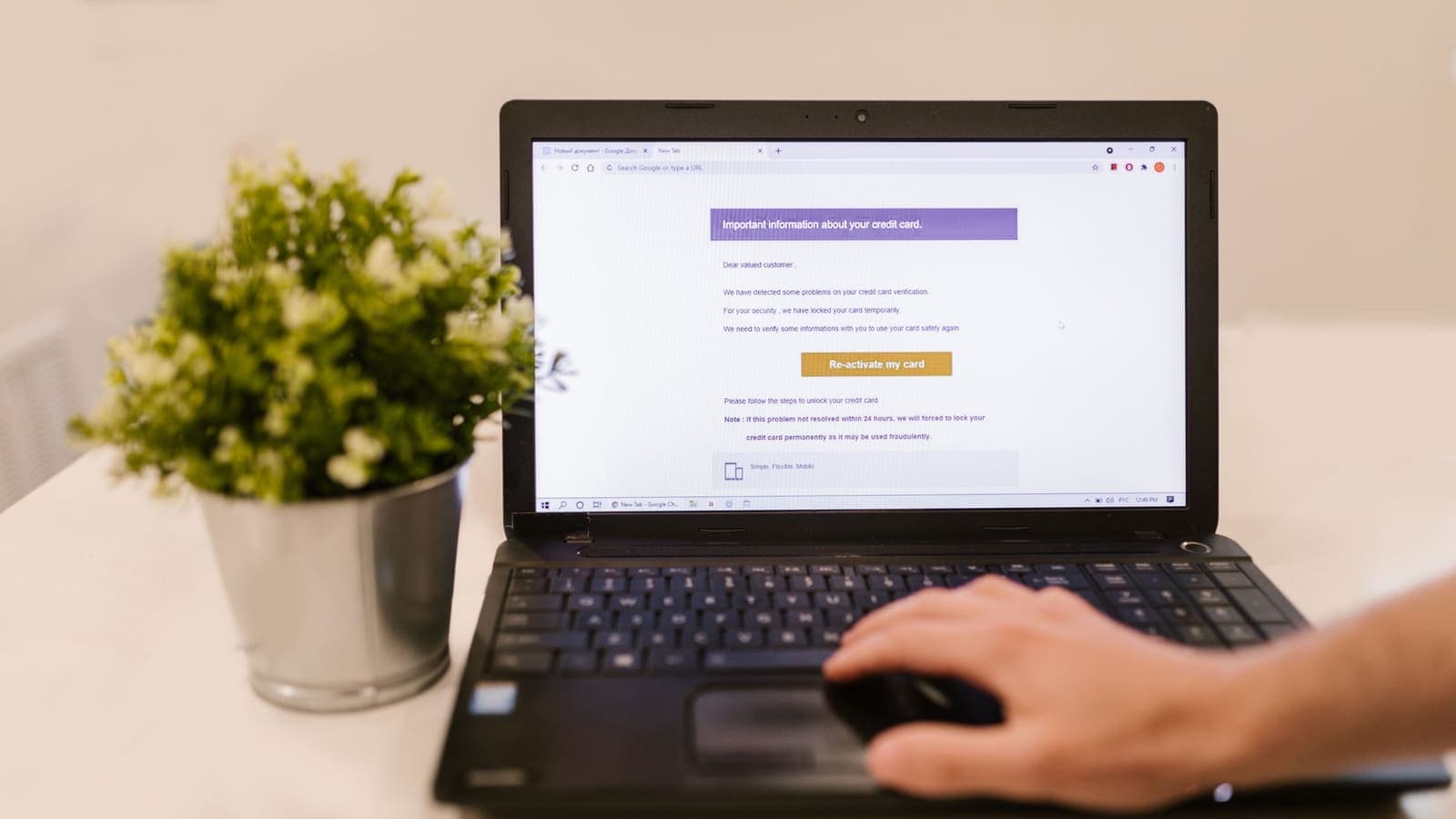
A VPN delivers your traffic to whatever destination you ask for. If you click a link in a convincing email and enter your password on a fake bank page, the VPN will carry that password to the attacker as obediently as it would to the real bank.
What helps:
- Check the address in the browser bar, not the text of a link.
- Go to important sites by typing the address or using a bookmark.
- Be suspicious of urgency, threats and unexpected attachments.
- Read the guidance in how to recognise phishing websites and the national cybersecurity agency CISA's advice on recognising and reporting phishing.
2. Malware and malicious downloads
A VPN does not scan files and does not judge whether software is safe. A trojan hidden in a cracked program will run the same with or without a VPN. Malware that is already on your device can also read data before it is encrypted by the tunnel.
What helps: keep your operating system and apps updated, install software only from official stores or publisher sites, use your device's built-in or a reputable security tool, and be careful with email attachments.
3. Weak, reused or stolen passwords
If an attacker has your password, they can log in from anywhere. The VPN does not matter. Passwords leak in company data breaches, are guessed when they are short or common, and are reused across sites, so one leak opens many doors.
What helps: a password manager with a long, unique password for each account, and two-factor authentication wherever it is offered. CISA's "More than a Password" page makes the case for multi-factor authentication, and what is two-factor authentication? explains the options. Passkeys, described by the FIDO Alliance, remove the password from the equation for the sites that support them.
4. Tracking by accounts, cookies and fingerprints
When you sign in to a service, it knows who you are whatever your IP address. Cookies let advertisers recognise the same browser across sites. Browser fingerprinting combines details such as screen size, fonts and settings into an identifier that does not need your IP address at all.
What helps: log out when you do not need to be signed in, use a browser with strong tracking protection, clear or restrict cookies, and use separate browser profiles for separate purposes. The EFF's Surveillance Self-Defense guides go into this at length. See also can a VPN make you anonymous?.
5. The VPN operator and the websites at the other end
A VPN moves trust. Your internet provider and the café's network no longer see your sites and content in the same way, but the VPN operator is now in a position to observe traffic metadata. That is why you should be careful about who you trust and look for clear, specific statements rather than slogans. No VPN removes the need to trust someone.
On the far side, the website you visit still receives what you send it. If you post personal details, they are stored by that site regardless of your connection.
What helps: choose a service that is clear about what it does, read its terms, and share only what you would be comfortable sharing with the destination.
6. Compromised devices
If someone has physical access to your unlocked phone, or malware controls your computer, the VPN is working for them too. Screen recording, keyloggers and remote-access tools sit on your device, upstream of the tunnel.
What helps: a screen lock with a PIN or biometric, device encryption, updates, and removing apps you do not recognise.
7. Data held by companies
Companies keep copies of what you give them: name, address, order history, messages. If a company is breached, your data can be exposed, and your VPN is not involved. The same applies to mistakes in handling information by an employer, school or shop.
What helps: give services only what they need, use unique email aliases or passwords per service where practical, and watch for breach notices.
8. Oversharing and social engineering
A stranger who learns where you live, work and travel from social media posts does not need to defeat any encryption. Attackers also pose as support staff, friends or colleagues to persuade you to hand over codes.
What helps: review privacy settings, think before posting live locations, never share one-time codes, and verify requests through a second channel.
9. Legal and policy questions
A VPN does not change what is legal. It does not change a website's terms of service, an employer's rules or a country's laws. Using it to commit a crime does not make the act acceptable, and rules about VPN use itself vary by country. Make sure what you do is allowed where you are.
Quick summary table
| Threat | Does a VPN stop it? | What helps more |
|---|---|---|
| Phishing | No | Checking addresses, two-factor authentication |
| Malware | No | Updates, official sources, security tools |
| Weak or stolen passwords | No | Password manager, passkeys, two-factor authentication |
| Cookie and account tracking | Partly (IP only) | Privacy settings, logging out |
| Browser fingerprinting | No | Tracking-resistant browser |
| Eavesdropping on public Wi-Fi | Yes, largely | VPN plus HTTPS |
| Hiding your address from a website | Yes, the IP only | Understand what else identifies you |
| Company data breaches | No | Unique passwords, minimal sharing |
What to do, in order
- Secure the accounts that matter most. Email, banking and phone accounts first, with strong unique passwords and two-factor authentication.
- Keep devices updated and use screen locks.
- Slow down on links and attachments. Verify before clicking.
- Use HTTPS sites and pay attention to browser warnings.
- Add a VPN for the job it does well, such as public Wi-Fi. See public Wi-Fi safety.
- Test occasionally that your VPN is doing what you expect. See how to check if your VPN is working.
Summary
A VPN protects the journey of your data, not your judgement, your passwords, your device or the sites and companies you deal with. It is one useful layer among several. The biggest security gains for most people come from strong unique passwords, two-factor authentication, updated software and cautious clicking, with a VPN added where network privacy matters.
If network privacy is part of your plan, the pricing page explains how a prepaid pass works without automatic renewal, and the Help Center helps you set up and check your connection.
Frequently asked questions
What is the biggest thing a VPN cannot protect me from?
Your own actions and the security of your accounts and devices. A VPN does not stop you from entering a password into a fake website, installing malware or reusing a password that has already been leaked.
Can a VPN stop websites from tracking me?
Only partly. It changes the IP address a site sees, but cookies, logins, device and browser fingerprints and ad networks can still recognise you. Browser privacy settings and fewer logged-in sessions do more here.
Can the VPN service itself see my activity?
The VPN operator handles your traffic, so in principle it is in a position to see connection details, which is why trust in the operator matters. A VPN moves trust from your network and provider to the operator rather than removing the need for trust.
Should I still use a VPN if it cannot stop all of this?
Yes, if the protection it does give you matters in your situation, such as reducing what a public Wi-Fi network can observe. Just pair it with updates, strong unique passwords and two-factor authentication.
References
About the author

Bob Kanokphon Thongdee
- Founder of XPASS VPN
- Co-founder of eSIMonline.asia
- More than 7 years in online marketing
- Founder of Cojourney Visa and Cojourney Travel
Need a VPN for a short trip or a busy month?
XPASS sells prepaid passes for a set number of days. You pay once and nothing renews automatically.
See passesKeep reading
Privacy Guides
Common VPN Security Myths
From 'VPNs make you anonymous' to 'HTTPS makes VPNs useless', here are the most common VPN myths and what is accurate about each.
8 min read

Privacy Guides
How to Recognize Phishing Websites
Phishing websites imitate real services to steal your login or card details. This guide shows the warning signs worth checking, a calm routine for suspicious links, and what to do if you entered details.
8 min read

Privacy Guides
What Is Two-Factor Authentication?
Two-factor authentication asks for a second proof of identity in addition to your password, so a stolen password alone is not enough. Here is how the main methods compare and how to start.
7 min read