
App or Service Not Available in Your Country? What It Means
The message 'this app is not available in your country or region' has several different causes. This guide explains each one honestly, including where a VPN is relevant and where it would break the rules.
10 min readUpdated Oct 15, 2026By XPASS Editorial Team

You land in a new country, open an app you use every day, and see a grey screen: "This app is not available in your country or region." Or it is a website, a video, a payment page or a government portal. The message is short, but behind it can sit several very different reasons. Some are simple settings you can fix in two minutes. Some are rules that exist to protect your money. Some are legal or licensing limits that nobody should try to dodge.
This guide is a troubleshooting map for that message. It goes through the common causes one by one, explains how services work out where you are, and says honestly, for each cause, whether a VPN is relevant. It does not offer a way to unlock anything, and it is not legal advice. If you want a Thai-specific angle, read using Thai websites and apps while abroad; if you want a broader look at how rules differ between countries, read VPN restrictions around the world. This article is different from both: it starts from the error message and asks "which cause is this?"
What the message actually tells you
The words "not available in your country" are a label that apps and websites use for many situations. The message itself rarely says which one applies. A useful habit is to separate three questions before you try any fix:
- Is it about the app, the account or the content? Sometimes you cannot download or update the app. Sometimes the app opens but your account is refused. Sometimes only one video, song or feature is blocked.
- Is it about where you are, or where your account belongs? A service may react to your current location, to the country recorded on your account, or to both.
- Is it a rule from the provider, a licence holder, a bank, or a government? The right response is different for each, and for the last one it is usually to accept the limit.
Write down exactly what the screen says, whether it appears when you open the app or only on one action, and whether it also happens on mobile data and on Wi-Fi. That small note will save you a lot of guessing later.
Six common causes, and whether a VPN is relevant
1. The country of your app-store account
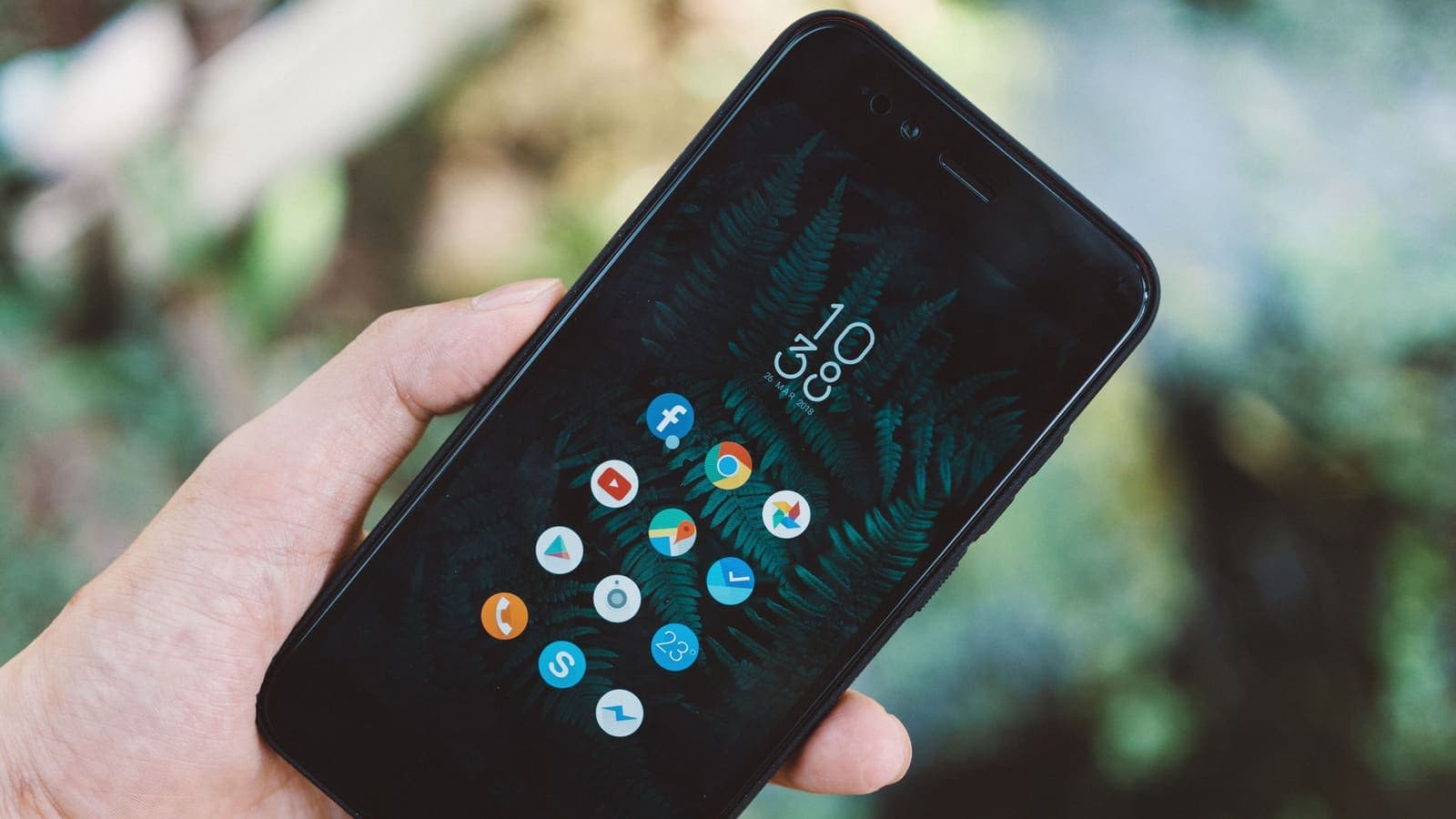
App stores generally attach each account to a country or region, often linked to the payment method and billing address. The store then decides which apps, prices and subscriptions it shows you. If you open the store abroad and the app you want is missing, the cause may be your account's home region, not your current location. Conversely, if you are trying to install an app that is only released in another store region, you will not see it in your own.
The store's own help pages explain what changing region involves, and the rules can include conditions about active subscriptions, remaining balance and payment methods. Read them before you touch anything. A VPN is not the relevant tool here. The store looks at your account record, so a different IP address does not change the underlying rule, and using one to pretend your account belongs elsewhere may breach the store's terms.
2. Licensing of content
Films, series, sport, music and some e-books are licensed territory by territory. A service may hold the right to show something only in certain countries, so the same app shows a different catalogue depending on where you are. When a single programme says it is not available but the rest of the app works, licensing is the most likely cause.
This is a commercial agreement, not a technical glitch. Using a VPN to get around licensing usually conflicts with the service's terms and can lead to the account being limited or closed. The honest options are to wait until you are home, check whether the provider offers a travel or portability feature, or find a lawful alternative where you are.
3. The provider's own country list
Some companies simply do not operate in every country. They may not have the legal setup, the customer support, the payment partners or the regulatory approval to serve it. The app may be removed from the local store or may refuse to sign you in. In that case the provider publishes, or should publish, a list of supported countries or regions on its official site.
Check that official page; do not trust a forum post, because these lists change. If your country is not on the list, a VPN is not an appropriate answer. Pretending to be somewhere else is typically a breach of the provider's terms, and accounts found doing it can be suspended. Plan ahead instead: finish what you need before you travel, or use a service that is available where you are.
4. A government restriction
Sometimes a service is unavailable because a government or regulator has restricted it, or because the provider has withdrawn from that market because of local law. Nothing on your phone can change that, and nothing in this article suggests ways around it. Do not use a VPN to avoid a government's restriction. The rules and the consequences differ by country and can be serious. Before you travel, check official sources about what is permitted at your destination, and read are VPNs legal for the general picture. If you are unsure, treat the restriction as real and plan to be without the service.
5. A bank's fraud rules
Banks and payment apps watch for unusual locations. If your card or app was used only in one country for years and suddenly a sign-in or payment arrives from another, the system may block it or ask you to confirm it is you. The message may be worded as "not available in your region" even though the real cause is a risk rule. The same often applies to card payments made inside a travel app.
The best response is on the bank's side: tell the bank about your trip through its official app or website, keep a way to receive codes abroad, and call the number printed on your card if you are blocked. Read using banking apps with a VPN and using local banking while abroad for more detail. A VPN may help in one narrow case: your own home-country account, when the provider allows connections through a VPN and rejects foreign addresses as a security measure. It may equally make the bank more suspicious, so follow the bank's guidance, not a guess.
6. Location detection that disagrees with itself
Sometimes the cause is not a rule but a mismatch. Your phone's SIM says one country, the Wi-Fi address says another, GPS says a third, and the payment card was issued in a fourth. The app combines these signals and may decide something is wrong. The next section explains these signals one by one.
How services work out where you are
Understanding the signals helps you diagnose the message, because each one needs a different fix.
| Signal | What it is | What affects it |
|---|---|---|
| IP address | The address your connection shows to the internet, linked in public databases to a country and often a city | The network you join: hotel Wi-Fi, mobile data, a VPN |
| GPS and device location | Your phone's own position from satellites, Wi-Fi and mobile masts | Location settings and app permissions |
| SIM and mobile network | The country code of your SIM and the network you are roaming on | The SIM or eSIM you use |
| Payment country | The country of your card, billing address or store account | Your account records |
| Language, time zone, device region | Device settings | Your phone settings |
Location by IP address is an estimate, not a fact; see what a public IP address is and why a VPN may show the wrong location. An app that reads GPS, SIM and card country will not be changed by a different IP address alone. This is why random tricks often fail and sometimes make a block longer. For a deeper look at how apps see your position, read VPN and location tracking.
Where a VPN is relevant, and where it is not
| Cause | Is a VPN relevant? | Honest note |
|---|---|---|
| App-store account region | No | The rule is about your account record. Follow the store's help page. |
| Content licensing | No, and it may break terms | Wait, use portability features, or choose a lawful local alternative. |
| Provider's country list | No, and it may break terms | Check the official supported-countries page. Plan ahead. |
| Government restriction | No | Follow local law. Do not look for workarounds. |
| Bank fraud rules | Sometimes | Tell the bank first. A VPN may be allowed for your own account, or may be rejected. |
| Location mismatch | Sometimes | Fix the settings first. A VPN is rarely the main fix. |
| Public Wi-Fi safety | Yes | Encrypts traffic between your device and the VPN on shared networks. |
What a VPN is legitimately good for while you travel
A VPN is a tool that sends your traffic through an encrypted connection to a VPN server. That has two honest uses in the situations described above.
Reaching your own accounts at home. Some home-country services, such as a bank, a workplace system or a government portal for residents, reject connections from unfamiliar foreign addresses as a security measure. If the provider permits VPN use, connecting through a VPN may let you reach your own account securely. Always check the provider's guidance first. If the provider forbids it, or the message says to contact support, do that instead. Nothing is guaranteed: if your VPN app lists a location in Thailand, for example, the service may still refuse the connection, and results are not guaranteed.
Protecting yourself on public Wi-Fi. Airport, hotel and cafe networks are shared with strangers. A VPN encrypts the path between your device and the VPN server, which reduces the risk of someone on the same network reading or tampering with your traffic. The FTC's page on public Wi-Fi gives a plain overview, and the guide to staying safer on public Wi-Fi shows the habits that matter besides a VPN.
What a VPN does not do: it does not change your SIM, GPS or card country, it does not make you anonymous, and it does not give you permission to use a service the provider does not offer where you are.
What not to do
- Do not use a VPN to get around licensing, a provider's country terms, or a government's restriction. It can break the terms of service, and providers commonly respond by limiting or suspending the account, sometimes without refunding what you paid.
- Do not change your app-store region, card details or account address just to see an app. The change can affect existing subscriptions and may be hard to undo.
- Do not buy accounts, shared logins or "region-free" services from strangers. They are a common route to scams and stolen credentials. See how to recognise phishing websites.
- Do not repeat failed sign-ins many times. Repeated attempts can lock an account, especially a bank account.
- Do not install apps from unofficial sites because the store will not show them. That is a malware risk.

A step-by-step way to troubleshoot
- Read the exact message and note whether it names a country, a region, or a reason.
- Check the basics. Update the app and the operating system, confirm the date and time are automatic, and restart the phone. Mismatched time settings can cause odd errors.
- Test on another network. Try mobile data and then Wi-Fi. If the problem follows you across networks, it is probably about the account, not the network.
- Check the provider's official help or status page for travel notes and supported countries. If it publishes a list, believe the list.
- Check your account settings: the country or region on the store account, the billing address, and the phone number.
- Contact support. Use the support channel inside the official app or website. Explain that you are travelling and ask what is possible.
- If it is a bank, use the number on your card, not a number from an unsolicited message.
- Decide what is acceptable. If the answer is that the service is not offered where you are, plan around it: use a lawful alternative, finish the task at home, or wait.
If a website loads oddly rather than showing a country message, the guide to websites not working with a VPN covers CAPTCHAs and blocks.
Limits and what to watch for
- A VPN is not an unlock key. It may not change what a service sees, and services can and do detect and block VPN connections.
- Rules change. A country list, licensing deal or bank policy that applied last year may not apply today. Always rely on the provider's current official page.
- Suspension risk is real. If you break a provider's terms, you may lose the account and anything attached to it, such as purchases, saved data and subscriptions.
- Do not mix the two uses. Using a VPN on public Wi-Fi for safety is one thing; using it to appear to be in a country for which a service is not licensed is another.
- Unclear cases deserve a question, not a guess. Ask the provider, the store or the bank, and keep a record of the answer.
- This article is general information, not legal advice. If a government restriction may apply to you, check official sources for your destination.
A practical checklist before you travel
- Check each important app's official page for supported countries and travel notes.
- Finish downloads, updates and sign-ins for key apps before you leave, while you are on your home network.
- Download offline copies of tickets, maps and documents.
- Tell your bank and card issuer about your trip through their official channels.
- Set up two-factor authentication with a backup method that works abroad; see what two-factor authentication is.
- Save the support contact for each important service in a place that works offline.
- Decide ahead which services you will pause rather than try to force.
- If you plan to use public Wi-Fi, install and test your VPN app at home.
Summary
"Not available in your country" can mean an app-store region, a content licence, the provider's own country list, a government restriction, a bank's fraud rule or a mismatch between location signals. Find out which one it is before you try anything, and treat the provider's official page and support as the first step. A VPN is useful for protecting traffic on public Wi-Fi and, where the provider allows it, for reaching your own home accounts that reject foreign addresses, but it is not a way around licensing, country terms or government rules, and trying can get an account suspended. If you want a short pass for travel Wi-Fi safety, you can look at the options on the XPASS pricing page.
Frequently asked questions
Why does an app say it is not available in my country when I travel?
There are several possible reasons: the store account is tied to a home country or region, the content is licensed region by region, the provider only operates in certain countries, a government restricts it, or a bank is applying fraud rules to a new location. The message looks the same but the cause, and therefore the right action, differs.
Can a VPN fix the message 'not available in your country'?
Only in a few situations, and not as a promise. It is reasonable for reaching your own home-country account when the provider allows it, and for safety on public Wi-Fi. It should not be used to get around a provider's licensing or country terms, or a government's restriction, because that can break the terms and get the account suspended.
Why does my bank app work at home but not abroad?
Banks often treat a sign-in from an unfamiliar country as higher risk and may block it or ask for extra checks. Tell the bank about your trip through its official channel and follow its instructions. A VPN may or may not be accepted, so check the bank's own guidance first.
Will changing the region on my app-store account solve it?
It depends on the store's rules, which can include conditions about payment methods, balances and subscriptions. Read the store's official help page before changing anything, because a mistaken change can affect your purchases.
What is the safest first step when I see this message abroad?
Read the full message, check the provider's official help page for travel or supported-country information, and contact the provider's support. Turning on a VPN is not a safe first step, because it can add a new problem to the original one.
References
About the author

Bob Kanokphon Thongdee
- Founder of XPASS VPN
- Co-founder of eSIMonline.asia
- More than 7 years in online marketing
- Founder of Cojourney Visa and Cojourney Travel
Need a VPN for a short trip or a busy month?
XPASS sells prepaid passes for a set number of days. You pay once and nothing renews automatically.
See passesKeep reading

Privacy Guides
Using Thai Websites and Apps While Abroad
Thai banking apps, TV platforms and government sites often treat connections from abroad differently. This guide explains why, what to try with the service first, and the honest limits of a VPN.
9 min read
Privacy Guides
VPN Restrictions Around the World: A Traveler's Guide
Some countries welcome VPNs, some license them and some restrict them. Here is how to think about VPN country restrictions before you travel, and where to check.
9 min read
Privacy Guides
Using Banking Apps With a VPN: Safety and Common Blocks
Banking apps are already encrypted, and many also react to VPN connections. This guide explains why, what to do when an app blocks you, and how to bank safely abroad.
9 min read
VPN Basics
Why Your VPN Shows the Wrong Location
When a site thinks you are in the wrong city or country while a VPN is on, the cause is usually the database behind the guess, not the VPN itself. This guide explains how location lookups work and how to check them.
9 min read
Privacy Guides
Why Can Apps Still Know Your Location with a VPN?
A VPN changes the address a site sees, not the GPS, Wi-Fi and account clues your phone offers. Here is what apps use and how to limit it.
9 min read