
VPN for Thai Expats: Security and Access Checklist
Living abroad means juggling Thai and local accounts, shared flat networks and verification codes. This checklist shows where a VPN fits and where other habits matter more.
10 min readUpdated Oct 15, 2026By XPASS Editorial Team
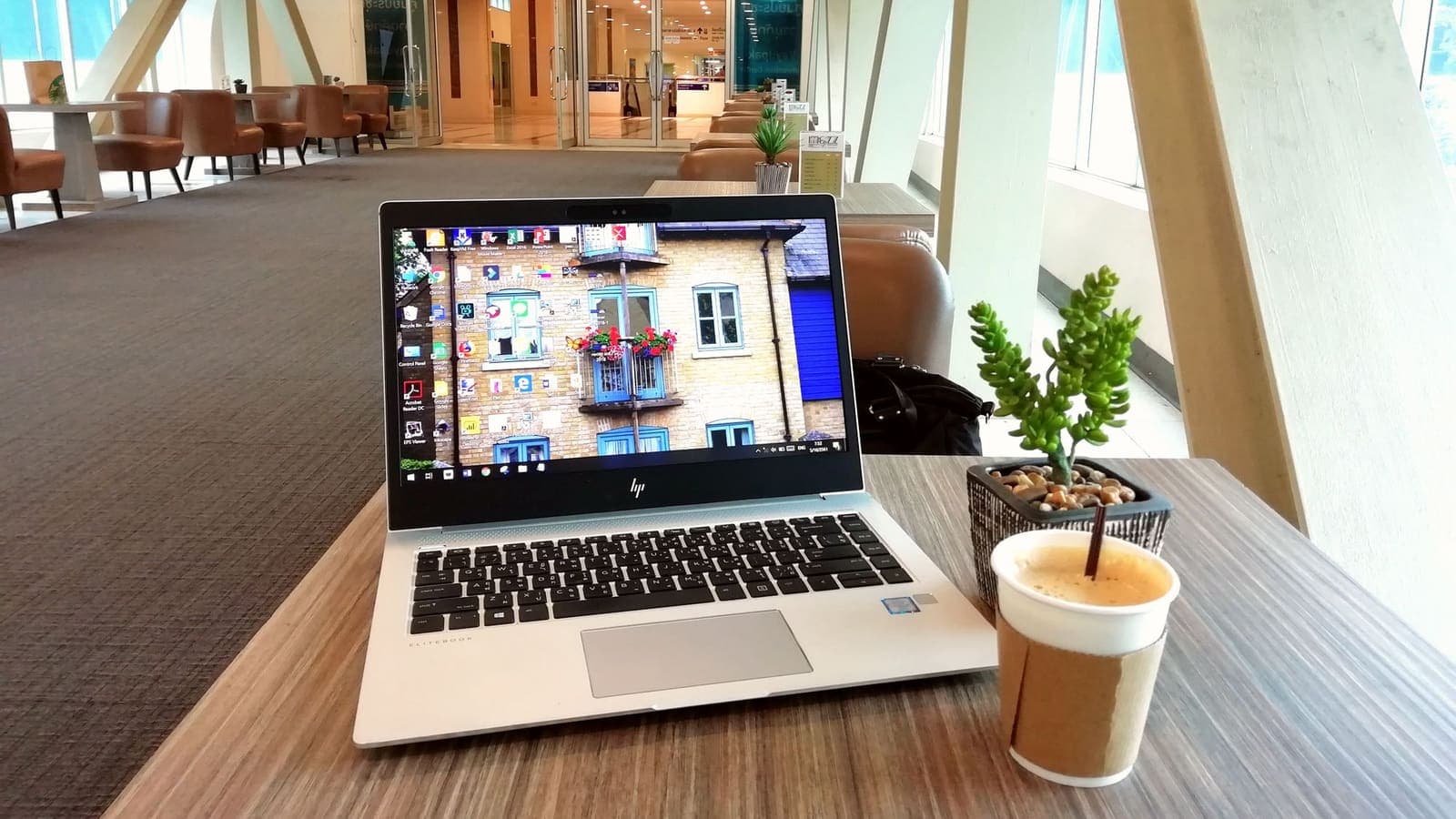
Living abroad as a Thai person means a double digital life. You have Thai accounts that still matter: bank, mobile number, government portals, family chat groups and subscriptions. You also have new ones in the country where you live: a local bank, a student or work account, a residence permit portal, and a rental contract sent by email. All of it runs across home Wi-Fi that may be shared with flatmates, a laptop used at the library and a phone that connects to dozens of public networks.
A VPN is one useful tool in that setup, but it is not the whole answer. This checklist explains what a VPN does for expats, what it cannot do, and which habits matter more. It is practical rather than legal, and it does not promise to unlock anything. For travellers on shorter trips, the guide on choosing a VPN for travel is a better fit.
Who this checklist is for
Different expats have different needs, and it helps to find yourself in one of these pictures.
The student. Arisa studies in Melbourne, lives in shared housing and uses university Wi-Fi. Her risks are crowded networks, phishing emails aimed at students and lost phones.
The worker on a contract. Korn works in Singapore for a company that gives him a work laptop and sometimes a company VPN. His risk is mixing personal browsing with company devices and rules.
The remote professional. Nan lives in Berlin and works for clients in several countries from cafes and co-working spaces. Her risks are public networks and weak shared-office security.
The long-term resident. Somchai has lived in Canada for ten years, keeps family in Thailand and manages property and accounts at home. His risks are account recovery, scams targeting overseas Thais and ageing contact details.
The family abroad. Mali and her husband move with two children. Their risks are many devices, children's apps and shared passwords.
If you recognise yourself, use the sections below as a checklist and skip what does not apply.

What a VPN does for an expat, and what it does not
A VPN creates an encrypted connection between your device and a VPN server. Anyone watching the local network, such as a hotel router, a shared flat network or a cafe, sees an encrypted stream instead of the sites you visit. The websites you open see the VPN server's address rather than your local address. The Cloudflare explanation of what a VPN is gives the plain picture.
It helps with:
- hiding your browsing from the operator of the local Wi-Fi;
- reducing risk from rogue or imitated public networks;
- keeping the local network owner, for example a landlord's router, from seeing which sites you open;
- giving you a steady address while you move between networks.
It does not help with:
- phishing, scams and fake calls pretending to be a bank or an embassy;
- malware on your device or an infected download;
- weak or reused passwords;
- a stolen or unlocked phone;
- what the websites themselves know about you after you log in;
- the rules of the service you use, or the law of the country you live in.
The article on what a VPN cannot protect you from is worth reading in full. The most common expat mistake is to treat a VPN as a shield against everything.
Checklist 1: secure the basics before any VPN
These steps protect you better than a VPN does, and they cost nothing.
- Use a password manager and give every account a long unique password. See VPNs and password managers for how the two work together.
- Turn on two-factor authentication everywhere that offers it. Prefer an authenticator app or a passkey to SMS. The CISA guide on multi-factor authentication and the explainer on passkeys are good starting points.
- Print or write backup codes and keep them offline, in a different place from your phone.
- Update the phone, laptop and key apps. Switch on automatic updates.
- Set screen locks and enable find-my-device. A phone lost on a metro train is more likely to hurt you than any network attack.
- Back up photos and documents to a place you control. Keep scanned copies of your passport, visa and key contracts in an encrypted folder.
- Review the recovery email and phone number on your important accounts. Make sure at least one recovery path does not depend on a Thai SIM that you might stop paying for.
Checklist 2: keep your Thai accounts reachable
The headaches for Thai expats nearly always involve a Thai mobile number and Thai accounts that expect you to be in Thailand.
- Decide what to do with your Thai SIM. Keeping it active costs a little each month but protects your one-time codes. Letting it lapse can lock you out of accounts that send codes by SMS, and phone numbers can be reassigned to other people.
- Check each service's guidance for customers abroad. Banks, e-wallets, tax and government portals often publish steps for overseas users. Follow those steps rather than inventing your own.
- Set travel or residence notices where the service offers them.
- Keep identity documents ready. You may need to confirm who you are by video or by visiting an embassy or branch.
- Update your contact details whenever you move.
A VPN is not a substitute for any of this. In some cases, a VPN will make a Thai service more cautious, because it sees an address that does not match your usual pattern. If that happens, turn the VPN off for that service on a network you trust, or contact the provider. The article on using Thai services from abroad explains the typical reactions.
Checklist 3: protect each network you use
Think about the networks in your week and decide the level of care for each.
| Network | Typical risk | Practical step |
|---|---|---|
| Your own home router | Low, if the router is updated and has a strong Wi-Fi password | Change the default admin password and keep the firmware current |
| Shared flat or student housing | Other residents on the same network; unknown router owner | Use a VPN for sensitive tasks; do not share files openly; lock your devices |
| Workplace network | Employer can see traffic on company devices | Keep personal accounts off work devices where you can |
| Library, university, co-working | Many users, uneven security | Use a VPN and avoid logging in to important accounts when you do not need to |
| Cafe, airport, mall, train | Open and sometimes imitated networks | VPN on, or use your phone's data instead; see staying safer on public Wi-Fi |
| Mobile data | Generally safer than open Wi-Fi | Often the best choice for a quick banking task |
In a shared flat, remember that the router owner can usually see which devices are connected and may log traffic. A VPN hides the websites you visit from that owner. It does not make you invisible to the router, and it does not replace a polite conversation about network use.
Checklist 4: choose and set up a VPN sensibly
If you decide a VPN fits, keep the choice simple. The article on how to choose your first VPN covers detail. For expats, these points matter most.
Check the apps. You need clients for every device you use: phone, laptop and, if you stream on a TV stick, that too. Confirm the platforms before you pay.
Check the payment model. Many expats prefer a fixed-length pass with no automatic renewal, so they are not charged while travelling or when they change cards. With XPASS, you buy a prepaid pass with a one-time payment and connect with the free VPNclient app using the username and password shown on your My Pass page. The download page has the official links.
Check support. Time zones are a real issue. Support that answers when you are awake helps.
Pick a nearby location for everyday speed. A server close to where you live usually feels smoother. If you need to appear to be in a certain place for a legitimate reason, such as your employer's rules, follow those rules and do not assume the choice will be accepted everywhere. The guide on choosing a VPN server location helps with trade-offs.
Test it. Connect, load a page, run a speed test and confirm the app shows a connected state. Do the same on mobile data.
Use it consistently. A VPN you only remember to turn on after something goes wrong gives little protection. Many apps can reconnect automatically.

Common problems and how to handle them
Thai banking or government app refuses to open with the VPN on. Turn the VPN off for that app on a trusted network, or contact the service. Do not try to disguise your location.
Streaming and shopping sites behave differently. This is common and varies by service. Follow each service's terms, and do not assume a VPN changes what you are entitled to see.
Verification code never arrives. Check roaming or your eSIM, make sure the Thai number is active, and ask whether the service has an app-based method.
Local services in your host country ask for extra checks. Some local banks and public portals are wary of VPN traffic too. Turn the VPN off for them when you are on a trusted network.
Internet feels slower. A VPN adds an extra hop. Try a nearer location and compare with the VPN off. See why internet speed changes with a VPN for the reasons.
Video calls with family in Thailand stutter. The cause is often the Wi-Fi or the time of day. Test on wired internet or mobile data, and try the call with the VPN off to see whether the VPN is involved.
Scams aimed at Thais abroad, and how to respond
Thais living abroad are targeted by a few repeating tricks. A VPN does nothing against any of them, so know the patterns.
Fake officials. A call or message claims to be from a bank, police or an embassy and says there is a problem with your account or parcel. Real institutions do not ask for one-time codes or push you to move money quickly. Hang up and call the official number yourself.
Parcel and delivery texts. A link asks you to pay a small fee. The page copies a payment form. Open the courier's app directly instead.
Fake job and investment offers. They appear in chat groups for overseas Thais. If it promises quick returns or asks you to pay first, treat it as a red flag.
Account takeover through a lost SIM or recycled number. This is why recovery emails and app-based verification matter.
Romance and friend-in-need messages. A hacked account of a real friend asks for money. Confirm by voice or video first.
The CISA advice on recognising and reporting phishing and the EFF Surveillance Self-Defense guide are good general references.
A simple yearly routine
Once a year, perhaps around Songkran or your visa renewal, run a short review.
- Check that your Thai SIM or its replacement method still works.
- Update recovery email addresses and phone numbers.
- Rotate passwords for banking and email, or confirm you use unique ones.
- Review the list of devices and sessions on important accounts and sign out the ones you do not recognise.
- Test your backup codes and passkeys.
- Renew or review your VPN pass before a busy travel period, and confirm the app still signs in.
- Read the notices from your Thai bank and government portals about overseas use.
Summary
For a Thai person living abroad, a VPN is a good fit for shared flats, student housing, co-working spaces and public Wi-Fi, and a poor substitute for strong passwords, two-factor authentication, updates and caution about scams. Keep your Thai number and recovery options working, follow each service's own guidance for customers abroad, and treat any VPN reaction from a bank or portal as a security feature rather than a puzzle to defeat. If a short, fixed-length pass without auto-renewal suits your situation, see the XPASS pricing page.
Frequently asked questions
Do Thai people living abroad need a VPN?
It is not required, but it is useful on networks you do not control, such as shared flats, student housing, co-working spaces and public Wi-Fi. It encrypts traffic between your device and the VPN server and hides your browsing from the local network.
Will a VPN keep my Thai accounts from asking for extra verification?
Not reliably. Services judge many signals, and a VPN can reduce some alerts and cause others. Strong authentication, up-to-date contact details and a travel notice with the service work better.
Is it legal to use a VPN where I live?
Rules differ between countries and can change. This article is general information, not legal advice. Check official sources for your host country and follow your workplace, school and service rules.
Which devices should I protect first?
Start with the phone and laptop you use for banking, email and work, then tablets and shared-family devices. Turn on screen locks, updates and backups before adding a VPN.
How do I keep verification codes working with a Thai number?
Plan before you leave: keep the Thai SIM active or switch to an authenticator app or passkey, store backup codes offline, and keep a second recovery email.
References
About the author

Bob Kanokphon Thongdee
- Founder of XPASS VPN
- Co-founder of eSIMonline.asia
- More than 7 years in online marketing
- Founder of Cojourney Visa and Cojourney Travel
Need a VPN for a short trip or a busy month?
XPASS sells prepaid passes for a set number of days. You pay once and nothing renews automatically.
See passesKeep reading

Privacy Guides
Using Thai Websites and Apps While Abroad
Thai banking apps, TV platforms and government sites often treat connections from abroad differently. This guide explains why, what to try with the service first, and the honest limits of a VPN.
9 min read

Buying Guides
Best VPN for Travel: How to Choose One Before Your Trip
A good travel VPN is mostly about planning: the right pass length, apps installed before you leave, and realistic expectations. This guide walks through what to check before a trip.
9 min read

VPN Security
How to Stay Safer on Public Wi-Fi
Public Wi-Fi is not a disaster, but it is a network you do not control. Here are the real risks, the habits that matter most, and where a VPN fits in.
8 min read

Privacy Guides
What Is Two-Factor Authentication?
Two-factor authentication asks for a second proof of identity in addition to your password, so a stolen password alone is not enough. Here is how the main methods compare and how to start.
9 min read

Privacy Guides
VPN vs Password Manager: Why You May Need Both
A VPN and a password manager solve different problems. This guide shows which threat each tool handles, how they work together, and what order to set them up in.
9 min read