
How VPNs Behave with USB Tethering
When a phone shares its mobile data with a laptop over a USB cable, where the VPN runs decides what is protected. Here is how each setup behaves and how to test it.
9 min readUpdated Oct 15, 2026By XPASS Editorial Team
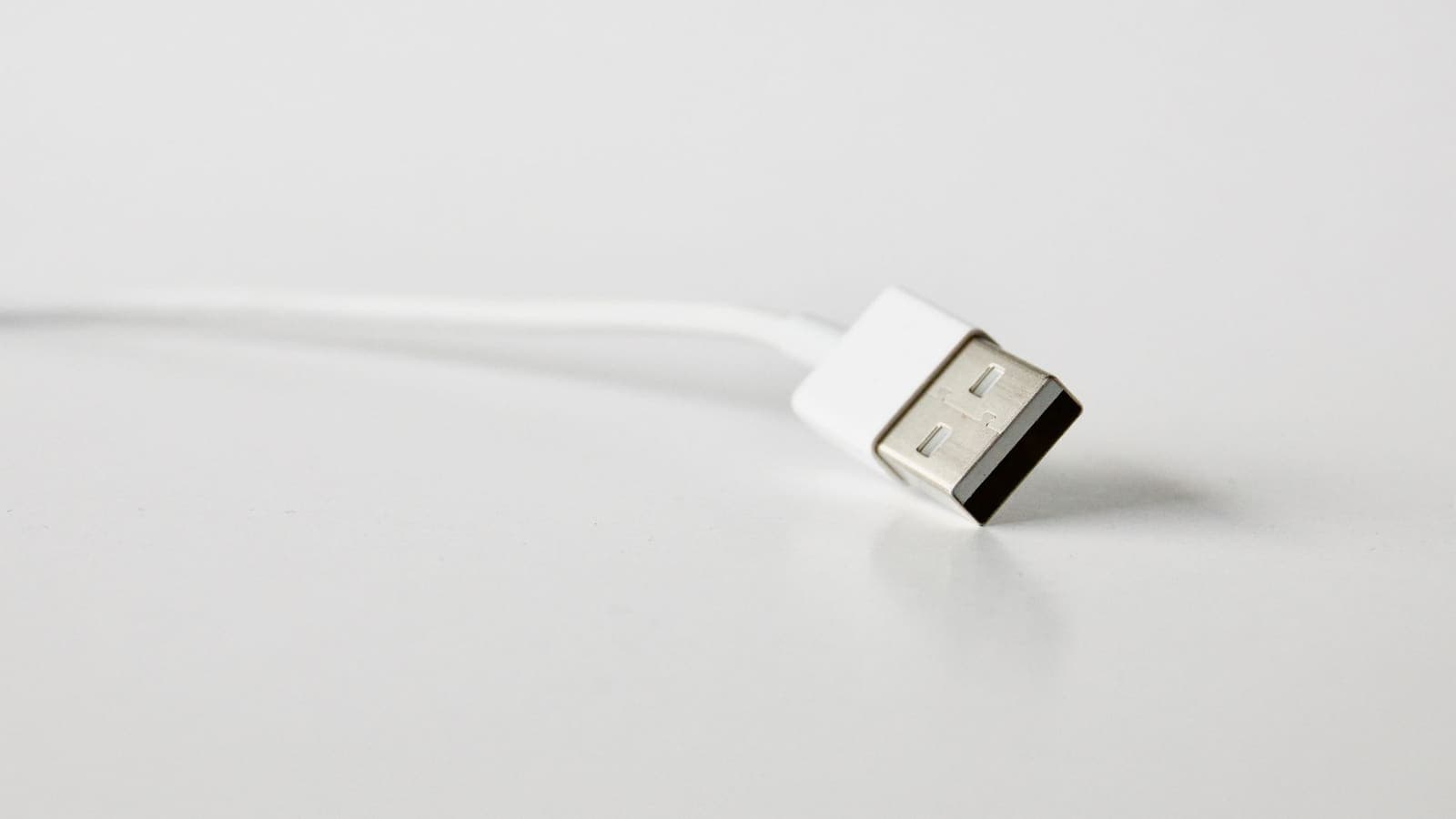
USB tethering is the simplest way to turn a phone into a modem. You connect the phone to a laptop with a cable, switch on the tethering option, and the laptop gets internet through the phone's mobile data. It is popular with remote workers on trains, with students when the dormitory network fails, and with travellers who do not trust cafe Wi-Fi. The question that follows is where a VPN fits. The honest answer is that it depends on which device runs the VPN, and the two options behave quite differently.
This article is about that behaviour. It explains what happens with a VPN on the laptop, what may happen with a VPN on the phone, who can see what at each point, what extra data a tunnel uses and how to test and fix common problems. It does not promise that any setup works on every phone and laptop, because tethering is handled differently by different operating systems and versions.
What USB tethering actually does
When USB tethering is on, the phone presents itself to the laptop as a network adapter over the cable. The laptop sends its internet traffic to the phone, and the phone forwards it to the mobile network. To the mobile network, the traffic looks like it comes from the phone. To the laptop, the phone looks like a router at the other end of a wire.
Three things set it apart from a Wi-Fi hotspot.
- No wireless link between the devices. The laptop does not need to join a Wi-Fi network created by the phone, so there is nothing nearby that another person could try to join or listen to.
- Power flows the other way. The laptop usually charges the phone through the same cable, which helps a phone that would otherwise lose battery quickly while sharing.
- Usually steadier speed. A cable does not suffer from radio interference, so the link between the devices is rarely the weak point.
It also differs from Bluetooth tethering, which is slower and more power-hungry. We will not cover it here.
If you need the broader picture of how a hotspot differs, our guide on sharing a VPN over a mobile hotspot covers the Wi-Fi side, and the article on VPN and Android hotspot behaviour looks at the phone side in more detail.

Case one: the VPN runs on the laptop
This is the arrangement we recommend and the one that behaves most predictably. The laptop connects to the phone over USB, and then the VPN software on the laptop makes its own tunnel through that connection.
What happens, step by step:
- The laptop sends data to the VPN software, which encrypts it.
- The encrypted data goes through the cable to the phone.
- The phone forwards it to the mobile network without being able to read it.
- The mobile network carries it to the VPN server, which decrypts it and forwards it to the internet.
At each point after step 1, only encrypted data is visible. The phone and the carrier see a connection to the VPN server. Neither can read the sites you visit inside the tunnel. This matches the general idea explained in Cloudflare's VPN explainer.
The big advantage is that the result does not depend on how the phone treats shared traffic. The laptop does the protecting. Whatever phone you have, and whatever its version, the laptop's tunnel works as it normally would on any internet connection. If you use XPASS, the setup is the same as on any other network: the free VPNclient app on the laptop and the username and password on your My Pass page. Our guide to setting up a VPN on Windows walks through it.
Case two: the VPN runs on the phone
This is the case that confuses people. You switch on a VPN on the phone and then share the connection. Is the laptop covered?
The behaviour varies, so treat any single yes or no with suspicion.
- On many phones, the traffic that the phone itself generates goes through the VPN tunnel, but the traffic it forwards for tethering does not. The laptop then goes out on the plain mobile connection, while the phone's own apps are protected. The laptop owner may wrongly believe they are covered.
- On some devices and versions, shared traffic is routed through the phone's VPN. This tends to depend on the VPN app and on how it sets up its tunnel.
- The result can change after an operating-system update or an app update.
So the only reliable approach is to test. Open a page that shows your public address on the laptop with the phone's VPN off, then on. If the address is the same in both cases, the laptop is not going through the phone's tunnel. If the address changes, it is, but check again after updates. Android's own help on connecting to a VPN describes how its VPN support works for the phone itself, not for shared traffic.
If you rely on the phone's VPN for the laptop and it turns out not to cover tethered traffic, the answer is simple: install the VPN on the laptop. Do not keep both tunnels running, because stacking them often slows things down or breaks the connection.
Who can see what, in each setup
The point of a VPN is to change who sees which data. This table summarises it. "Sees sites" means it can see the websites and services your traffic is going to, not the contents of encrypted pages.
| Party | No VPN | VPN on the laptop | VPN on the phone, if it covers tethering | VPN on the phone, if it does not |
|---|---|---|---|---|
| Mobile carrier | Sees sites and use | Sees encrypted traffic to the VPN server | Sees encrypted traffic to the VPN server | Sees sites and use |
| The phone itself | Can forward everything | Forwards encrypted data | Encrypts the shared traffic | Forwards plain traffic |
| The websites you visit | See the carrier address | See the VPN server address | See the VPN server address | See the carrier address |
| The VPN provider | Nothing | Sees which sites you reach | Sees which sites you reach | Only the phone's own traffic |
The last row is a reminder that a VPN moves trust. It does not remove it. Our article on what a VPN provider can see goes through this in detail.
Why choose USB over a Wi-Fi hotspot
Both methods share a mobile connection. For a VPN user, there are some specific reasons to prefer the cable.
- Less exposure. A Wi-Fi hotspot broadcasts a network name and needs a password. If that password is weak, a stranger nearby can join. A cable has no radio link to attack.
- Better for battery. Phones heat up and drain fast when they run a hotspot. The cable lets the laptop top up the phone.
- Fewer moving parts. There is no hotspot name to confuse with the cafe's, and no band or channel to choose.
- More predictable latency. Video calls and remote desktop sessions suffer less jitter on a cable.
The downsides are practical. You need a data-capable cable and the right port. Some laptops need a driver for the phone's network adapter. And you cannot share with several devices at once, unlike a hotspot. If you need a fuller comparison between mobile sharing and public networks, staying safer on public Wi-Fi shows why a cable-tethered phone is often safer than an open cafe network.
Data use, carrier rules and quirks
A VPN on a tethered laptop can use more mobile data than people expect, for three reasons.
- Encryption overhead. Each packet gets slightly larger. Over a long session this adds up, but it is usually a modest percentage. Does a VPN use more data gives the numbers and the reasons.
- Laptops are data hungry. Operating-system updates, cloud backups, photo syncing and browser tabs all run in the background on a laptop, and they were designed with fast, unmetered home internet in mind. A day of tethering can use as much data as a week of phone use.
- Hidden background tasks. A laptop that does not know it is on a metered connection will download big updates without asking. Check the laptop's setting for a metered connection and turn it on.
Carrier rules are separate. Some mobile plans limit or charge differently for tethered data, throttle speeds after a threshold or require a specific plan feature. A VPN does not change these rules and should not be used to try to hide tethering from the carrier. Read the plan's terms to know what applies to you.
Driver and system quirks also appear. Windows may call the phone connection a "remote NDIS" or similar adapter. macOS may need you to trust the phone when you connect. Linux usually works with built-in drivers. If a VPN starts before the tethered link is ready, it may fail to connect and need a restart. Wording differs between versions, so we do not give exact menu names.

Setup and test checklist
Use this order and write down what you see at each step.
- Check your plan. Confirm that tethering is allowed and note any data cap.
- Use a data cable. A cable meant only for charging will not carry data. If the laptop does not react at all, swap the cable.
- Unlock the phone and plug it in. If the phone asks what the connection is for, choose file transfer or the tethering option, as the wording varies.
- Turn on USB tethering in the phone's network or hotspot settings.
- Check the laptop shows a new network connection with internet access.
- Test without a VPN. Open a page that shows your public address and note it.
- Start the VPN on the laptop and test again. The address should change.
- Set the laptop to metered. This prevents big silent downloads.
- If you also want the phone protected, run a VPN on the phone, but treat it as separate from the laptop's tunnel and do not stack the two.
- When you finish, disconnect the VPN, turn tethering off and unplug the cable.
Three real-life scenarios
A remote worker on a train. Sofia has a call at 10 a.m. while travelling. The train Wi-Fi drops every few minutes. She plugs her phone into her laptop, starts USB tethering, and starts the work VPN on the laptop. Her call is steady, and her company traffic is encrypted. She set the laptop to a metered connection first, so updates do not arrive during the call.
A student when the dormitory network fails. Jin tethers his laptop during an exam deadline. He has the VPN app on the phone and assumes it protects the laptop. He then checks his public address on the laptop and finds it is the carrier's address, so the phone's tunnel does not cover shared traffic on his handset. He installs the VPN on the laptop and sees the address change.
A traveller at an airport. Ana does not want to use open airport Wi-Fi to log in to her accounts. She tethers by cable, starts the VPN on the laptop, and leaves the phone's apps as they are. She checks her data balance every hour, because the laptop uses data faster than she expected.
Troubleshooting
| Symptom | Likely cause | What to try |
|---|---|---|
| Laptop does not detect the phone | Charge-only cable or wrong USB mode | Use a data cable, unlock the phone, choose the tethering option |
| Network shows connected but no pages load | No data on the phone, roaming limit or driver issue | Test mobile data on the phone, then restart tethering |
| VPN will not connect over the tether | VPN started before the link was ready, or the carrier blocks something | Wait until the link works without a VPN, then start the VPN |
| Public address is the same as without a VPN | Tunnel is not active, or it is the phone's VPN, not the laptop's | Start the VPN on the laptop and recheck |
| Very slow speeds | Weak mobile signal or two tunnels stacked | Move to a better signal spot and use one tunnel only |
| Data allowance disappears quickly | Background updates on the laptop | Set the connection to metered and pause cloud sync |
If a tunnel connects but nothing loads, VPN connected but no internet? How to fix it covers the checks for that case.
Summary
With USB tethering, the safest and most predictable setup is to run the VPN on the laptop, because the phone then forwards only encrypted data. A VPN on the phone may protect only the phone's own traffic and leave tethered traffic outside the tunnel, depending on the device and version, so test it by comparing your public address. A cable is steadier and more private than a Wi-Fi hotspot, but a laptop can use mobile data very quickly, and the VPN adds a small overhead. Check your plan's tethering rules, mark the connection as metered and use only one tunnel at a time.
If a prepaid pass without automatic renewal suits how you work on the move, you can read the details on the pricing page at your own pace.
Frequently asked questions
If my phone has a VPN on, does a tethered laptop go through it?
Not reliably. Many phones keep tethered traffic outside the phone's own VPN tunnel, and the result depends on the phone, the system version and the app. Do not assume. Check the laptop's public address with the phone's VPN on and off.
What is the safest setup for USB tethering with a VPN?
Run the VPN on the laptop itself. That way the laptop encrypts its traffic before it reaches the phone, and the result does not depend on how the phone treats shared connections.
Does USB tethering use more mobile data with a VPN?
Slightly, because encryption adds overhead to each packet. The bigger effect is that a laptop uses data much faster than a phone, so watch your plan's allowance and the carrier's tethering rules.
Can my carrier see what I do over USB tethering?
The carrier can see that tethered data is being used and may apply its own rules. With a VPN on the laptop, the carrier sees an encrypted connection to the VPN server instead of the sites you visit.
Why does my laptop show a connection but no internet over USB tethering?
Common causes are a data-only cable, a missing tethering option on the phone, a driver problem on the laptop, a roaming or data-saver limit, or a VPN that started before the link was ready. Test without the VPN first.
References
About the author

Bob Kanokphon Thongdee
- Founder of XPASS VPN
- Co-founder of eSIMonline.asia
- More than 7 years in online marketing
- Founder of Cojourney Visa and Cojourney Travel
Need a VPN for a short trip or a busy month?
XPASS sells prepaid passes for a set number of days. You pay once and nothing renews automatically.
See passesKeep reading

Device Guides
Can You Share a VPN Over a Mobile Hotspot?
A VPN on your phone does not always cover the devices using its hotspot. See what usually happens, how to test your own setup, and a safer routine.
6 min read
Device Guides
Can You Share a VPN Connection Through Android Hotspot?
An Android VPN protects the phone it runs on, but devices on your hotspot may not be covered. Here is how to test it and what to do instead.
9 min read

VPN Basics
Does a VPN Use More Data?
A VPN adds a small amount of overhead to everything you send, but the bigger data surprises usually come from somewhere else. Here is what to expect on mobile data and when streaming.
9 min read

Troubleshooting
VPN Connected but No Internet? How to Fix It
The app shows connected, yet nothing loads. This guide explains why that happens and walks through DNS, MTU, IPv6, device settings and network checks, one at a time.
7 min read

Privacy Guides
What Can a VPN Provider See About You?
A VPN does not remove trust, it relocates it. Here is what a VPN provider can technically see about your account, your payment, your connections and your traffic, and how to judge a provider.
9 min read