
Satellite Internet and VPN: What Changes When the Sky Is Your Link
Satellite internet changes latency, address sharing and how stable a connection feels. Here is what that means for a VPN, and where a travel eSIM or phone satellite messaging fits.
10 min readUpdated Oct 18, 2026By XPASS Editorial Team
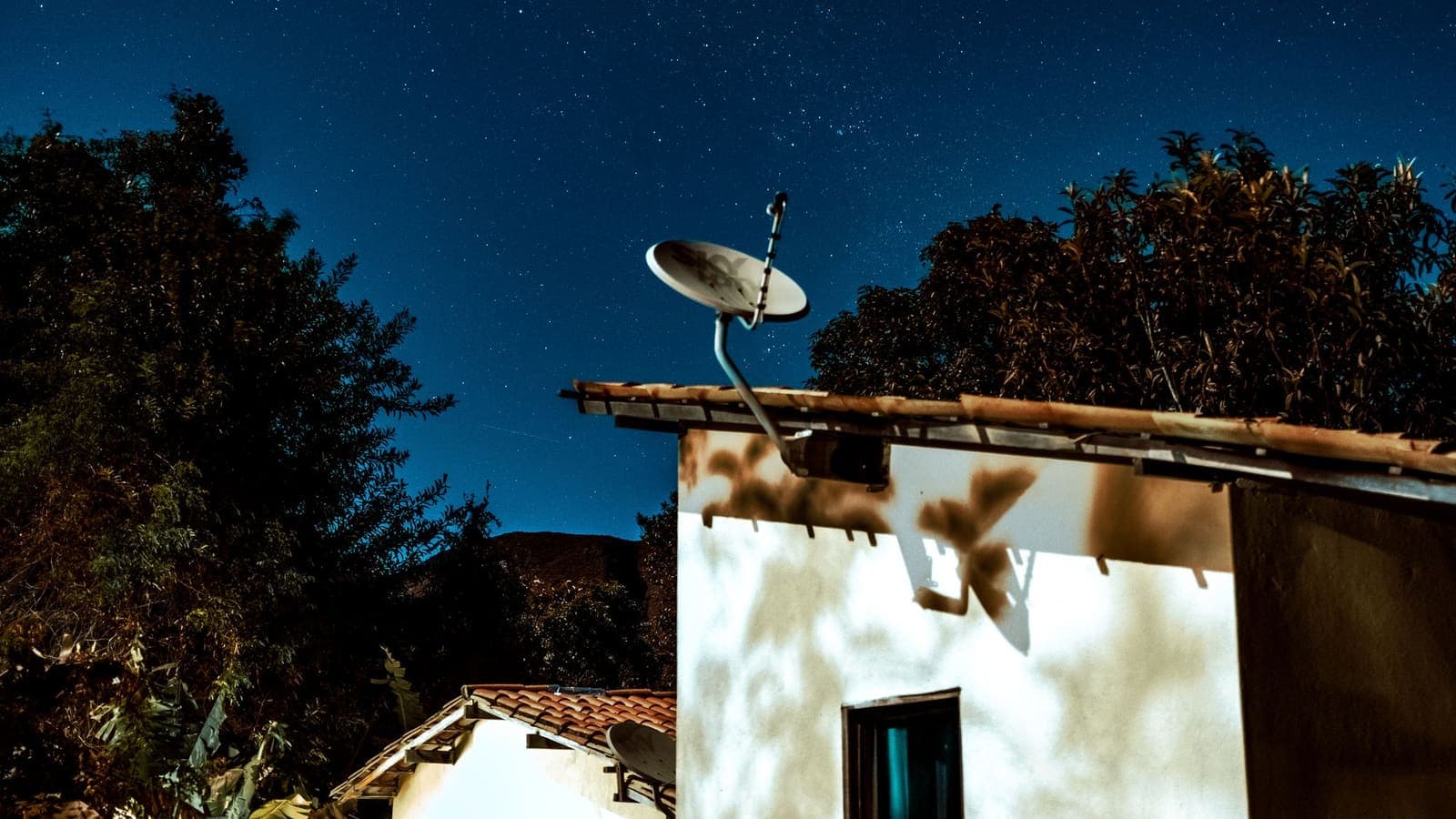
For many people the internet arrives by cable, fibre or a mobile tower. For others it arrives from the sky: a dish on a rural house, a terminal on a boat, a seat-back screen on a long flight. It is now a realistic option in places where nothing else reaches. It also behaves differently from the connections most guides assume.
This article explains what is different, what that means for a VPN, and where satellite stops being the right tool. It stays general and does not name or rate any provider. For the specific situations of flights and ships, see our articles on using a VPN on airplane Wi-Fi and VPN on cruise ship Wi-Fi.
Two kinds of satellite internet, in plain terms
Satellite internet comes in two broad designs, and most of what you notice follows from the distance the signal travels.
Geostationary satellites sit very high above the equator and appear fixed in the sky. One satellite covers a huge area, so the ground equipment can stay pointed at one spot. The cost is distance: a signal has to travel up and back down, and then repeat the trip for the reply. That is physics, not poor engineering, and it gives a noticeable delay on every request.
Low-orbit satellites fly much closer to the Earth and move across the sky. Because they are closer, the delay is much shorter, often close to what some mobile connections give. The cost is complexity: many satellites are needed, the dish or terminal has to keep handing over from one to the next, and the link can briefly change or pause during handovers.
| Question | Geostationary | Low orbit |
|---|---|---|
| Distance to the satellite | Very far | Much closer |
| Typical delay | Noticeably high | Much lower, closer to mobile |
| Moves across the sky? | No | Yes, with handovers |
| Equipment | Fixed dish pointed at one spot | Terminal that tracks many satellites |
| Weak points | Delay on every request | Brief drops during handovers, crowding |
Real products mix these ideas, and results vary by provider, plan and weather. Treat the table as a general guide.

Who actually uses satellite
Satellite fits a few clear situations.
- Remote homes and farms. Where fibre and cable never arrived and mobile signal is weak, a dish can be the only fast option.
- Boats and ships. Mobile coverage fades once you leave the coast, so vessels rely on satellite for email, weather and calls.
- Aircraft. Many in-flight Wi-Fi systems backhaul through satellites, which is why the connection can feel different from a normal hotspot.
- Emergencies. When towers are down, a satellite link can be the one thing still working.
If you are one of these users, the rest of this article applies to you. If you are a traveller on a normal trip with mobile coverage, you probably do not need satellite at all, and the section on eSIMs below will help you decide.
Latency: the number you will feel first
Latency is the time a small message takes to travel to a server and back. It is different from bandwidth, which is how much data per second you can move. You can have a fast link with high latency, and satellite is the classic example. Cloudflare has a clear explainer on what latency is, and our own piece on VPN latency covers how a VPN adds to it.
Why latency matters more than people expect:
- Loading a web page takes many small requests in sequence. High latency multiplies the wait, even when the download speed is good.
- Video calls can handle some delay, but long gaps make people talk over each other.
- Online games and remote desktops react to every click, so delay is obvious.
A VPN does not remove the satellite delay. It adds one extra hop and some encryption work, so the total is a little higher. On a geostationary link that addition is small compared with the delay already there. On a low-orbit link, where the base delay is lower, the VPN's share is more visible, especially if the VPN server is far away from where you are or from the site you want. Choosing a nearer VPN location often helps more than any setting.
CGNAT: why your address may not be your own
Many satellite services give customers a shared address instead of one of their own. This is called carrier-grade NAT, or CGNAT. Many households and devices sit behind one public address, and the provider's equipment keeps track of who is who. Addresses in the shared range described in RFC 6598 are one sign of this, and your router's status page may show an address from that range.
For everyday use this is fine. Browsing, streaming, email and video calls all start from your side, and they work normally. A VPN app also starts the connection outward, so it works behind CGNAT too.
CGNAT matters in three situations:
- Hosting something at home. A camera system, a game server or a home VPN server needs people to connect inward, and CGNAT leaves no public address of your own for that.
- Port forwarding. Forwarding a port on your router does nothing, because the shared device at the provider sits in front of it.
- Websites that treat a shared address as risky. Many people share the same public address, so one person's bad behaviour can lead to CAPTCHAs or blocks for everyone. A VPN may or may not help with that.
We cover this in detail in VPN behind CGNAT, including how to check whether you are behind it and what your options are. If you need remote access to a home device on satellite, a VPN service that you connect out to, or a mesh tool that relays traffic, is usually the practical route.
Using a VPN over satellite: practical settings
A VPN works over satellite, but a few habits make it smoother.
Expect and plan for reconnects
Satellite links can pause briefly during handovers between satellites or beams, in heavy rain, when a boat rolls, or when an aircraft turns. A VPN tunnel that sees no traffic for too long may drop and reconnect. Turn on any automatic reconnect option in the app. If the app has a kill switch, remember that it will block traffic while the tunnel is down, which is the point of it but can feel like an outage during a pause.
Watch the packet size (MTU)
Every network has a maximum packet size, called the MTU. A VPN wraps each packet in extra headers, so the packets it can carry inside are slightly smaller. If the path cannot handle the larger wrapped packet and does not tell your device, some sites load part of a page and then stall. This is the classic sign of an MTU problem, and the mechanism behind it is described in RFC 1191. Satellite and mobile paths can have unusual limits. If pages stall after the VPN connects, check whether the app offers a smaller packet size, or ask support, rather than guessing.
Choose a protocol with care
VPN protocols differ in how they handle a changing path. In general terms:
- Protocols that run over UDP usually recover quickly from short drops and handle delay well, and some are designed to roam between networks without a full re-handshake.
- Protocols that run over TCP are more cautious and can be stubborn when the link is lossy, because two layers of retransmission fight each other. They can still be useful when UDP is blocked.
We do not say which protocols any particular service supports here. If your app has a protocol setting, keep the default first. Change it only if you have a stable link and a specific problem, or if support suggests it. Our overview of what a VPN protocol is explains the differences in plain language.
Keep the rest tidy
- Turn off automatic cloud uploads and large app updates on a metered plan.
- Use a nearer VPN location where possible to keep the extra distance low.
- Test the VPN on land before you go, so you can tell a setup problem from a satellite problem.
A plain example
Mei runs a small guesthouse at the end of a valley. Mobile signal is weak and no cable ever came. She uses a satellite dish for guest Wi-Fi and her own work.
On the first day she notices two things. Web pages feel slower than in town, and her online banking sometimes asks her to verify again. She also tries to reach a camera at the gate from her phone and finds she cannot, no matter what port she forwards.
The slowness is latency. She cannot remove it, but she can avoid making it worse: she picks a VPN location in the same region as the guesthouse instead of a distant one, and she turns off automatic photo uploads. The banking prompts come from the shared address: many customers of the satellite provider use the same public address, so the bank's systems are cautious. She stays signed in on her phone and uses the bank's own app. The camera problem is CGNAT. Because she cannot receive inbound connections, she switches to a camera setup that connects outward to a relay, and she leaves port forwarding alone.
During a storm the link drops for a minute at a time. Her VPN reconnects by itself, and she keeps the kill switch on so nothing leaks while it does. When some sites load halfway and stall, she asks support about the packet size setting instead of reinstalling the app.
Phone direct-to-satellite messaging
Some recent phones and mobile carriers offer a way to send short messages, or contact emergency services, directly through satellites when you have no signal. This is different from the home or boat satellite internet above, and it is worth being careful about what it is.
- It is mainly for short text-style messages and emergencies, not for browsing, video or app data. Features vary by phone, region and carrier, and they are changing, so check your phone maker's and carrier's current documentation.
- It normally runs through the phone maker's or carrier's own service, not through the data connection your VPN app uses. A VPN is not part of that path.
- It usually needs a clear view of the sky and a few seconds to connect.
- It is not a replacement for planning. Tell someone your route, carry a charged power bank and know the local emergency numbers.
Do not assume your phone has this feature or that it works in the country you are visiting. Treat it as a last resort and confirm it before the trip.
Satellite versus a travel eSIM in remote areas
Travellers often wonder whether they need satellite equipment at all. For most trips they do not.
A travel eSIM is a data plan delivered as a profile on your phone. It uses local mobile towers, so it works wherever those towers reach. Where there is coverage it is lighter, simpler and usually cheaper than anything involving a dish. eSIMonline, which sells travel eSIMs, has a comparison of eSIM and satellite if you want more detail.
| Question | Travel eSIM | Satellite internet |
|---|---|---|
| Needs | A compatible phone and mobile coverage | A terminal and a clear view of the sky |
| Works with no towers? | No | Yes |
| Equipment to carry | None beyond the phone | A dish or terminal and power |
| Best fit | Cities, towns, roads, most trails near coverage | Open sea, deep wilderness, remote homes |
| Delay | Like normal mobile | Higher, varies by design |
| Setup | Install before or on arrival | Install, point, power on |
A sensible rule: check the coverage map for your route first. If towers cover where you will be, use an eSIM. If you will spend days beyond coverage and need regular contact, consider renting satellite equipment. A VPN on top is optional in both cases, and mostly matters when you use shared Wi-Fi.
Limits and what to watch for
- A VPN cannot fix delay or weather. It only protects traffic and sometimes changes the path.
- Data can be costly. Some satellite plans have data allowances or slow down after a point. Check your terms, and remember that a VPN adds a small overhead.
- Shared addresses can trip security checks. CGNAT can cause extra verification prompts, CAPTCHAs or blocks that have nothing to do with you.
- Rules at sea and in the air differ. Airlines and ship operators set their own network rules, and local law applies in each country. Follow them, and check official guidance before you rely on a connection.
- Public satellite Wi-Fi is still shared Wi-Fi. On a ship or aircraft many strangers share the same network, so the usual advice applies: use HTTPS, keep your device updated and consider a VPN.
- Emergency communication needs a plan. Do not rely on any single link.
Summary
Satellite internet is a real answer for remote homes, boats and flights, but it changes things you can feel: delay is higher, addresses are often shared through CGNAT, and the link can pause or change. A VPN generally works over it, as long as you allow for reconnects, watch for packet size problems and choose settings with care, and it cannot reduce the delay. Phone satellite messaging is a separate, limited emergency feature, and in places with mobile coverage a travel eSIM is usually the simpler tool.
If a short prepaid VPN pass would suit your trip or your remote setup, you can look at the pricing page at your own pace.
Frequently asked questions
Does a VPN work over satellite internet?
Yes, in the usual case. A VPN app makes an outbound connection to a VPN server, and satellite links carry that like any other traffic. Expect extra delay, occasional drops and sometimes a smaller usable packet size, so the connection may need patience and a little tuning.
Will a VPN make satellite internet slower?
A VPN adds some overhead and a longer path, and satellite already has more delay than a cable or fibre line. The extra cost is usually small compared with the satellite hop itself, but pages that need many round trips can feel slower. A VPN cannot fix the delay of the satellite link.
Why does my VPN keep disconnecting on satellite?
Short outages are common as the link switches between satellites or beams, when weather is bad, or when a moving vehicle or boat loses its view of the sky. A VPN that reconnects automatically, and a protocol that survives a changing path, helps. Check the app's reconnect setting and the help guide on reconnecting.
Can I use my phone's satellite messaging with a VPN?
Phone direct-to-satellite features are limited, mainly for short messages and emergencies, and they work through the phone maker or carrier, not through your normal data connection. A VPN is not part of that path. Check your phone maker's and carrier's current documentation for what is supported.
Is a travel eSIM better than satellite internet in remote areas?
Only where a mobile network actually reaches. An eSIM uses local mobile towers, so it is usually cheaper and lighter than satellite equipment where there is coverage, and useless where there is none. Satellite needs a clear view of the sky but does not depend on towers.
References
About the author

Bob Kanokphon Thongdee
- Founder of XPASS VPN
- Co-founder of eSIMonline.asia
- More than 7 years in online marketing
- Founder of Cojourney Visa and Cojourney Travel
Need a VPN for a short trip or a busy month?
XPASS sells prepaid passes for a set number of days. You pay once and nothing renews automatically.
See passesKeep reading

Device Guides
VPN Behind CGNAT: What Works and What Doesn't
Carrier-grade NAT shares one public address among many customers. See why a VPN app still works behind it, what stops working, and what your options are.
9 min read
Privacy Guides
VPN on In-Flight Wi-Fi: What to Expect
In-flight Wi-Fi is a shared, time-limited connection with its own login and sometimes limited tiers. Here is what a VPN does on a plane, what can go wrong, and a short routine for the flight.
9 min read

Privacy Guides
Using a VPN on Cruise Ship Wi-Fi
Ship Wi-Fi is a shared satellite connection with a login page and a paid package. Here is how a VPN fits onboard, why it can feel slow, and a practical routine for the voyage.
9 min read
Troubleshooting
VPN Latency Explained: Why Ping Changes
Latency is the delay before data starts to arrive. See where each millisecond comes from, why a VPN changes it, what jitter means and which ping numbers matter for which activity.
9 min read

Device Guides
What Is an eSIM? A Plain Guide for Travellers and Everyday Users
An eSIM replaces the plastic card with a profile stored in your phone. Here is how it works, what an EID and a profile are, who should switch, and where a VPN fits.
10 min read