
How to Verify VPN Logging Audit Claims
A worksheet-style method for checking a VPN provider's logging claim and its audit: exact wording, data categories, audit scope and date, and independent cross-checks.
10 min readUpdated Oct 15, 2026By XPASS Editorial Team

A VPN provider says it does not keep records of what you do. A badge on the home page says the claim was audited. The question this article answers is the one most readers skip: how do you check that the badge means what you think it means?
Verifying a VPN logging audit claim is less about technology than about careful reading. You do not need to be an engineer. You need a sequence of questions, a place to write the answers down, and the discipline to notice when a page avoids answering. Below is a four-step method with a worksheet table, a worked example using invented claims, and an honest note about what no amount of checking can prove. For the general theory of audits and what kinds exist, see independent VPN audits and how to read the reports; this guide is the practical checklist.
Three different things hide behind one badge
When a provider says "audited", it can mean any of three quite different claims, and they should be checked separately.
- A policy claim. A written statement on the website or in the terms: what the provider says it collects and keeps. Anyone can write one, and it binds the provider only as far as law and contract allow.
- A design claim. A statement about how the system is built, for example that servers are configured so they do not store certain data, or that they restart from a clean state. This is a technical assertion, which an engineer could check.
- An audit result. A report by an outside firm that examined something and recorded what it found.
A badge usually points to the third. But the report may support only part of the first two. A common pattern is a strong policy sentence, a vague design claim, and an audit that examined something narrower than either. Your job is to line the three up and see whether they match.
Write this at the top of your worksheet: Policy says / Design says / Audit shows. Fill it in as you go.
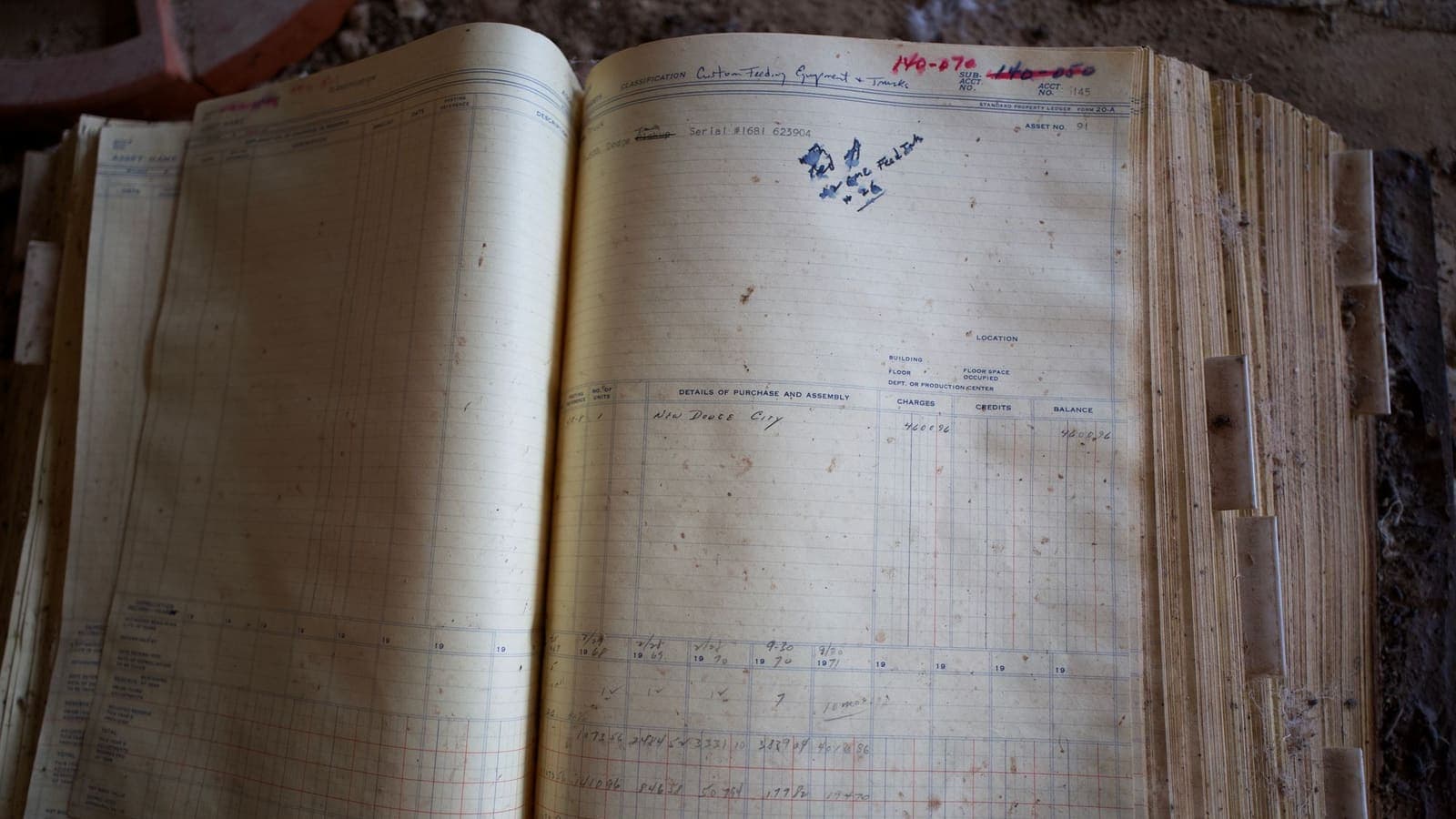
Step 1: Collect the exact wording
Marketing summaries blur the details. Get the originals.
- The privacy policy and terms of service, in full, with the date they were last updated.
- Any "logging policy" or "what we collect" page, which providers often keep separate from the privacy policy.
- The audit announcement and the audit report itself. Some providers publish only a short summary or a press post. A full report is better; a summary is a weaker substitute.
- The app store listing, which may include a privacy declaration of data collected by the app. Apple's App Privacy Details explain what those labels are meant to show.
Save copies or screenshots with the date. Pages change, and a claim you read in March may be worded differently in October. If you ever need to quote the provider's words back to its support team, a dated copy is worth more than your memory.
Then read for verbs and qualifiers. Compare "we do not keep activity records" with "we do not keep records that could identify you" and with "we keep only what is needed to run the service." They look similar and promise very different things. Watch for hedging words such as "generally", "typically", "personally identifiable" and "for most users". A broad slogan on the home page followed by narrow terms in the policy is a pattern to note in your worksheet.
Step 2: List what is claimed to be absent
"Logging" is not one thing. Providers can keep or not keep many different kinds of data. Take the claim and test it against each category in turn.
| Data category | What it could reveal | What to look for in the wording |
|---|---|---|
| Connection timestamps | When you were online | Is "connection" data explicitly mentioned, and is it kept or not? |
| Your original IP address | Which network you came from | Is the source address stored, even briefly? |
| Assigned VPN address | Which session a given address belonged to | Can an address be tied back to one account? |
| Amount of data transferred | How much you used and when | Is it kept for billing, limits or abuse control? |
| DNS requests | Which names you looked up | Does the provider run its own resolvers, and are queries recorded? |
| Websites and content | What you did online | Usually stated, but check the wording |
| Account and payment data | Who you are | What is needed to open the account and how long it is kept |
| App diagnostics | Device type, crashes, usage statistics | Is analytics collected, and can it be switched off? |
Mark each row in your worksheet as kept, not kept, kept for a stated period or not mentioned. The "not mentioned" rows are the useful ones: silence on a category is itself information. A policy that is clear on browsing history but silent on connection times or source addresses has told you less than it first appears.
Also look for the reasons a provider gives for keeping anything. Billing, abuse prevention and troubleshooting are common, understandable purposes. The question is whether the retention period is stated and whether it is short. For general reading of such text, the VPN privacy policy checklist and the guide to logging policies go through typical wording line by line.
Step 3: Read the audit itself
This is where most claims fall apart, and where careful reading pays off. Treat the audit report as a document with a cover page, a scope, a method, findings and a date. Check each part.
Who wrote it, and who paid? An independent firm with a published name is a good start. The provider usually pays the auditor; that is normal, but check the report states the relationship and is signed or attributed.
What was in scope? This is the single most important question. Scope can be a website, a mobile app, a handful of servers, a configuration review, or the whole infrastructure. A logging claim is only supported if the scope covered the systems that could hold logs. An audit of an app's code says nothing about what servers record.
What kind of evidence? There is a difference between an auditor who read a configuration file, one who interviewed staff, one who inspected servers directly and one who reviewed a design document. Direct inspection of live systems is stronger than reading what the provider provided. Notice phrases like "based on information provided by management".
Which period or version? A report should say when the work was done and what state of the system it saw. Evidence from a past period does not tell you what happens today.
What did it find? Healthy reports list findings, including minor ones, and show how the provider responded. A report with no findings at all, or one that never mentions any limitations, deserves a second look. Be wary of a summary that reports only good news.
Is the whole thing public? If a provider publishes only a quotation from the report, ask whether the full text is available. A provider that is proud of an audit usually links to the report.
Put the answers in a short block on your worksheet: auditor, scope, evidence type, date, findings, full report available (yes or no).
Step 4: Cross-check with evidence the provider does not control
A claim you can check from several independent angles is much stronger than one you only see from one.
- Transparency reports. Does the provider publish how many legal requests it receives and what it was able to hand over? Read how transparency reports are structured and what a good one includes.
- Legal and incident history. Have there been public cases in which a provider's records were demanded? What does the public record say it could provide? Treat press stories carefully and prefer primary sources such as court documents or official statements.
- Jurisdiction and ownership. Where is the company based, and who owns it? These affect what legal demands it can receive. See VPN jurisdiction explained.
- Open code. If parts of the software are public, outside experts can read them. That does not prove server behaviour but it adds one more angle.
- Independent reviews and community reports. Look for technical write-ups from security researchers, not paid ranking sites.
- Consistency across pages. Does the privacy policy match the marketing page, the audit announcement and the app store declaration? Mismatches matter.
Each source you find that agrees with the claim adds a little confidence. Each source that contradicts it, or that you cannot find at all, should be written down as well.
Red flags and green flags
| Looks fine on the surface | Why to look closer |
|---|---|
| "Audited" badge with no link | You cannot see scope or date |
| Audit of the website or app only | Says little about server records |
| Report older than the last big infrastructure change | Evidence may no longer apply |
| Audit paid for and written by a related company | Independence is unclear |
| Absolute wording such as "we never record anything" | Few real systems keep nothing at all |
| Claim contradicted by a longer policy | The strong claim may only be a slogan |
| Worth noticing in a good way | Why it helps |
|---|---|
| Full report published, with findings and responses | You can read scope and limits yourself |
| Auditor named, work dates stated | Claims can be tied to a time |
| Specific retention periods | Concrete statements can be tested |
| Repeated audits over several years | Shows a habit, not a one-time event |
| Plain admission of what is kept | Honest about trade-offs |
No single green flag settles the question, and no single red flag proves bad faith. The point is to build a picture from several observations.

A worked example with invented claims
Here are three made-up providers, scored with the worksheet. They are not real companies.
Provider A. Home page: "Audited, zero records, ever." The privacy policy says it keeps "limited connection metadata for service quality." The audit badge links to a one-paragraph blog post that says "an independent expert reviewed our systems" with no name or date. Verdict: three mismatches. The slogan, the policy and the audit do not agree, and scope is invisible. Treat the claim as unverified.
Provider B. Home page: "Our servers are built to avoid storing activity records." The policy states that it keeps no browsing data and no source addresses, and that it keeps account email and payment status for as long as an account exists. An outside firm's full report, dated eight months ago, examined a sample of servers and the configuration process, listed two minor findings and the provider's fixes. Verdict: policy, design and audit line up, scope is stated and the date is recent. Remaining gaps: the sample is not every server, and the period is past. Reasonably supported, with limits.
Provider C. No audit, but a clear policy with retention periods, a transparency report published each year and public code for its apps. Verdict: nothing independent covers server behaviour, but the provider is open on everything else. Worth considering for low-sensitivity use, with realistic expectations.
Notice that Provider B is not "perfect" and Provider C is not "bad". The worksheet gives you a way to say what is supported, what is not and what is unknown.
What checking can and cannot do
Be honest with yourself about the ceiling.
- Nobody can prove a negative forever. An audit shows that at a certain time, within a defined scope, auditors did not find stored activity records. It cannot show that none exist on a server it did not see, or on a day it did not look.
- Policy is not enforcement. A promise is worth as much as the provider's incentives and the law it operates under.
- A VPN provider is only one party. Your internet provider, the websites you visit, your apps and your device can all keep records regardless of the VPN. See what a VPN provider can see for the split.
- You are checking a provider, not buying certainty. The aim is to avoid clearly weak claims, not to find a perfect one.
If your situation is high-stakes, for example a journalist or an activist working under serious threat, a logging claim is only one input, and professional guidance from organisations such as the EFF is more appropriate than a consumer checklist. The EFF Surveillance Self-Defense guide is a good place to start.
For everyday users, a sensible outcome of this method is simply a more realistic view: you know which claims are backed by evidence, which are hopeful wording, and which you cannot judge.
Summary
To verify a VPN logging audit claim, separate the policy, the design claim and the audit result, collect the exact wording with dates, list each data category as kept, not kept or not mentioned, read the audit for auditor, scope, evidence type, period and findings, and cross-check against transparency reports, legal history and public code. Score what you find in a simple worksheet, treat absolute slogans with caution, and accept that an audit is a dated snapshot, not a permanent guarantee.
If you are comparing providers on these points, you can ask any of them for the full report and terms before paying, and the pricing page shows how XPASS passes are sold if you want to see a plain prepaid model.
Frequently asked questions
Can anyone prove that a VPN keeps no activity records?
Not completely. An auditor can examine systems, settings and staff statements for a defined period and report what they saw. That is useful evidence, but it is a snapshot of a defined scope, not a permanent guarantee about every server and every day.
What is the first thing to check in an audit announcement?
Check who wrote it and what exactly was examined. A report written by the provider, or one that covers only a website or an app, says little about connection records on the servers.
How old can an audit be before I should discount it?
There is no fixed number, but infrastructure changes constantly. Treat a report that is more than about two years old, or that predates major changes to the service, as historical background rather than current proof.
Does a missing audit mean the provider is hiding something?
Not necessarily. Audits cost money and many honest providers have none. It means you have to rely on other evidence such as clear terms, a transparency report and a track record, and be careful about bold wording.
References
About the author

Bob Kanokphon Thongdee
- Founder of XPASS VPN
- Co-founder of eSIMonline.asia
- More than 7 years in online marketing
- Founder of Cojourney Visa and Cojourney Travel
Need a VPN for a short trip or a busy month?
XPASS sells prepaid passes for a set number of days. You pay once and nothing renews automatically.
See passesKeep reading

Privacy Guides
Independent VPN Audits: How to Read the Reports
An audit badge is not a guarantee. Learn the different kinds of VPN audit, how a report is structured, how to read scope, findings and dates, and what the audit cannot tell you.
9 min read

Privacy Guides
VPN Logging Policies Explained
A logging policy is not one yes-or-no promise. This guide separates connection logs from activity logs, explains retention and wording, and gives you questions to ask a provider.
9 min read

Privacy Guides
What Is a VPN Transparency Report?
A VPN transparency report lists the data requests a provider received and how it answered. Here is how to read one, spot a weak one and know its limits.
10 min read
Privacy Guides
VPN Privacy Policy Checklist: 15 Questions
Fifteen plain questions to ask of any VPN privacy policy, grouped by who, what, how long and your rights, with strong and weak wording to look for.
10 min read

Privacy Guides
What Can a VPN Provider See About You?
A VPN does not remove trust, it relocates it. Here is what a VPN provider can technically see about your account, your payment, your connections and your traffic, and how to judge a provider.
9 min read