
IPv6 Not Working Through VPN?
When a VPN is on, IPv6 can be tunnelled, blocked or left alone, and each behaves differently. Here is how to tell which one you have and what is worth doing.
9 min readUpdated Oct 15, 2026By XPASS Editorial Team
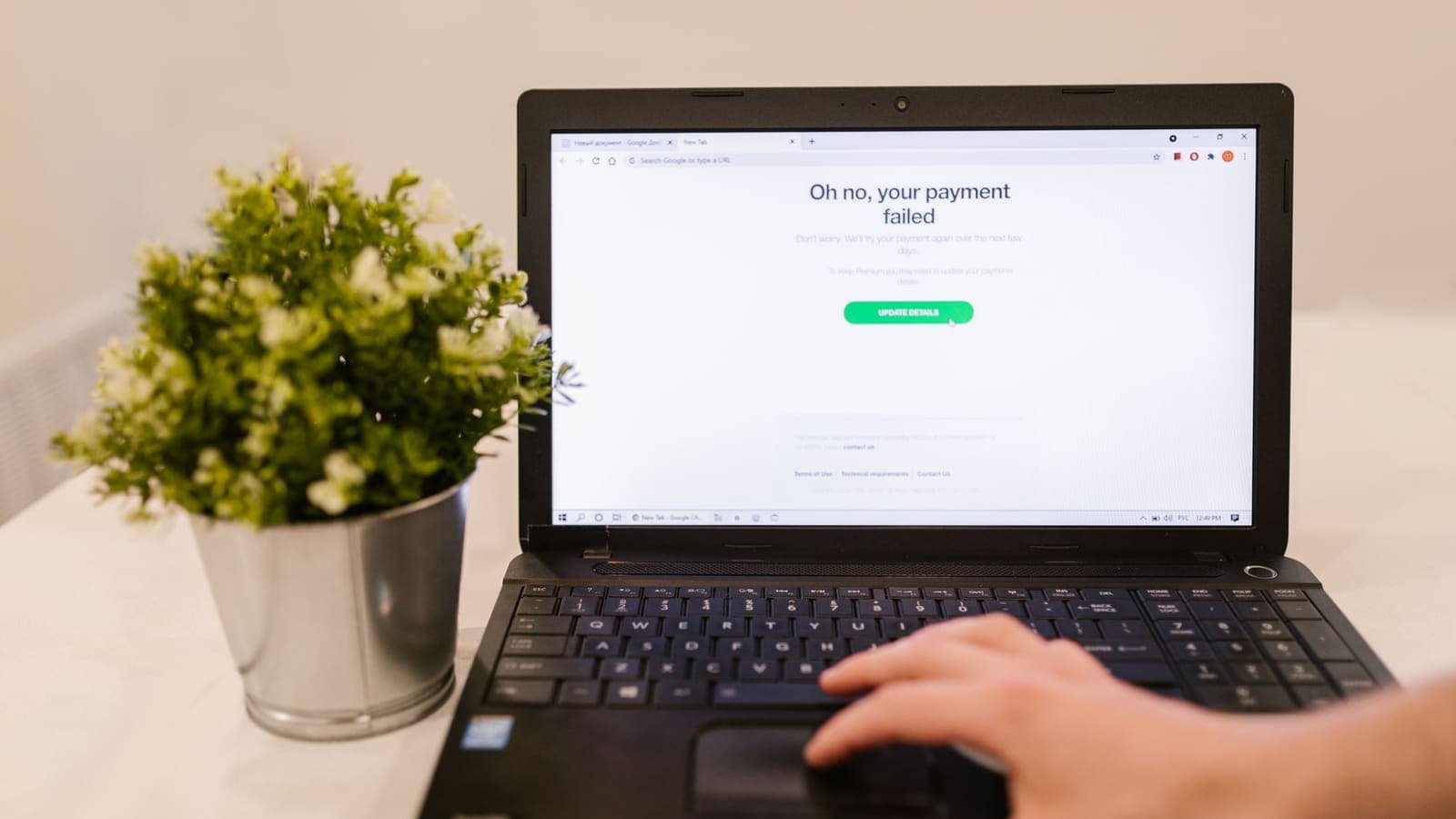
You turn the VPN on and something odd happens. A speed-test page reports that IPv6 is missing. A game or video app that worked a minute ago now loads slowly. A website that insists on IPv6 refuses to open, or an online checker reports an IPv6 address that looks like it belongs to your internet provider rather than the VPN. People often reach for the phrase "IPv6 not working through VPN", and the honest answer is that it depends on how the VPN treats IPv6, and three quite different behaviours produce similar complaints.
This article sorts those behaviours out, explains which symptoms belong to which, and gives you a short sequence of checks that does not require turning off a core part of your network. It is about troubleshooting; the background of the two address families is covered in a separate explainer on IPv4 and IPv6, and the privacy side of the story is covered in the article about IPv6 leaks.
Why IPv6 behaves differently once a VPN is on
Every device on the internet reaches other devices through addresses. IPv4 addresses look like four numbers separated by dots. IPv6 addresses are longer, with groups of letters and numbers separated by colons, and they were created because IPv4 addresses ran short. Today most networks carry both, and the two run side by side. This setup is called dual stack. A modern phone or computer on a dual-stack network normally has an IPv4 address and an IPv6 address at the same time, and prefers IPv6 when the destination offers it.
A VPN has to decide what to do with that second address family. A tunnel is built to carry traffic, and the software only moves what it is told to move. Three outcomes are possible, and each causes different symptoms:
| What the VPN does with IPv6 | What you see | Typical problems |
|---|---|---|
| Carries it through the tunnel | An IPv6 address that belongs to the VPN, or a working IPv6 test | Few; sometimes a service that dislikes the new address |
| Blocks it while connected | No IPv6 address, all traffic over IPv4 | Tests say "IPv6 unavailable"; rare IPv6-only services fail |
| Ignores it, leaving it on the normal network | Your provider's IPv6 address appears next to the VPN's IPv4 | Traffic leaves outside the tunnel; slow starts; confusing test results |
None of these is automatically wrong. Carrying IPv6 and blocking IPv6 are both safe designs, because in both cases nothing travels around the tunnel. The risky case is the third one, where IPv6 is neither carried nor blocked. Whether a particular VPN service offers IPv6 inside its tunnel is a feature of that service, so check what your own My Pass page and app say rather than assuming.
Symptoms and what they usually mean
Match what you see to the likely behaviour. This table is a starting point, not a verdict.
| Symptom | Most likely meaning |
|---|---|
| A test page says you have no IPv6 with the VPN on | The VPN blocks or does not carry IPv6. Normal, not a fault. |
| A test page shows an IPv6 address from your provider | IPv6 is outside the tunnel. A privacy issue worth fixing, not a failure of the site. |
| Each new site pauses for a second or two, then loads fine | The device tries IPv6 first, hits a dead route, then falls back. |
| One specific service will not open, others do | That service may expect IPv6, or may dislike the address in use. Test it on another network. |
| Everything is fine on mobile data but poor on home Wi-Fi with the VPN on | The two networks treat IPv6 differently, often because of the router. |
| Problem disappears when VPN is off | VPN-related, as expected. This tells you nothing about which of the three cases applies. |
The slow-start pattern deserves a note. Modern systems try both address families and pick whichever answers first, a technique often called Happy Eyeballs. When IPv6 is half-working, that race can still lose a few hundred milliseconds or more each time, which feels like general sluggishness even though throughput is fine. Reading about latency helps explain why delays at the start of a connection matter more than raw speed for everyday browsing.
Check 1: do you even have IPv6 without the VPN?
Many "IPv6 problems" turn out to be non-problems because the network never had IPv6 in the first place. Before touching anything, disconnect the VPN and open an IP test page. If it reports only an IPv4 address, your internet provider does not give you IPv6 here, and the VPN cannot be responsible for something that was never there. Your next step is to stop worrying about IPv6 and look at other causes, starting with websites that fail with a VPN.
If it reports an IPv6 address, write down roughly how it begins. You will compare it with the result in the next check. Addresses assigned by the same provider tend to share the same first groups, so you can recognise your provider's address later.
Check 2: what does the VPN do to IPv6?
Connect the VPN and run the same test page again. You will land in one of three outcomes:
- No IPv6 address at all. The VPN is blocking or not carrying IPv6. Nothing is leaking. If your problem is only that the checker complains, you can usually leave it as it is.
- An IPv6 address from the VPN side. The service carries IPv6 in its tunnel. Problems here are about individual services reacting to the new address.
- An IPv6 address that matches your provider. IPv6 is travelling outside the tunnel. This is a leak. It does not mean the VPN is broken, but it means a share of your traffic is not protected as you expect. The article on what an IP leak is explains why it matters, and the help guide on checking that your VPN is working shows the basic tests.
Repeat the test on a second site, since a single page can be wrong or cached. If the two sites disagree, trust neither until you retest after a browser restart.
Check 3: other networks and other devices
Because IPv6 depends so much on the network, the quickest way to separate causes is to change the network. Try the same device on mobile data, then on a second Wi-Fi network. Then try a second device on the original network. The pattern tells you where to look:
- Only one network is affected. The router or provider handles IPv6 unusually. Restarting the router is a safe first step, and its firmware may have an IPv6 section you can inspect without changing.
- Only one device is affected. An operating-system setting or a third-party tool on that device is involved. On Windows, the guide to Windows VPN and IPv6 walks through the relevant adapter settings.
- Everything is affected. The VPN's treatment of IPv6 is the common factor. That is useful to know before you contact support.
Also remember mobile networks. Some carriers run IPv6-only on the phone side and translate to IPv4 behind the scenes. On those networks the phone may show no IPv4 address of its own, and the translation can interact oddly with a tunnel. If a problem appears only on one carrier's mobile data, note the carrier name, because it is the first thing a support agent will ask.
Check 4: the targeted test, only if needed
If the first three checks point at the device, a temporary test can confirm it. On your operating system, turn off IPv6 for the network adapter you are using, connect the VPN, and see whether the symptom disappears. If it does, you have confirmed that IPv6 is involved. Then restore the setting, and decide what to do with that knowledge.
Three rules keep this test safe:
- Write down the exact original state before you change anything.
- Change one adapter, not every adapter, and test straight away.
- Restore the original state afterwards unless you have a reason to keep the change.
Switching IPv6 off for good on a laptop used on varied networks is a blunt tool. Some home and mobile networks lean heavily on IPv6 and may perform worse or lose features without it. Prefer leaving the system alone and choosing a connection setup that handles IPv6 consistently, or accepting the harmless difference of a test page saying "IPv6: not detected".
Scenarios
The gamer with slow lobbies. Arjun notices that a game lobby takes a long time to find a match with the VPN on, but is quick without it. A test page shows both an IPv4 address from the VPN and an IPv6 address from his provider. IPv6 is outside the tunnel and the game is trying it first. Turning off IPv6 on his adapter during VPN use removes the delay, and he restores the setting when he disconnects. He also notes that his provider's router has an IPv6 section he could review later.
The traveller who sees a missing address. Mei is on mobile data abroad. A checker says "No IPv6 detected" with the VPN on, and she worries that the VPN has failed. Her IPv4 address now shows the VPN side, her pages load and nothing is leaking. This is the blocking or not-carrying outcome and she leaves everything as is.
The remote worker with one stubborn site. Tomas can open every site except one internal tool, and only with the VPN on. On mobile data it opens. On the home network it does not. Restarting the home router changes nothing, but the router has a setting for IPv6 delegation that his provider supplies. He asks the provider and the tool's administrator, rather than changing the router blindly.
The student with an unclear test result. Lin runs a privacy checker three times and gets three different answers. Her browser has cached an earlier result. She closes the browser, reconnects, and repeats on a second page. Consistent answers appear, and her fear of a leak turns out to be a stale page.
Common mistakes
- Reading "no IPv6" as "broken". Absence of IPv6 inside a tunnel is common and safe.
- Reading "IPv6 present" as "protected". If the address is your provider's, it is a leak.
- Disabling IPv6 permanently across every adapter. It can hurt performance on IPv6-heavy networks, and you may forget you did it.
- Testing once. Browsers cache results and some checkers are wrong. Test on two pages after restarting the browser.
- Blaming the VPN for a router bug. If only one home network misbehaves, look at the router.
- Assuming a service offers IPv6. Whether a VPN carries IPv6 is a feature of that service. Check your own pass details and app, and ask support if the information is not clear.
Limits of this advice
IPv6 behaviour depends on four parties at once: your device, your router, your internet provider and the VPN. Advice that works for one combination may fail in another. This article cannot promise a particular outcome, and it will not tell you to disable protections that exist for good reasons. If the tests show a leak that you cannot fix with the safe steps above, the prudent move is to avoid sensitive activity on that network until support has helped you.
For the underlying reasoning behind addresses, read about the public IP address, and for the specification itself, RFC 8200 defines IPv6.
Summary
When IPv6 seems not to work through a VPN, find out which of three things is happening: the tunnel carries IPv6, blocks it, or ignores it. Check whether the network has IPv6 without the VPN, compare test results with the VPN on, and change networks and devices to see where the pattern lives. A missing IPv6 address is usually harmless, while an IPv6 address from your own provider means traffic is outside the tunnel and deserves attention. Use temporary, noted changes, never permanent blanket ones. When you are ready to compare setups on your own devices, the pricing page lists the passes and the download page has the official VPNclient apps.
Frequently asked questions
Is it a problem if my VPN shows no IPv6 address?
Not by itself. Many VPN connections carry only IPv4 traffic, and nearly every website and app still works over IPv4. A missing IPv6 address on a test page is a difference, not a fault. It matters only if something actually fails or if IPv6 traffic is leaving outside the tunnel.
Why are some websites slow to start when the VPN is on?
Devices that find an IPv6 route that does not really work may wait a moment before falling back to IPv4. That short wait is felt as a delay at the start of each new connection. It is usually fixed by making sure IPv6 is either carried through the tunnel or consistently switched off while the VPN is connected.
Should I turn IPv6 off completely on my device?
Only as a targeted test, and note the original setting so you can restore it. Turning IPv6 off permanently can break features on IPv6-heavy networks. A better first step is to check whether the problem disappears on another network.
Can I tell whether IPv6 is leaking around my VPN?
Yes. With the VPN on, open an IP test page and look for an IPv6 address that belongs to your ordinary internet provider rather than to the VPN. If one shows up, IPv6 is travelling outside the tunnel. Read the article on IPv6 leaks for the detail.
Does this affect everyone?
No. If your home or mobile network has no IPv6, this topic has little effect on you. It matters most on mobile networks and fibre services that have IPv6 switched on by default.
References
About the author

Bob Kanokphon Thongdee
- Founder of XPASS VPN
- Co-founder of eSIMonline.asia
- More than 7 years in online marketing
- Founder of Cojourney Visa and Cojourney Travel
Need a VPN for a short trip or a busy month?
XPASS sells prepaid passes for a set number of days. You pay once and nothing renews automatically.
See passesKeep reading

VPN Security
IPv4 vs IPv6 for VPN Users
Your device probably has both an IPv4 and an IPv6 address. Here is what that means for a VPN, where the two differ for privacy and security, and how to check yours.
10 min read

VPN Security
IPv6 Leaks and VPNs: A Practical Guide
A hands-on guide to IPv6 leaks with a VPN: why two address families create a gap, how to test, how to read the result, and the fixes to try in order.
10 min read
Device Guides
Should You Disable IPv6 When Using VPN on Windows?
A decision guide for windows vpn ipv6: test first, disable only on the adapter that leaks, know what can break, and keep a clean way back.
10 min read

VPN Basics
What Is a Public IP Address?
Your public IP address is the address websites see when you connect. This guide explains how it is assigned, how it differs from the private address on your home network, and what it does and does not reveal.
9 min read

Troubleshooting
Websites Not Loading or Showing CAPTCHAs With a VPN
When a site will not load, shows a CAPTCHA or says access is denied only while the VPN is on, the cause is usually the shared IP address. Here is how to work through it.
6 min read