
What Is a Public IP Address?
Your public IP address is the address websites see when you connect. This guide explains how it is assigned, how it differs from the private address on your home network, and what it does and does not reveal.
7 min readUpdated Oct 15, 2026By XPASS Editorial Team

Whenever you open a website, the site needs somewhere to send the reply. That somewhere is your public IP address. It is the address the rest of the internet sees for your connection, and it is one of the pieces of information most often mentioned when people talk about VPNs. Yet it is also frequently misunderstood: it is not your home address, not an identity card and not the same as the address your laptop shows in its settings.
This guide explains what a public IP address is, how it is assigned, how it differs from a private one, what it can and cannot reveal, and how a VPN fits in.
What an IP address is
An IP address is a numeric label that lets devices find each other on a network. The Internet Protocol, specified in RFC 791, uses these addresses to route packets from a sender to a receiver, in much the same way a postal system uses street addresses to deliver letters.
There are two versions in use:
- IPv4: four numbers from 0 to 255 separated by dots, for example
203.0.113.45. There are only about 4.3 billion possible IPv4 addresses, which is fewer than the number of internet-connected devices. - IPv6: much longer addresses written in hexadecimal, for example
2001:db8::1, defined in RFC 8200. The space is large enough to give every device its own address.
Both versions are in use at the same time, and many connections have one of each.
Public versus private addresses
Because IPv4 addresses are scarce, home and office networks use a set of ranges that are reserved for internal use. These are called private addresses and are defined in RFC 1918. The common ranges look like 192.168.x.x, 10.x.x.x and 172.16.x.x to 172.31.x.x.
| Feature | Public IP address | Private IP address |
|---|---|---|
| Reachable from the internet | Yes (subject to firewalls) | No |
| Unique worldwide | Yes, at a given moment | No, reused in many networks |
| Who assigns it | Your internet provider or network operator | Your router, usually through DHCP |
| Example | 203.0.113.45 |
192.168.1.20 |
| Seen by websites | Yes | No |
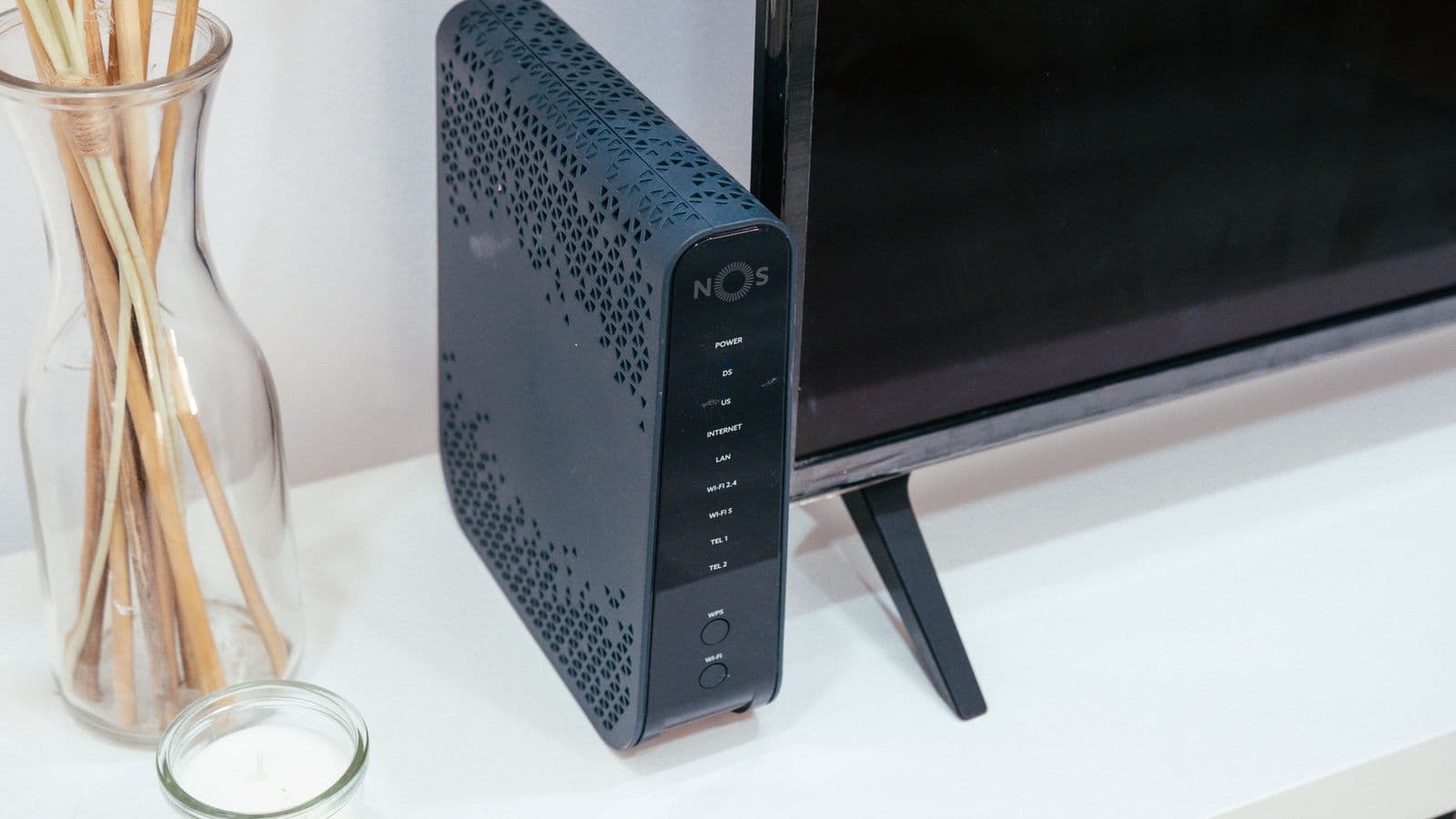
Your router sits in the middle. Every device in your home has its own private address, but the router has one public address facing the internet. When your phone requests a page, the router rewrites the outgoing packets so they come from the public address, remembers who asked, and sends the reply back to the right device. This technique is called network address translation, or NAT.
A consequence: all devices in your home usually appear to the outside world as one address, and some mobile and fixed-line providers share a single public address between many customers.
How you get a public IP address
Your internet provider assigns it. For a home connection, it is typically one of two kinds:
- Dynamic: the address can change, for example when the router restarts or when a lease expires. Most home users have this.
- Static: the address stays the same. It is usually offered to businesses or as an extra option.
On mobile data, your public address belongs to the carrier and may change often. On public Wi-Fi in a café or airport, it belongs to that venue's connection, which is why many different customers appear to share one address.
How to see your public IP address
- Open a search engine and search for "what is my IP", or visit an IP lookup page.
- Compare the result with the address shown in your device's Wi-Fi settings. The latter will usually be private, such as
192.168.x.x. - Switch from Wi-Fi to mobile data and check again. The public address will normally be different.
If you later connect a VPN, repeat the check. A different address means websites now see the VPN server instead.
What a public IP address can reveal
Websites and services that receive your connection typically learn:
- The network operator. Public IP ranges are registered, so it is easy to tell which provider owns an address.
- An approximate location. Lookup databases guess a country, region or city. Accuracy is limited and often wrong, especially on mobile networks.
- That your requests come from the same connection. A site can link multiple visits from the same address, even without cookies.
It does not reveal your name, your street address or your device model. Only your internet provider, who keeps its own records of which customer has which address, can connect an address to a person, and normally only a legal process compels it to share that.
What it does not do
- It is not your identity. Shared connections, such as an office, a hotel or a mobile carrier, put many people behind one address.
- It is not your device's address. Inside your home, devices are told apart by private addresses.
- It does not on its own let others hack you. Routers and firewalls block unsolicited incoming connections by default. Risks come mostly from opening ports you do not need, weak passwords and outdated software.
- It is not the only way you are tracked. Cookies, accounts and browser fingerprints identify you across sites regardless of the address.

A worked example
Maya is on her home Wi-Fi in a city apartment. Her laptop has the private address 192.168.1.20, and her router's public address is 203.0.113.45.
- She opens a news site. The site sees
203.0.113.45and guesses she is in a certain city. - She walks to a café and connects to its Wi-Fi. Now the site sees the café's public address, which gives a different guess.
- She turns on a VPN. The site sees the VPN server's address. The café network sees only that her laptop is talking to the VPN server.
At no point does the news site learn her name from the IP address. If she logs in, though, it knows who she is anyway.
How a VPN changes the picture
When a VPN is connected, your traffic exits from the VPN server, so websites see its public address. Your own address is still known to your internet provider, who sees you connecting to the VPN, and to the VPN service, which receives your connection. A VPN moves who sees your address rather than removing it entirely. The details are covered in does a VPN hide your IP address.
Changing your visible address is useful for keeping a casual observer, such as a venue's network or a website's logs, from learning your provider and approximate location. It does not make you anonymous, because logins and fingerprints still identify you. For the basics of how the tunnel works, see what a VPN is.
Limits and things to watch for
- IP geolocation is approximate. Do not assume it is accurate for you or for anyone else.
- IPv6 can bypass a poorly set up VPN. If an app only tunnels IPv4 traffic, your IPv6 address may remain visible. Test both.
- Some services treat VPN and shared addresses with suspicion. Many people sharing one address can trigger extra security checks or CAPTCHAs.
- Never publish your address unnecessarily. It does not expose you immediately, but it narrows down your provider and region.
Summary
Your public IP address is the internet-facing address your provider gives your connection. Behind it, a router hands out private addresses to your devices. The public address reveals your provider and a rough area, not your identity. A VPN swaps the address websites see for the VPN server's address, which is helpful but only one part of staying private. If you want to try that with a fixed number of days and no automatic renewal, see how XPASS works.
Frequently asked questions
What is the difference between a public and a private IP address?
A public IP address is reachable on the internet and is the one websites see. A private IP address, such as 192.168.1.20, is used only inside your local network and is reused in millions of homes. Your router translates between them.
Can someone find my home address from my IP address?
Not directly. An IP address usually maps to an internet provider and an approximate area, often a city or region, and the result can be wrong. Your provider can link the address to your account, but websites and ordinary users cannot.
Does my public IP address change?
It often does. Many home connections receive a dynamic address that can change when the router restarts or after some time. You also get a different public address on mobile data or on another Wi-Fi network.
How does a VPN change my public IP address?
While connected, websites see the IP address of the VPN server rather than the one your internet provider gave you. Your provider still sees that you are connected to the VPN, and the VPN service can see your original address.
References
About the author

Bob Kanokphon Thongdee
- Founder of XPASS VPN
- Co-founder of eSIMonline.asia
- More than 7 years in online marketing
- Founder of Cojourney Visa and Cojourney Travel
Need a VPN for a short trip or a busy month?
XPASS sells prepaid passes for a set number of days. You pay once and nothing renews automatically.
See passesKeep reading
VPN Basics
Does a VPN Hide Your IP Address?
A VPN swaps the IP address websites see for the address of a VPN server. Here is what that really hides, who can still see what, and how to check it.
7 min read
VPN Basics
How DNS Works: From Domain Name to IP Address
DNS is the lookup system that turns a website name into the IP address your device actually connects to. Here is how a lookup works, step by step, and why it matters for privacy.
7 min read

VPN Basics
What Is a VPN?
A VPN sends your internet traffic through an encrypted tunnel to a server run by the VPN provider. This guide explains what that means, when it helps, and where its limits are.
7 min read