
VPN for Roku: Router-Based Setup Guide
A Roku player cannot run a VPN itself. This guide shows how to plan a router-based setup, size your speed budget, set it up in the right order, and fix what usually goes wrong.
10 min readUpdated Oct 15, 2026By XPASS Editorial Team
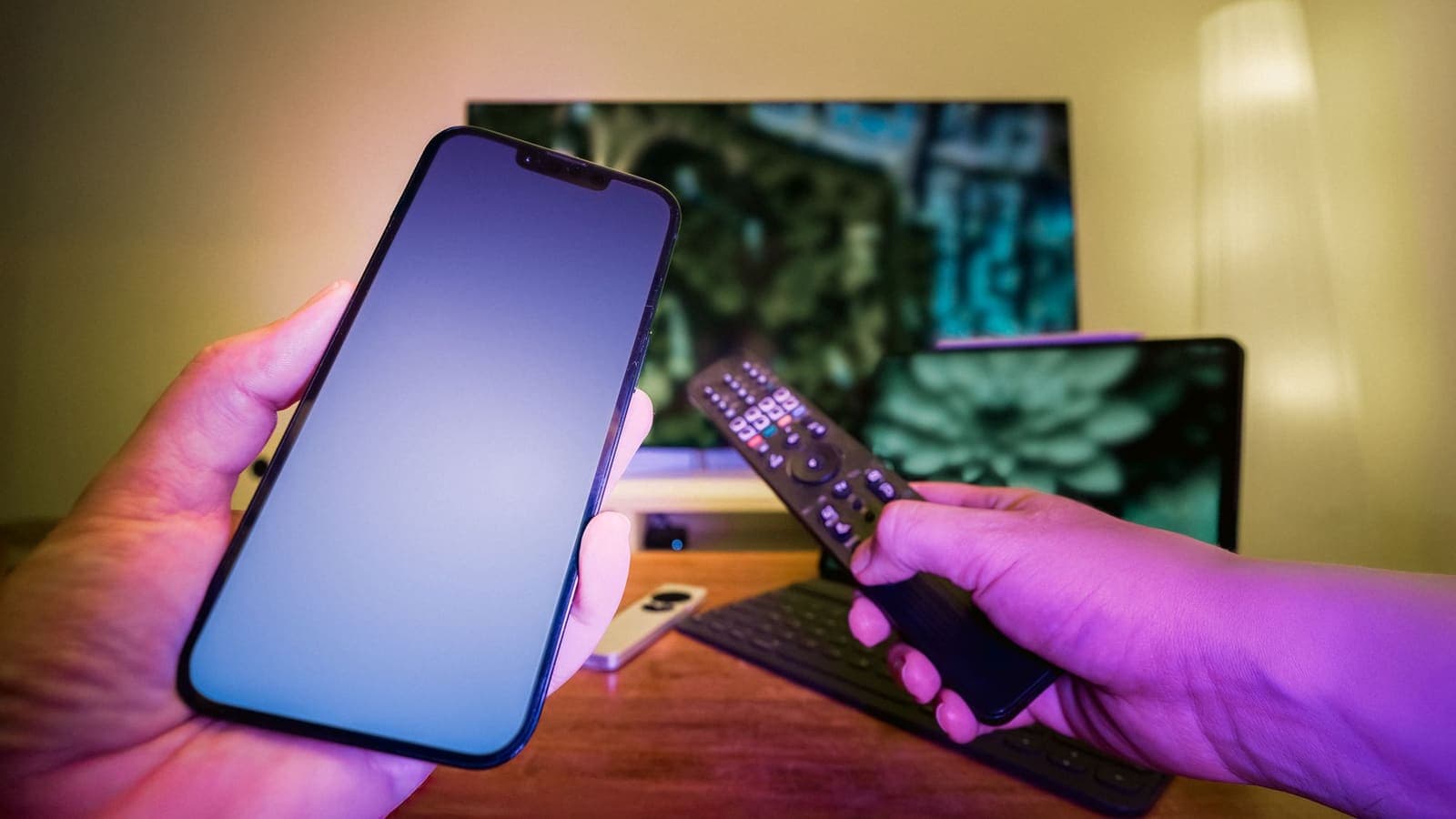
Roku players are famous for being simple: plug one in, join Wi-Fi, sign in and start watching. That simplicity has a cost. Roku's platform is closed, there is no way to add a VPN connection in its settings, and there is no general VPN app to install. If you want a Roku device to sit behind a VPN, the tunnel has to come from somewhere else. In most homes that means the router.
This guide is a planning guide as much as a setup guide. A router-based VPN is the kind of project that works nicely when you size it properly and badly when you do not, so we will start with the numbers and the checks, then go through the setup in an order that lets you find problems early, and finish with troubleshooting. We do not promise how any channel will behave, and we do not describe ways to avoid a service's rules.
Why Roku needs a router (or something like one)
A VPN client builds an encrypted tunnel from a device to a VPN server. Phones, computers and some TV platforms let you install that client. Roku does not. The player runs Roku's own operating system and offers channels (its word for apps), but it does not publish a general-purpose VPN client for its channel store, and the network settings page lets you join a network, view the signal and run a connection check, nothing more.
That leaves a small number of ways to give a Roku a VPN path:
- A router that runs the tunnel. This is the main subject of this guide. The Roku joins the router's Wi-Fi or plugs in by cable and the router carries its traffic through the tunnel.
- A computer that shares its VPN connection. Workable for a short stay, but the computer has to stay on. See setting up a VPN on a router for the background and the trade-offs.
- A second device on the path. A travel router, for instance, can sit between a hotel network and the Roku.
The XPASS customer app, VPNclient, is offered for iPhone, iPad, Android, Windows, macOS, Linux and Android TV, Google TV and Fire TV. It is not offered for Roku. That is why the router is the point of control here.

Step zero: check that a router VPN is realistic
Before you buy anything or open any admin page, answer four questions.
- Does your router have a VPN client mode? Many routers include a VPN server feature, which lets you reach your home from outside. That is different. Look for "VPN client" or the equivalent in the admin menu or the product's specification. Our overview of what to look for in a VPN router lists the features that matter.
- Does the router's supported connection type match your pass? Your My Pass page shows the setup information and connection methods for your pass. We do not state which protocols are available here, so the page is your source of truth. If the router and the pass share no method, a router-based VPN is not possible with that router.
- Is the router powerful enough? Encrypting and decrypting video takes work. Routers with modest processors often reach only a fraction of their normal speed through a tunnel.
- Do you control the router? In a flat share, a dormitory or a rented room you probably cannot change the router. In that case look at a travel router you bring yourself, or at a different device such as an Android-based streaming box, which can run the VPN app.
If any answer is no, you have saved yourself a lot of effort. If all are yes, continue.
Build a speed budget before you start
Speed is where router VPNs most often disappoint, and you can avoid that by doing arithmetic first. The figures below are rough and meant for planning only; check the requirements of the apps you actually use.
Streaming apps commonly suggest about 3 to 5 Mbps for standard definition, around 5 to 10 Mbps for high definition and roughly 15 to 25 Mbps for 4K. Treat those as per-stream numbers.
Now take a worked example. The Okafor household has a Roku Ultra in the living room playing 4K, a Roku stick in the bedroom playing HD, and two phones browsing.
- Roku in the living room: 25 Mbps
- Roku in the bedroom: 10 Mbps
- Two phones, light browsing: 5 Mbps in total
- Headroom for a video call or an update: 10 Mbps
That is 50 Mbps at the busiest moment. If the router's admin page or a test shows it only manages around 40 Mbps through the tunnel, one of those streams will drop in quality at peak. Their options are to lower the 4K stream's quality, upgrade the router, or keep the living-room Roku outside the tunnel on the normal network. Without the budget, they would simply have thought the VPN was "bad".
To measure the tunnel speed, run a speed test from a laptop connected to the router with the VPN on, at the time of day you will watch. For ideas on how routers and speed interact, see VPN router speed and, for a broader view, why your VPN may be slow.
Choose a layout
There are three common layouts, and they differ in who goes through the tunnel.
| Layout | How it works | Good for | Watch out for |
|---|---|---|---|
| Whole home through the tunnel | The router sends all devices through the VPN | Households that want everything covered | Slows every device if the router is weak |
| Roku on a dedicated network | A second Wi-Fi network on the router goes through the tunnel; other devices use the normal one | Mixed homes with one or two Rokus | Not all routers can run two networks with different routes |
| Selected devices only | The router lists which devices use the tunnel | Households with fixed addresses for each device | Needs the Roku to keep the same local address |
If your router lets you choose which devices go through the tunnel, our article on split tunneling on routers explains the ideas. Giving the Roku a reserved local address in the router makes the selection reliable, because the router can then recognise it every time.
Set up in an order that finds problems early
Router VPN setups fail in confusing ways when you change many things at once. Use this order so each step proves the one before it.
- Test the Roku without the VPN. Run the Roku's connection check from its network settings, play a short video and note the quality. This is your baseline.
- Update the router's firmware, from the manufacturer's official channel only. Do it before you configure anything.
- Back up the router's current settings if the admin page offers it. If something goes wrong, you can return to a known good state.
- Get your VPN details ready. Sign in to your My Pass page and copy the setup information the page shows for your pass. Do not paste them anywhere other than the router's admin page.
- Enter the VPN configuration in the router's VPN client section. Menu names differ by brand and firmware, so follow the router's own documentation.
- Start the tunnel and check its status page. Wait for a connected status before touching the Roku.
- Check the router's own view of the world. From a laptop on the router, confirm that you can browse and that the connection works. If you need a method, our guide to checking whether your VPN is working walks through simple checks.
- Join the Roku and run its connection check. If the check passes, play the same short video as in step 1 and compare.
- Switch on the kill switch or its equivalent, if the router has one, so that a dropped tunnel does not quietly send traffic over your normal connection. The article about router kill switches explains what the options mean.
- Write down what you changed. In six months nobody will remember.
The Roku's own settings that matter
You do not configure the VPN on the Roku, but a few of its settings affect the result.
- Network setup. Use the "set up connection" option to choose the correct network. If you made a dedicated network for the Roku, make sure it is joined to that and not an older one.
- Signal strength. The network page shows the signal. Poor signal looks like a VPN problem but is not. Move the player, use an extender or use a cable if the model has a port.
- Check connection. This runs a test and shows whether the player reached the router and the internet. Use it after every change.
- Software updates. Keep the player updated, because updates fix network bugs.
- Date and time. Wrong time breaks secure connections.
If the Roku works over a cable, prefer the cable. Wi-Fi plus a tunnel adds two possible sources of delay, and cables remove one of them.

Common problems and what they usually mean
- The Roku shows no connection after you start the tunnel. Check the router's VPN status page. If it shows disconnected, the cause is in the VPN configuration or your pass, not the Roku. See VPN not connecting.
- Connected, but channels will not load. The router may be passing traffic into a tunnel that does not work. Restart the VPN on the router, then the router, then the Roku. See VPN connected but no internet.
- Constant buffering in the evening. Your speed budget is probably too thin. Run the speed test through the tunnel, check what else is using the network, try another server location and consider whether the router is strong enough.
- A channel complains about the connection. Some services respond differently to VPN traffic. Do not retry repeatedly. Move that Roku to the normal network if your layout allows it, and contact the service's support through its official channel.
- Other devices broke too. On a whole-home layout, a bad tunnel affects everyone. This is the argument for a dedicated network.
- Local devices disappeared. If the VPN and your home use the same private address range, as defined in RFC 1918, devices can lose track of each other. Change the router's local range to something different.
- Passthrough or firewall problems. Some routers need the VPN passthrough feature turned on for other devices that run their own VPN. The article on VPN router passthrough explains it.
Limits and honest expectations
A router VPN protects the traffic between your router and the VPN server. It does not stop Roku or channel makers from recording how you use their services, it does not change what an app learns from your account, and it does not guarantee any channel or catalogue will behave a certain way. Services have their own rules, and a VPN does not override them or the law. We do not advise on avoiding any restriction.
There are practical limits too. A router VPN adds a failure point to your home network: if the tunnel breaks, everything behind it is affected. It also adds a chore, because router firmware needs updating and configurations need care. Consider how much that matters to you compared with a simpler option such as a streaming box running a VPN app. For the trade-offs between the two approaches, read VPN router versus VPN app.
Mistakes to avoid
- Buying a router before checking that it has client mode and a connection type your pass can use.
- Skipping the baseline test, so you cannot tell what the VPN changed.
- Putting every device through a weak router and then blaming the VPN.
- Leaving the Roku on an old network after creating a dedicated one.
- Forgetting to reserve a local address for a device that you route selectively.
- Changing the router, the VPN settings and the Roku all in one evening.
Summary
A Roku cannot run a VPN, so the tunnel has to come from a router or another device on its path. Check that the router has client mode and a method your pass supports, build a speed budget, choose a layout, set things up in an order that proves each step, and test with the same short video before and after.
If a prepaid pass with a fixed number of days and no automatic renewal fits your plan, you can look at the pricing page before you start.
Frequently asked questions
Can I install a VPN app on a Roku player or Roku TV?
No. Roku's platform does not offer a general VPN client and its network settings have no field for a VPN account. Because the player cannot make the tunnel itself, the tunnel has to be created by something in front of it, most often a router.
What do I need on the router?
A router with a VPN client mode, a connection type that matches what your pass supports, and enough processing power to encrypt the video you stream. Your My Pass page lists the connection methods for your pass, so compare that list with the router's menu before you buy or change anything.
Will every device in my home go through the VPN?
By default, yes, because the router sends all its traffic through the tunnel. Some routers can send only selected devices through it, or give the Roku its own network. Check the router's options before you start so you know which model suits you.
Why does the Roku say it cannot reach the internet after I set up the router?
The tunnel may be down, the router's DNS may be wrong, or the local address range may clash with the VPN. Check the router's VPN status page first, then run the Roku's connection check, then restart the router and the Roku in that order.
How much speed do I need to stream through a VPN?
Streaming apps commonly suggest a few Mbps for standard definition, more for high definition and more again for 4K. Add your household's other use and then compare with the speed your router can actually deliver through the tunnel, which is often lower than its normal speed.
References
About the author

Bob Kanokphon Thongdee
- Founder of XPASS VPN
- Co-founder of eSIMonline.asia
- More than 7 years in online marketing
- Founder of Cojourney Visa and Cojourney Travel
Need a VPN for a short trip or a busy month?
XPASS sells prepaid passes for a set number of days. You pay once and nothing renews automatically.
See passesKeep reading
Device Guides
How to Set Up a VPN on a Router
A general, firmware-neutral guide to running a VPN on your router: what to check first, the usual setup steps, DNS and kill switch settings, travel routers and common fixes.
7 min read
Device Guides
VPN Router Buying Guide: Features to Check
A router that runs the VPN for the whole home needs more than fast Wi-Fi. Here are the specs and features that matter, with a checklist you can use in a shop.
10 min read
Device Guides
Why Router VPN Speeds Can Be Slow
A VPN on a router often runs much slower than the same VPN on a laptop. This article explains the router-specific causes and how to measure each one.
9 min read

Device Guides
How to Prevent Leaks When a Router VPN Disconnects
A phone app can warn you when the tunnel drops. A router cannot. This guide explains the vpn router kill switch idea, how to make the router fail closed, and how to test it.
10 min read
VPN Basics
VPN Router vs VPN App: Which Setup Fits Your Home?
Should you install a VPN on the router or on each device? This guide compares the two setups for speed, smart home gadgets, mesh Wi-Fi, split tunneling and everyday convenience.
10 min read