
Using Thai Government Apps and Services From Abroad
Digital ID, tax, social security and payment apps may behave differently when you are overseas. Here is how to prepare, when a VPN may help you reach your own account, and how to avoid phishing.
10 min readUpdated Oct 15, 2026By XPASS Editorial Team
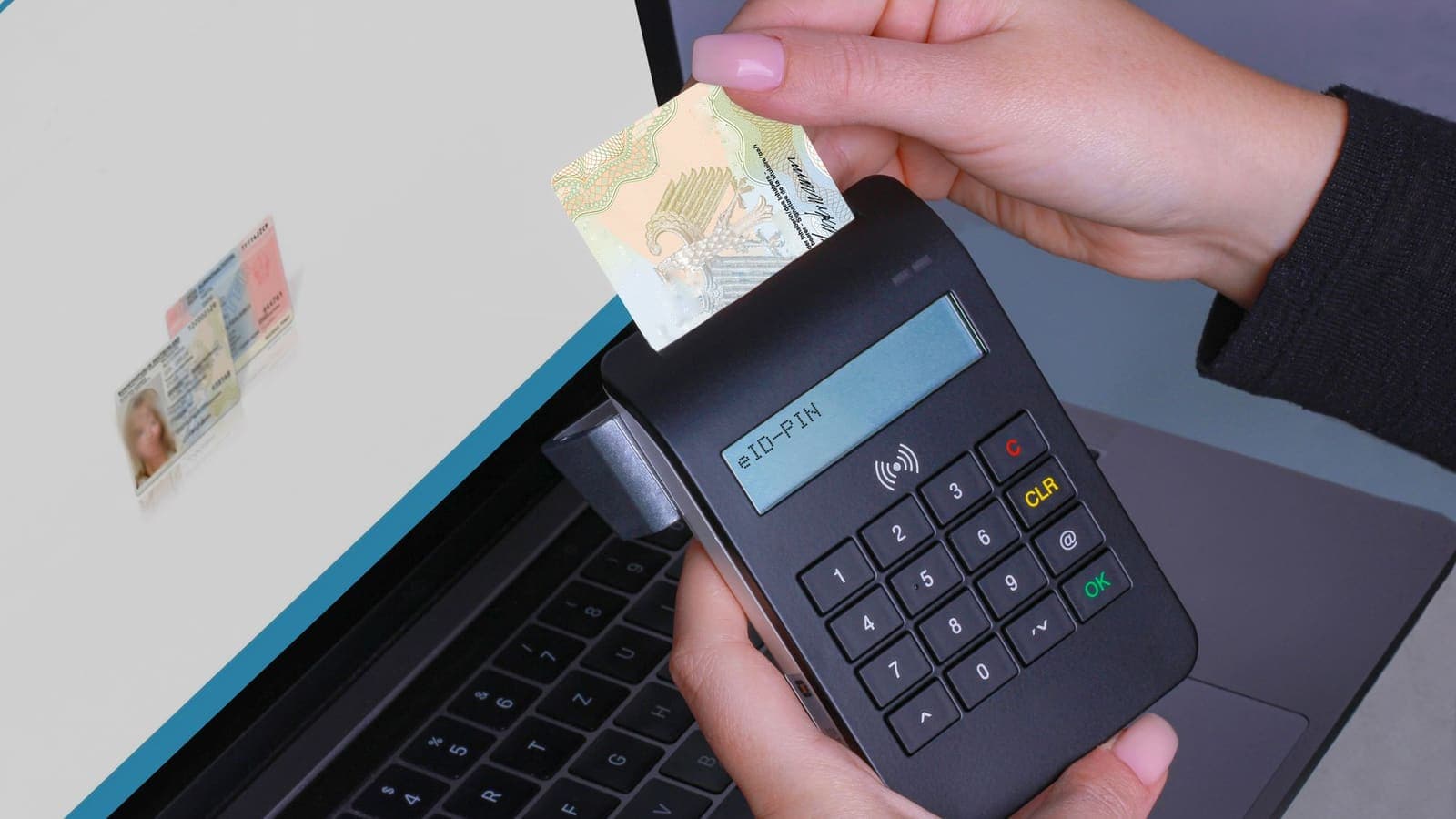
Living abroad, studying overseas or just taking a long holiday does not stop Thai life from following you. A tax return is due, a social security record needs checking, a digital ID has to be renewed, or a public payment needs to be made. These tasks are usually done through official Thai apps and websites, and they were built mainly with people inside Thailand in mind. When you try them from another country, the experience can change.
This guide describes the broad categories of Thai public-service apps and what generally happens when you use them from abroad. It deliberately does not claim that any particular app or website blocks foreign connections, because rules differ, change over time and are set by each agency. What it does explain is why services of this kind often add checks, how to prepare before you leave, when connecting through a VPN may help you reach your own account (and when it may make things worse), and how to stay clear of the scams that copy government names. It is general information, not legal advice. For banks specifically, read Thai banking apps abroad; for streaming and everyday websites, read using Thai websites and apps while abroad. This article focuses on public services and identity.
The kinds of public-service apps people use
It helps to think in categories rather than names, because the names and features change.
- Digital identity apps. These let you prove who you are to other services, often by checking your ID card details, a face scan or a linked mobile number.
- Tax services. Websites and apps for filing returns, checking refund status and viewing tax records.
- Social security and benefits. Services for checking contributions, claims and records related to employment or insurance schemes.
- State payment and wallet apps. Government-backed payment or benefit apps that connect to your bank account or mobile number.
- Civil registration and documents. Services for appointments, document requests or checking the status of applications.
- Transport, health and local services. Apps from agencies and provinces for appointments, notices and records.
What these have in common is that they handle sensitive personal information, and many of them are tied to your national ID number, your Thai mobile number and sometimes your bank. That is why they are careful about who is connecting.

Why public-service and financial apps may react to a foreign network
Services that connect to identity, tax or money have good reasons to pay attention to where a sign-in comes from. Criminals who steal an ID number or a password often use it from far away, so a sign-in from a new country can look like a warning sign. Depending on the service, you may see one or more of these reactions:
- A request to verify again. You may be asked to confirm your identity with a face scan, an ID card read, a selfie or a code, even if you signed in without trouble last month.
- An OTP to your registered number. The code goes to the mobile number linked to the account, which is why that number matters so much abroad.
- A temporary restriction. Some actions, such as changing a phone number or making a payment, may be limited until the check is complete.
- A refusal to open. A service may decline connections from some networks or locations. This is a rule set by the agency, and it may differ between services and over time.
- A prompt to visit in person. Some changes can only be completed at an office or consulate.
Another factor is the connection itself. The service sees an IP address, and an address from a foreign mobile carrier or hotel is different from the Thai home connection you usually use. Addresses used by VPN and hosting services can also be recognised. The background is explained in what a public IP address is. None of this means the agency has done anything wrong, and none of it means you have; it is a cautious reaction to a changed pattern.
Preparing before you leave Thailand
Most problems with official apps abroad can be reduced by doing a few things while you are still in Thailand, where any office visit or call is easiest.
- Update every official app to its current version from the official store, and update your phone's operating system. Older versions are the most likely to fail.
- Complete and test your identity verification while you are at home. If an app has a step you have never finished, such as a face verification, finish it now.
- Sign in to each service once and make sure everything works, including any recently changed password.
- Keep your Thai number active. Many services send OTP codes to the number registered with them. Check that the SIM does not expire while you are away, that you can receive messages in your destination (roaming or a way to receive SMS) and that the phone is not switched off or full of unread messages. If you swap SIMs, think about where the Thai SIM will be.
- Check how you will receive codes and ask whether a backup option, such as an authenticator app, is available. The guide to two-factor authentication explains the choices, and the CISA page on MFA explains why they matter.
- Note the official helplines and opening hours for each service, and the time difference with Thailand. Save the official numbers from the agency's own website or app, not from a search result or a message.
- Download the documents you may need in advance, such as certificates, receipts and records, and store them securely.
- Think about who could act for you. For some matters, a trusted relative or an authorised representative may be able to help in Thailand. Ask the agency how it handles that, and never hand over your login details.
- Know your deadlines. Tax and social security matters often have time limits. Do not leave an urgent filing until you are on a hotel network with a bad signal.
When a VPN location in Thailand may help, and when it may not
This is the most delicate part, so here it is stated carefully. A VPN does two things: it encrypts the link between your device and the VPN provider, and it makes your traffic leave from the provider's network, so the services you use see that network's address instead of the one you are actually on.
When it may help you reach your own account. If your VPN app lists a location in Thailand, connecting to it means the service sees a Thai address instead of an overseas one. For some services that check only the country of the connection, this may make routine sign-ins to your own account behave more like they do at home. Results are not guaranteed. It is also worth knowing that the same VPN, used on a shared hotel network, additionally protects you from other guests, which helps a lot when you must enter an ID number or password on public Wi-Fi.
When it may trigger extra checks. Services that look at several signals at once, such as the device, the account's history, the time of day and the network type, may find a mismatch more suspicious than an honest foreign address. A phone that has signed in from the same foreign city for weeks and suddenly appears to be in Thailand, or addresses recognised as belonging to VPN providers, can lead to additional verification or to a block. Some services dislike VPN traffic as a rule. And a service might simply say no, which is its right.
Important boundaries.
- Use it only to reach your own account and only for ordinary, lawful purposes.
- Follow each service's rules. If a service's terms or help pages say VPNs are not allowed, do not use one for that service. If you are unsure, ask the agency's official helpline.
- Do not use a VPN to avoid an identity check that the service requires. If it asks you to verify, verify.
- If a service blocks you, do not keep trying with other tricks. Repeated failures can lock an account and make a legitimate recovery slower.
- This article does not recommend using any tool to avoid a restriction that a government or agency has applied. The aim is to reach services you are entitled to use, in the way their operators allow.
To think about this in terms of the location list, read how to choose a VPN server location and why a VPN may show the wrong location. For the general idea of a Thai address, see the Thai IP address guide.
Safe habits when you must use these services on the road
Official apps hold your most sensitive identity data, so how you use them matters as much as whether they open.
- Use your own mobile data or a trusted network for identity and tax tasks when you can. Hotel and airport Wi-Fi are shared; the FTC's overview of public Wi-Fi is a good reference.
- Use your own phone and your own browser. Avoid computers in internet cafes or business centres for anything involving your ID.
- Check the address. Type the official address yourself or open the official app, and look for HTTPS and the correct spelling. Do not follow links from messages.
- Keep the screen private. Shoulder-surfing is common in transport hubs and cafes.
- Do not save passwords on shared devices and sign out when you finish.
- Do not screenshot ID details and leave them in your photo gallery or shared chats. If you must keep a copy, use a protected place and delete it when finished.
- Use a screen lock and biometric protection on the phone that holds the apps.
- Review account activity where the app shows it, and report anything you do not recognise through the official route.
Never use unofficial apps or share ID details
When official access is awkward, a market quickly appears for shortcuts. Be careful about:
- Unofficial apps and modified versions that claim to work abroad, remove checks or offer "faster" access. These can steal your credentials, read your SMS or take over your phone. Install only the apps published by the agency itself, through the official app store.
- Third parties who offer to file for you and ask for your login, OTP or a photo of your ID card. Real agencies and legitimate representatives do not need your one-time codes.
- Sharing your digital ID or your phone. Do not lend your verification to a friend or an agent.
- Free tools and file converters that ask for ID details.
An OTP is meant to be known only to you. If anyone, even someone claiming to be from an agency, bank or telecom company, asks you to read it out, stop. The NIST guidance on digital identity describes why one-time codes and authenticators exist, and it is a useful read if you want the background.

Phishing that imitates government services
Public services are a favourite disguise for scammers because people fear missing a deadline. Messages that are common in many countries include:
- A text claiming a tax refund is waiting, with a link to "claim" it.
- A message saying your social security or benefits will be cancelled unless you confirm details today.
- A warning that your digital ID is suspended and must be reverified through a link.
- A call from a supposed officer who demands payment, remote access to your phone or an OTP.
- A fake payment page that looks like a state payment service.
Signs that something is wrong: urgency and threats, a link instead of the official app, spelling that is almost right, a request for your ID number, selfie or OTP, and any request to install an app from outside the official store. The CISA page on recognising and reporting phishing and our guide on how to recognise phishing websites cover these in detail. Being abroad makes you more exposed, because you cannot easily visit an office to check, so slow down. If a message makes you worried, open the official app or call the official number you saved earlier, never the number in the message.
If you think you have given away information, act quickly: change the password, contact the agency and your bank through official channels, report it as the service instructs, and keep screenshots of the messages as evidence.
Limits and what to watch for
- A VPN is not a guarantee. It may help with some services and hurt with others, and the situation can change when an app updates.
- It does not replace identity verification. If a service wants proof of who you are, no tool removes that need.
- It does not protect you from scams. A VPN encrypts the connection; it does not tell you whether a message or website is genuine.
- It does not change the rules. Each agency's terms, and the law, still apply wherever you are.
- It can interfere with location-based features. Some services use GPS, the SIM or phone settings in addition to the network, and a VPN changes only the network part.
- Some matters need a visit. Certain changes can only be made in person or at a diplomatic office, and that is not a technical fault.
A practical checklist
- Update the official apps and your phone, and confirm that each one still signs in.
- Finish any pending identity verification before you leave.
- Keep your Thai number active, and plan how you will receive OTP codes abroad.
- Save official helpline numbers, opening hours and time differences.
- Download documents you may need, and keep them in a protected place.
- Use your own phone, your own data or a trusted network for identity and tax tasks.
- If you use a VPN, use it only for your own account, check the service's rules, and turn it off if the service objects.
- Install apps only from the official store and publisher.
- Never share OTPs, ID photos or login details.
- Treat every urgent message as suspect until you check it through the official route.
Summary
Thai public-service apps are built to be careful with identity, tax and money, so they may ask for extra checks or behave differently from abroad. The best preparation is done in Thailand: updated apps, completed verification, an active Thai number for OTP codes and saved helplines. A VPN location in Thailand may help you reach your own account in some cases, but results are not guaranteed, it can also trigger extra checks, and each service's rules come first. Stay with official apps, never share ID details, and treat urgent messages with suspicion. If a VPN fits your trip, you can compare the options on the XPASS pricing page or find setup help in the Help Center.
Frequently asked questions
Why might a Thai public-service app behave differently when I am abroad?
Services that handle identity, tax or money often check where a sign-in comes from and may ask for extra verification when it is from a new country or network. The rules differ between services and can change, so check each service's own help pages.
Can a VPN location in Thailand let me use my own government account from abroad?
Sometimes it may help, but results are not guaranteed and each service sets its own rules. A connection that suddenly looks like it is in Thailand while your device and habits suggest otherwise can also trigger extra checks. Follow the service's rules and contact it if unsure.
What should I prepare before leaving Thailand?
Update the official apps, confirm your identity verification is complete, keep your Thai mobile number active so you can receive OTP codes, and save the official helpline details and opening hours.
Is it safe to use an unofficial app that promises easier access?
No. Only install apps published by the official agency, from the official store, and never share ID numbers, photos of your ID or OTP codes with unofficial parties.
How do I spot a fake message pretending to be a government service?
Be suspicious of urgent threats, prizes, refund offers and links that ask for your ID or OTP. Open the official app or type the official address yourself instead of tapping a link.
References
About the author

Bob Kanokphon Thongdee
- Founder of XPASS VPN
- Co-founder of eSIMonline.asia
- More than 7 years in online marketing
- Founder of Cojourney Visa and Cojourney Travel
Need a VPN for a short trip or a busy month?
XPASS sells prepaid passes for a set number of days. You pay once and nothing renews automatically.
See passesKeep reading
Privacy Guides
Thai Banking Apps Abroad: VPN Considerations
Thai banking apps often react to foreign networks and VPN traffic. Here is what banks look at, what to prepare before you leave, and how to stay safe abroad.
10 min read

Privacy Guides
Using Thai Websites and Apps While Abroad
Thai banking apps, TV platforms and government sites often treat connections from abroad differently. This guide explains why, what to try with the service first, and the honest limits of a VPN.
9 min read

Privacy Guides
How to Recognize Phishing Websites
Phishing websites imitate real services to steal your login or card details. This guide shows the warning signs worth checking, a calm routine for suspicious links, and what to do if you entered details.
9 min read

Privacy Guides
What Is Two-Factor Authentication?
Two-factor authentication asks for a second proof of identity in addition to your password, so a stolen password alone is not enough. Here is how the main methods compare and how to start.
9 min read

Privacy Guides
How to Get a Thai IP Address While Traveling
A careful look at using a VPN to show a Thai IP address while you travel: what it can do for your own accounts, how to check it, and where it can backfire.
9 min read