
SD-WAN vs VPN: Networking Explained
A VPN secures one path between two points. SD-WAN chooses among several paths and often uses VPN tunnels underneath. Learn how they differ and when each is enough.
10 min readUpdated Oct 15, 2026By XPASS Editorial Team
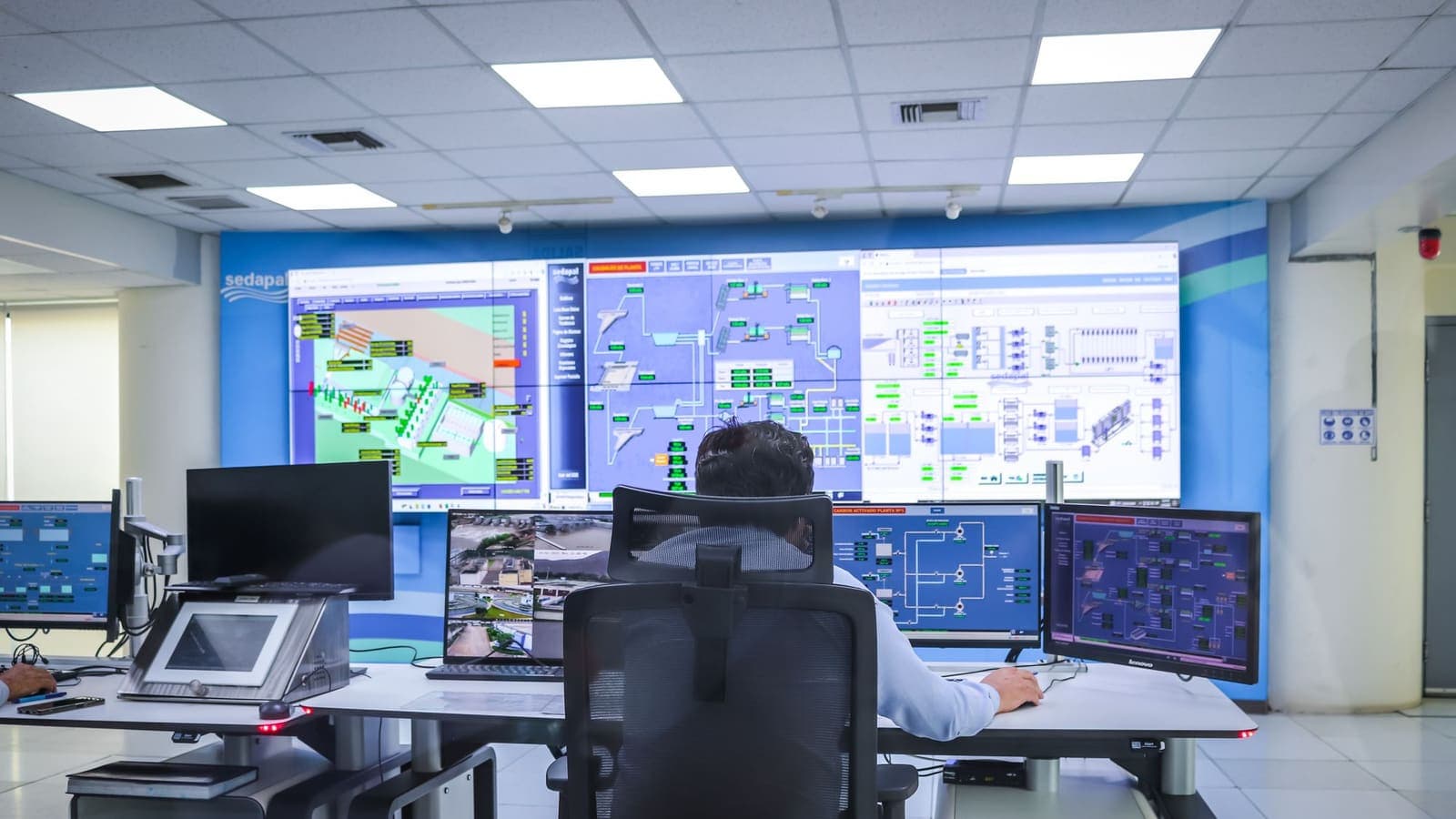
People who run more than one location often meet the sd wan vs vpn question when a vendor promises "better than VPN" connectivity between offices. The two are not rivals in the way the marketing suggests. A VPN answers the question "how do I make a safe path between these two points?" SD-WAN answers "I have several paths between my sites, how do I use them well?" Frequently, the answer to the second question includes the answer to the first.
This article explains the difference from the networking side. It is about links, latency, failover and traffic steering rather than about identity or access policy, which belong to other comparisons such as site-to-site VPN for the home. It will help you decide whether your multi-site setup needs more than a few well-built tunnels.
Two different questions
Start with what each technology is designed to solve.
A VPN, in the site-to-site sense, joins two private networks over the public internet. Packets leave one office, are wrapped and encrypted, cross the internet, and are unwrapped at the other office. The tunnel itself is usually IPsec, described in RFC 4301, or a similar protocol. The tunnel does not know or care how good the underlying connection is. If the line becomes slow, the tunnel becomes slow with it.
SD-WAN is a way of managing a wide-area network with software. A small device or virtual appliance at each site watches the available connections, such as fibre, cable broadband and a mobile backup. It measures delay, loss and jitter on each. A central controller holds policy, such as "video calls prefer the lowest-latency link" or "file backups use the cheapest link". The devices then steer each flow accordingly.
So a VPN is about the safety of a path. SD-WAN is about the choice and quality of paths. They overlap because SD-WAN needs encrypted tunnels to carry traffic between sites safely.
Underlay and overlay: the vocabulary that makes this clear
Two terms appear in every SD-WAN discussion.
- Underlay. The real connections: the fibre line, the 4G modem, the cable service. They belong to your internet providers.
- Overlay. The virtual network built on top of them, made of tunnels between your sites.
Think of delivery vans. The roads are the underlay. A site-to-site VPN is a sealed van that drives one chosen road. SD-WAN is the dispatcher who knows all the roads, sees which one has a jam, and sends the next van another way, while the vans remain sealed.
This also explains why SD-WAN cannot fix a bad road. If both of a site's connections are poor, the dispatcher has nothing good to choose from.
What SD-WAN adds on top of a plain tunnel
| Capability | Plain site-to-site VPN | SD-WAN |
|---|---|---|
| Encrypted site connection | Yes | Yes, usually IPsec tunnels |
| Multiple links per site | Possible but manual | Designed for it |
| Measuring link quality | Usually not | Continuous, per link |
| Failover between links | Slow or scripted | Automatic, often within seconds |
| Per-application path choice | Rare | Core feature |
| Central policy for many sites | Per-device configuration | Single controller |
| Setup of a new site | Manual, per device | Often prepared in advance and plugged in |
| Visibility of link health | Basic, device by device | Dashboards across sites |
The key line is failover. With a plain VPN, if a fibre line fails and a mobile backup exists, someone has to configure routes and tunnels so the backup is used, and the tunnel often needs to be re-established. SD-WAN is built to switch quickly because it already holds tunnels over both links.
How a failover actually unfolds
It helps to see the timeline for a typical branch.
- The branch has fibre as its main link and a mobile modem as backup. The SD-WAN device keeps a tunnel open over each.
- A digger cuts the fibre cable outside. Probe packets sent every second over that tunnel start to be lost.
- After a few missed probes, the device marks the fibre link as unhealthy.
- Traffic that used the fibre tunnel is moved to the mobile tunnel. Calls may glitch for a moment, and then continue.
- The device keeps probing the fibre link. When it has been healthy for a defined time, traffic moves back, unless policy says to stay put to avoid flapping.
With a plain VPN and a hand-built backup, step 4 might take a minute or more, and long-lived connections may drop. Neither approach is magic, but one is designed for the event and the other only tolerates it.
A worked example: a clinic group
Imagine a group of five dental clinics and one small head office. Each clinic uses a cloud booking system, a shared imaging server at the head office, and IP phones.
Before. Each clinic has one fibre line and a site-to-site tunnel to the head office. Phone calls between clinics and to the head office cross the tunnel. When the head office link is saturated by large imaging uploads, voice calls become choppy because they share the same path with no priority. Two clinics have occasional line outages, and the staff then work on mobile hotspots without access to the imaging server.
After SD-WAN. Each clinic gets an SD-WAN device with the fibre line plus a mobile backup. Policy says voice and the booking system get priority and prefer the lowest-latency link, while imaging uploads use leftover capacity and the cheaper link when possible. If a clinic's fibre fails, the mobile backup takes over, tunnels stay up and the imaging server remains reachable. The head office sees a single dashboard of link health.
What the owner should expect.
- Fewer complaints about voice quality during large uploads, because of prioritisation.
- Shorter outages from line failures.
- A monthly cost for the devices and controller, plus the mobile data plan.
- A new thing to understand: policy design. If voice and imaging both claim top priority, nothing improves.
What SD-WAN will not do here. If a clinic is in a building with poor mobile coverage and a flaky fibre line, the backup will be weak. If the imaging server is old and slow, steering traffic will not help. If staff reuse passwords, the encrypted tunnels protect nothing against that.
SD-WAN and VPN together, not instead
In real networks the two usually coexist.
- Many SD-WAN products use IPsec tunnels as their overlay. The same standards that underpin ordinary VPNs apply, including the guidance in NIST SP 800-77 on configuring IPsec properly.
- A company may run SD-WAN for sites and a separate client VPN for people who work from home or travel.
- A small site that does not warrant an SD-WAN device may still connect to the main network through a conventional tunnel, and the central system treats it as one more endpoint.
This is why buying decisions framed as "SD-WAN or VPN" can mislead. A better question is "do my sites need centrally managed multi-link steering, or is one tunnel per site enough?"
Practical technical points that catch people out
Several details affect both approaches and are worth checking before you buy.
- Packet size. Tunnels add headers, so full-size packets may no longer fit. If this is mishandled, some applications hang while others work. Path MTU discovery is described in RFC 1191, and the VPN MTU issue explains the symptoms.
- Loss versus latency. Voice cares about loss and jitter more than raw speed. See what packet loss does to a VPN for how to read the symptoms.
- Addresses. Sites need non-overlapping private address ranges. If two offices both use the same range, tunnels get messy.
- Carrier-grade NAT. Some mobile and home connections sit behind shared addresses that cannot accept incoming connections. The tunnel then must be initiated from the site side. VPN behind CGNAT covers this.
- Latency still has a floor. Distance matters. Cloudflare's explanation of latency is a good primer on why steering cannot beat physics.
- Dual-WAN routers. Some routers claim to do multi-link balancing without the full SD-WAN stack. They may be enough for a small site, but they rarely measure link quality as carefully.
When plain VPN is enough
Choose a conventional site-to-site tunnel, or even remote-access VPN, when:
- You have two to four sites, each with one dependable connection.
- Your traffic is mostly web and email, and nobody complains about call quality.
- An outage of an hour is annoying, but not costly.
- You can keep an engineer or a capable contractor who understands the setup.
- Budget does not allow new devices and a controller subscription.
And consider SD-WAN when several of these are true:
- You have more than a handful of sites and keep adding more.
- Each site has two connections, or you want them to.
- Voice, video or point-of-sale systems break noticeably when links are poor.
- Opening a new branch should take days, not weeks, and be done by non-specialists.
- You want one place to see the health of all links.
Cost deserves a straight look. A conventional tunnel between two routers you already own may cost nothing beyond admin time. SD-WAN usually adds a device per site, a controller subscription that grows with the number of sites, and the second internet connection itself. Against that, count what an hour of downtime costs a clinic, a shop or a call centre, and how many engineer visits a faster branch rollout would save. If the honest answer is "very little", keep the simple tunnel. If one bad afternoon already costs more than a year of subscription, the arithmetic changes. Also ask who will run it: a managed service shifts the skills problem to a provider, but you still need to understand the policies you are paying for.
Common mistakes
- Buying SD-WAN to fix a slow line from a poor provider rather than fixing the line.
- Putting both links on the same provider or the same physical cable, so one event removes both.
- Setting every application to top priority.
- Forgetting security. Encrypted tunnels do not filter web traffic or stop malware.
- Not testing failover. A backup link that has never carried traffic often fails when needed. Unplug the main link on a quiet afternoon and watch.
- Assuming an SD-WAN device protects people working from home. It protects sites, not individuals.
- Ignoring the contract. Check what happens to devices and configuration if you leave the vendor.
Summary
A VPN gives you a safe path between two points. SD-WAN manages several paths between many points, measuring each link and steering traffic by policy, usually over encrypted tunnels that are themselves VPN technology. For a few sites with dependable lines, a conventional tunnel is simple and sufficient. For many sites, multiple links and sensitivity to call quality or outages, SD-WAN earns its cost, provided you still handle security, addressing and testing yourself.
If you are looking for a personal VPN for your own devices rather than a link between offices, you can see the pricing page whenever you like.
Frequently asked questions
Is SD-WAN encrypted like a VPN?
Usually yes. Most SD-WAN products build encrypted tunnels, often IPsec, between sites. So SD-WAN commonly contains VPN technology. The extra part is the software that watches several connections and decides which one each type of traffic should use.
Do I need SD-WAN if I only have two offices?
Probably not. With two sites and one good connection each, a site-to-site VPN is simple and cheap. SD-WAN begins to help when you have many sites, several internet links per site, or voice and video that suffer when a link is poor.
Does SD-WAN replace the internet connection?
No. SD-WAN runs on top of ordinary connections such as fibre, cable or mobile data. It helps you use them better, but it cannot make a poor last-mile connection good.
Can SD-WAN protect remote workers at home?
Not by itself. SD-WAN is aimed at sites. Individual remote workers usually need a client-based remote access VPN or a similar service, and some vendors sell both as one bundle.
Is SD-WAN a security product?
Its tunnels are encrypted, but SD-WAN is mainly a networking and traffic-steering tool. Web filtering, inspection and access control are separate functions that may or may not be included.
References
About the author

Bob Kanokphon Thongdee
- Founder of XPASS VPN
- Co-founder of eSIMonline.asia
- More than 7 years in online marketing
- Founder of Cojourney Visa and Cojourney Travel
Need a VPN for a short trip or a busy month?
XPASS sells prepaid passes for a set number of days. You pay once and nothing renews automatically.
See passesKeep reading

Device Guides
Site-to-Site VPN for Home and Small Office
A site-to-site VPN joins two whole networks, such as a home and a small shop. Learn how it works, what to plan, and when it is the wrong tool.
9 min read
Device Guides
VPN Behind CGNAT: What Works and What Doesn't
Carrier-grade NAT shares one public address among many customers. See why a VPN app still works behind it, what stops working, and what your options are.
9 min read

Troubleshooting
VPN Packet Loss: Causes and Diagnostics
Packets that never arrive cause stutter, frozen calls and slow pages. Learn the common causes of VPN packet loss and a simple test routine that shows where the loss really happens.
10 min read

VPN Security
What Is IKEv2/IPsec VPN?
IKEv2/IPsec is two standards working as a team. Learn what each part does, why it copes well with phones switching networks, and where it can fail.
10 min read
Troubleshooting
VPN MTU Problems: Symptoms and Fixes
A VPN adds a wrapper to every packet, and when the path cannot carry the bigger size, some pages stall while others work. Here is how to recognise and test it.
9 min read